AutoCAD .NET
-

Over the last few days we've held Autodesk's first internal, global Hackathon. I started off by not wanting to join a team – I did sign up as an "evangelist", which it turns out means I'm also a judge – but in the end I decided to create a simple HoloLens application. And then Jeremy Tammik suggested we join forces, so we actually were a team, all of a sudden. From my side I focused on creating the HoloLens application – which receives path information from somewhere and displays that to the user – as well as the 2D AutoCAD…
-
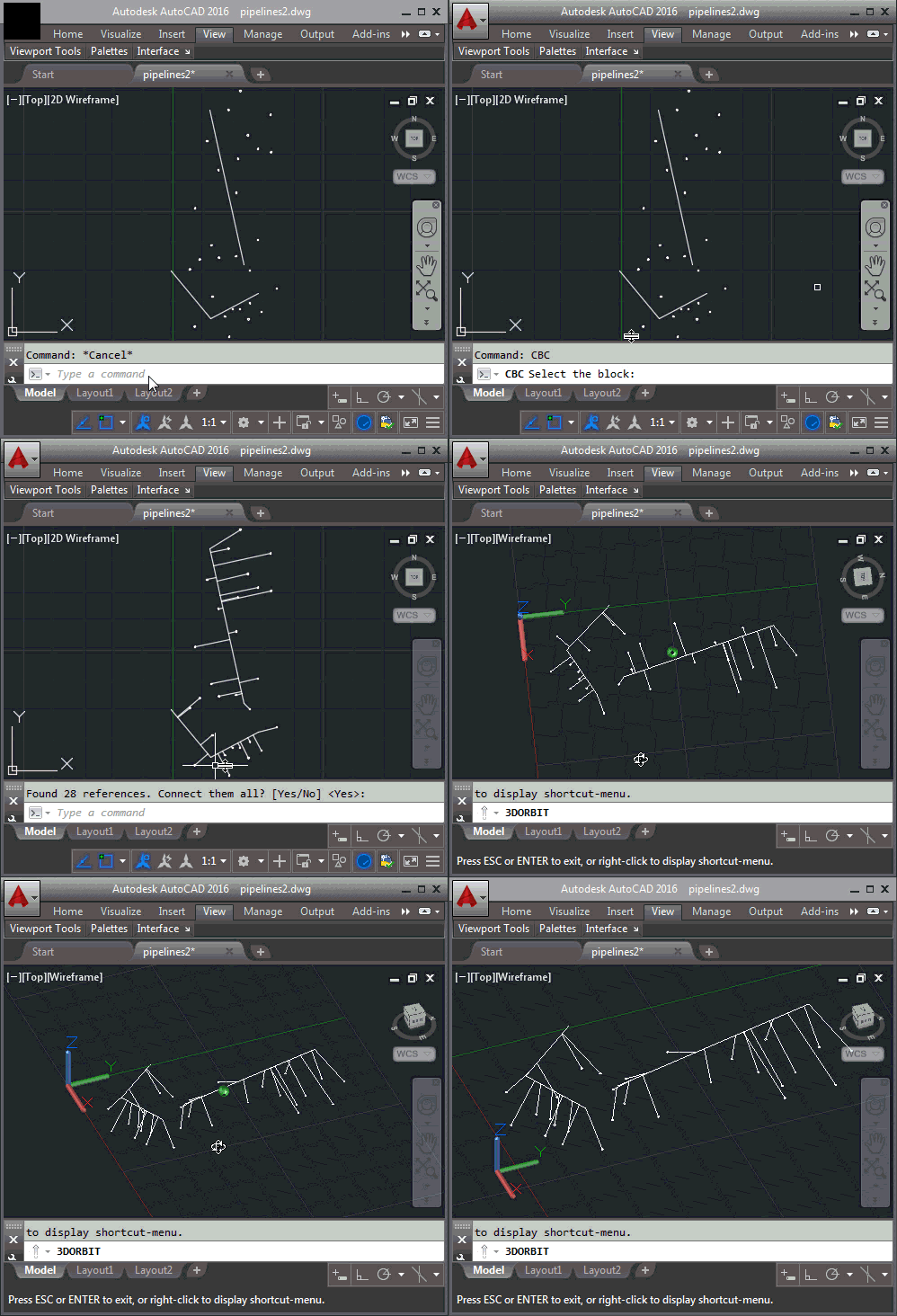
In the last post we saw a simple command that connects a block with a curve via a line that starts at the insertion point and meets the curve at its closest point. In this post we're going to see how we can search the modelspace for the nearest curve and connect each block to that. There are a few interesting techniques used in this post's code: We use the dynamic keyword to count the block references for a particular block without starting a transaction (as we're still in the user input phase, at that point). We're going to use…
-
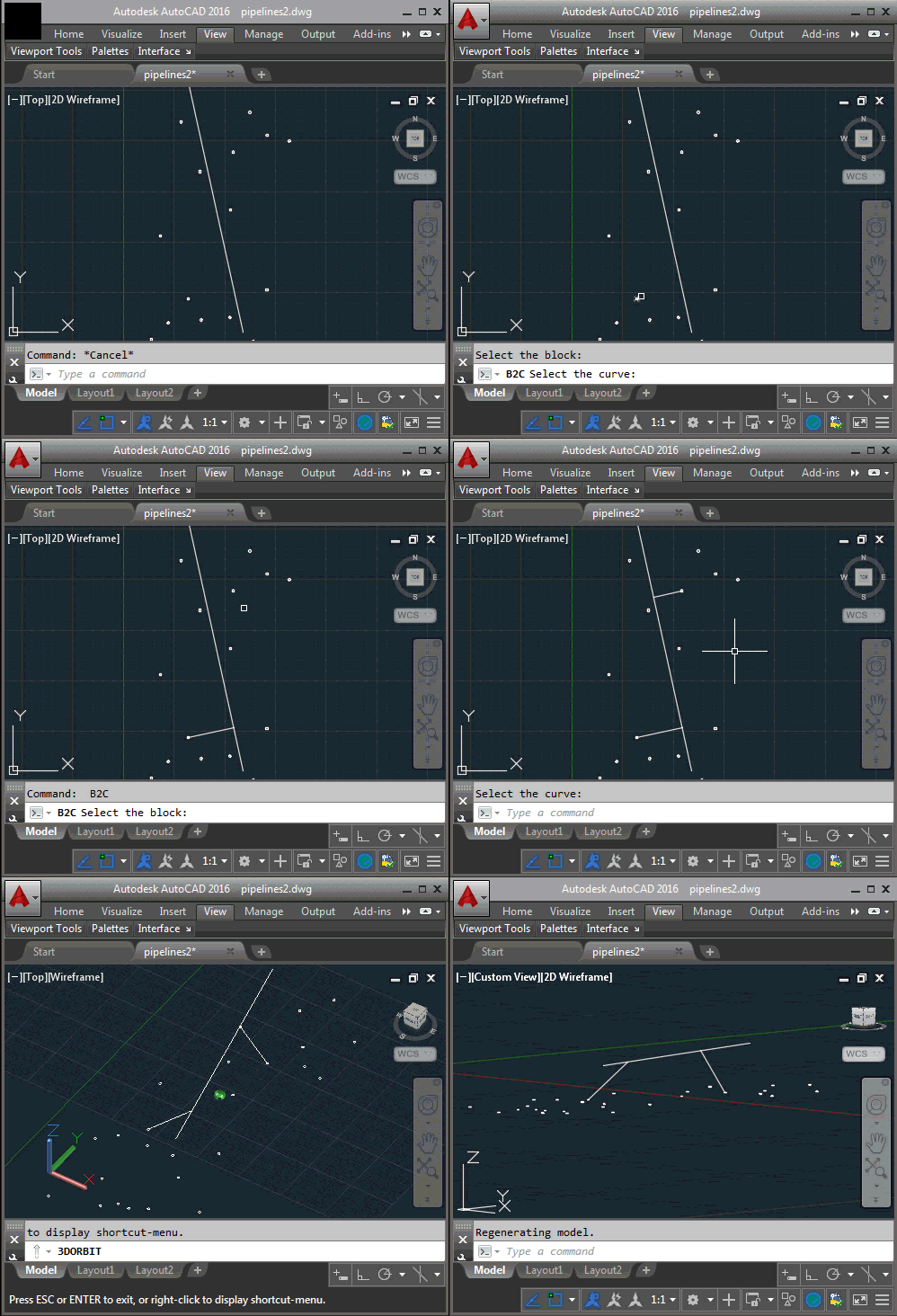
A question came into the LISP forum during Wednesday's Answer Day. It related to a really interesting task: to take certain blocks in a drawing and connect them to the closest polyline via a perpendicular line. It took me a little while to understand, but basically the problem relates to pipeline design: there are gully posts – represented as blocks – that need to be connected to pipelines (polylines) in the drawing. They need to be connected by the shortest path, which will be perpendicular to the pipeline (assuming the pipeline is long enough, of course). It was too juicy…
-

As mentioned, last week, I'm going to be hanging out in the AutoCAD .NET forum for the next few hours. I'll try to do a little live blogging here… so check back often. And remember to join me in the Google Hangout! 15:10 CEST / 6:10 PDT Sitting here with at Autodesk Neuchatel with Celine and Camilo (aka ^CEL and ^CAM from AutodeskHelp), waiting for the questions to come in. 16:50 CEST / 7:50 PDT Well, the Hangout was interesting. On the one hand, I didn't realise you had to enable Q&A before launching the "Hangout On Air", but…
-

One year ago Autodesk held our first ever Answer Day for people to get answers regarding the use of AutoCAD (and its APIs). While I didn't participate in the original event, myself, I was pleased to see a new approach being tried for connecting users of our products with the people who create them. You can think of these Answer Days as a kind of AMA for Autodesk software. The original event paved the way for several others and all have proven to be worthwhile: not just for Autodesk customers struggling with frustrating probems but for the Autodesk employees who…
-

I decided to dust off Visual Studio and write a quick AutoCAD app, this morning. It tackles a question received via a blog comment from Pankaj Potdar, over the weekend. I have two blocks with different attributes I want to merge them in single block, and I don't want to create any nested blocks. I haven't had much time to spend on AutoCAD, of late. Part of the reason has been work-related: I'm heads-down getting the VR/AR track in shape for the upcoming Forge DevCon, as well as spending time on new duties in Autodesk Research. The other part is…
-

The AutoCAD team is running their annual survey to better understand developers' needs relating to documentation. Access the survey here before the end of May. Lee Ambrosius provides more information over on his blog, including some interesting data-points from last year's survey as well as areas of the documentation that were influenced by it.
-

Yesterday Autodesk announced the availability of AutoCAD 2017, code-named "Nautilus". We use consecutive letters in the alphabet for AutoCAD code names, and as 2016 was "Maestro" it's natural that 2017 would begin with an N. For those of you who're wondering, the code name is indeed a reference to the graphics used for the AutoCAD R12 product. Here's my R12 AutoLISP reference, where you can see the inspiration… To find out what's new in AutoCAD 2017 from a product perspective, head on over to Heidi Hewett's post on the AutoCAD blog or visit autodesk.com. You can also watch Mike Mizuno's…
-

After seeing a basic approach to sort arrays of ObjectIds using LINQ – and then refactoring that to be a shared extension method to be used on arrays of ObjectIds – today we're going to see that code refactored, once again, to work with types of data other than strings (up until now we could only sort objects based on string properties such as class and layer names). One solid approach for creating operations that can deal with different types of object – while maintaining type safety – is to use template classes, which are known as generic classes in…
-

In the last post we took a look at one technique to sort a list of ObjectIds by the associated objects' layer and type. In this post we're going to refactor the commonality to have a single extension method that allows us to sort a list of ObjectIds based on any string property. Here's the updated C# code: using Autodesk.AutoCAD.ApplicationServices; using Autodesk.AutoCAD.DatabaseServices; using Autodesk.AutoCAD.EditorInput; using Autodesk.AutoCAD.Runtime; using System; using System.Collections.Generic; using System.Linq; namespace ProcessObjectsInOrder { public static class Extensions { /// <summary> /// Sorts an array of ObjectIds based on a string property and order.…