AutoCAD .NET
-
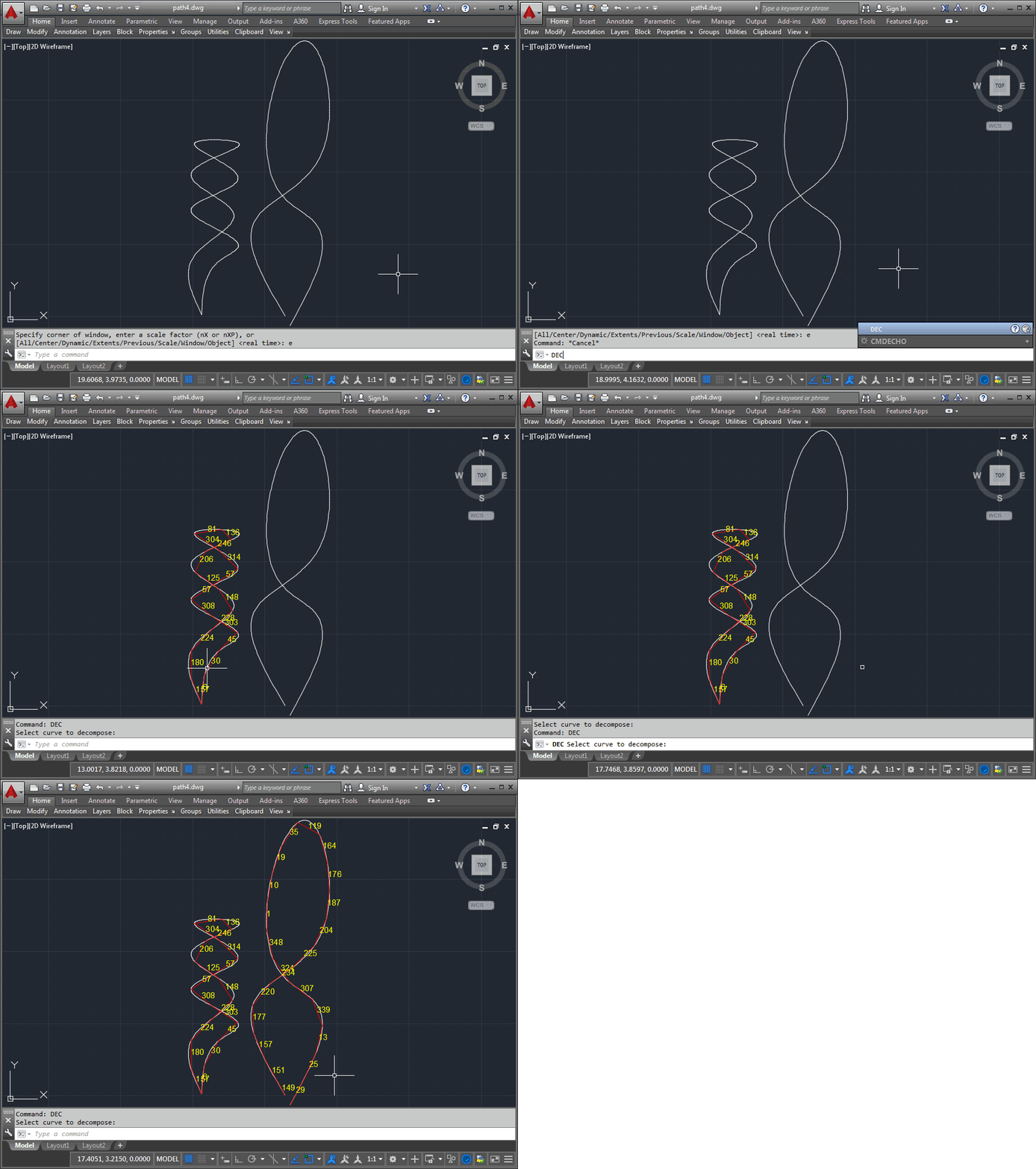
I wasn't planning on writing another part in this series, just yet, but then I got a little carried away with some refactoring work and decided it deserved a post of its own. I wasn't fully happy with the code in the last post. The DecomposeCurve() function simply did too much: it opened a curve, extracted the points we were interested in and then created "movement" strings for each segment connecting the points. So the function was just way too single-purpose, even if a number of the individual operations being performed could potentially have been of use elsewhere. So I…
-

After seeing how we can use Cylon.js to control Sphero's Ollie and BB-8 robots from a browser, and then using the same mechanism from inside a custom AutoCAD command, today we're going to drive these cute little bots based on AutoCAD geometry. The idea is that we'll decompose regular curves – whether lines, arcs, polylines or splines – and use the "segments" as movement instructions for our robots. The approach is simple enough: we'll iterate along the length of each selected curve and generate a set of instructions – really just a set of angles – for the associated bot.…
-

After looking at how to control robots using Cylon.js in the last post, in this post we're going to get that working inside AutoCAD. For now with just a command that allows us to move the robots – in a future post we'll analyse geometry and use that to specify the movements. The "controller" code we saw in the last post needed a little updating for use in this way. I went ahead and stripped out the keyboard-related code – as we're using behind a web-service – and added the capability to control individual robots. We want to be able…
-

This came up during an internal discussion and I thought it worth sharing here. It's easy enough to use a point monitor in AutoCAD to determine the current cursor location, but how do we make sure it's in the current User Coordinate System (UCS) and that we adjust for object snapping (osnap)? To keep the code simple I've been a little lazy: I'm just adding an event handler as a lambda, without worrying about removing it. Also, to avoid a crash when you switch to the New Tab page or a new document and back, the code swallows an eNotApplicable…
-

Some of you may remember this series of posts from the beginning of the year (I also mentioned it in the last post). It showed how you might use AutoCAD and .NET (in this case via F#) to animate the Star Wars opening crawl for the first 6 movies. Back then I said I'd update the video series to include Star Wars Episode VII: The Force Awakens, once it was released. Today is that day… due to some bizarre accident of international scheduling, I got to see it two days ago, here in Switzerland. I took a few snaps of…
-

After showing how to automatically attach xrefs at the origin inside AutoCAD, and then redoing the approach to take care of different unit systems, I then had the request from a couple of places to look at making the xrefs overlays and adjusting their paths to be relative rather than absolute. Looking around, I found some code on the AutoCAD DevBlog that changes an attachment to an overlay, after the fact. Henrik Ericson found the code didn't work for him, but did spot the db.OverlayXref() method which did. So I went ahead and made use of that for overlays. I…
-
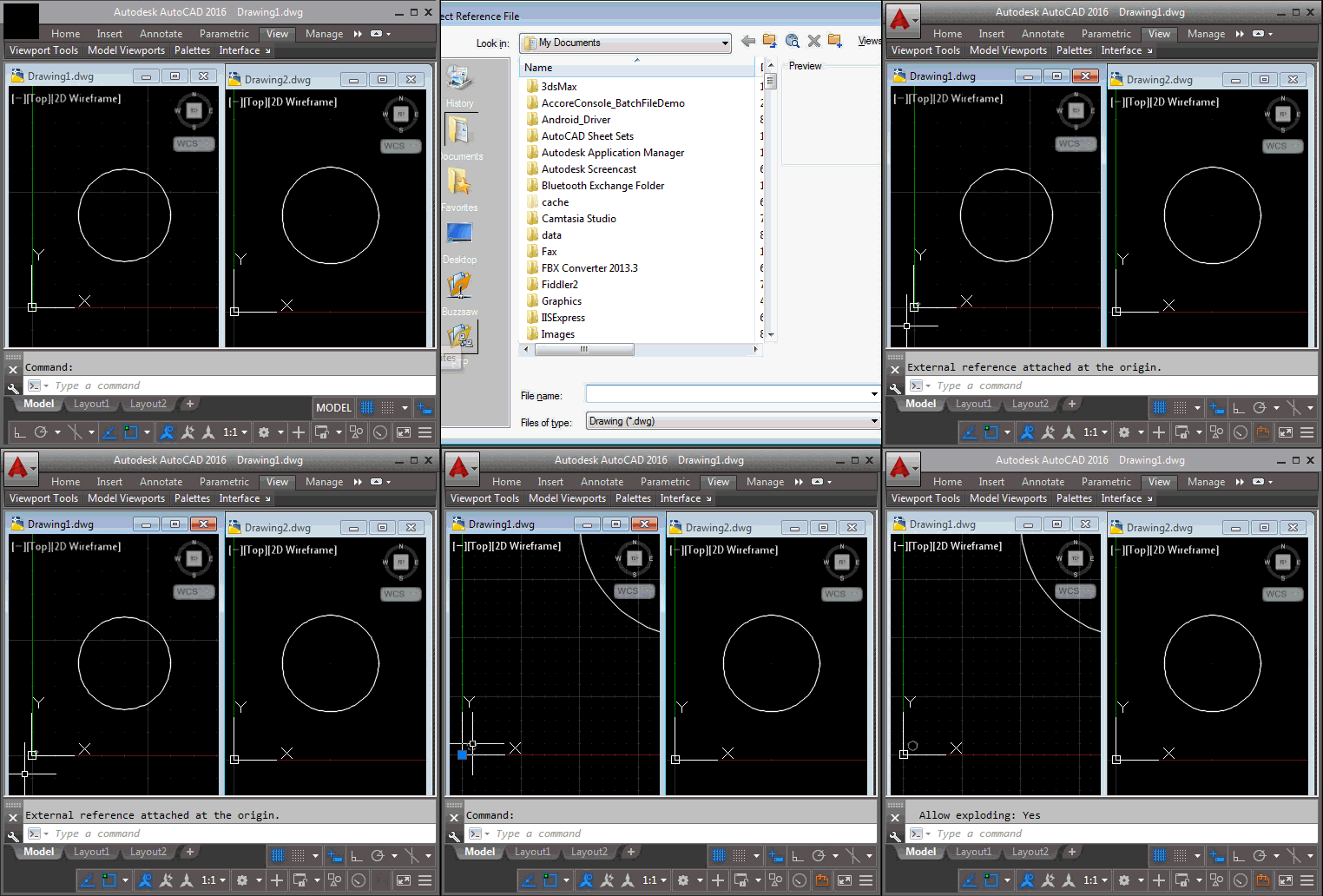
This is actually a redo of last week's post, just with a different title: while the approach shown worked well when creating external references to drawings using the same units, when bringing in (for instance) metric xrefs into an imperial master drawing the scale was all messed up. Thanks to Hans Lammerts for reporting the issue. The scaling ended up being straightforward to implement: the hard work was done by UnitsConverter.GetConversionFactor(), which established the scale factor to use, converting between the Units property of the new block table record and the Insunits property of the target database. Then it was…
-
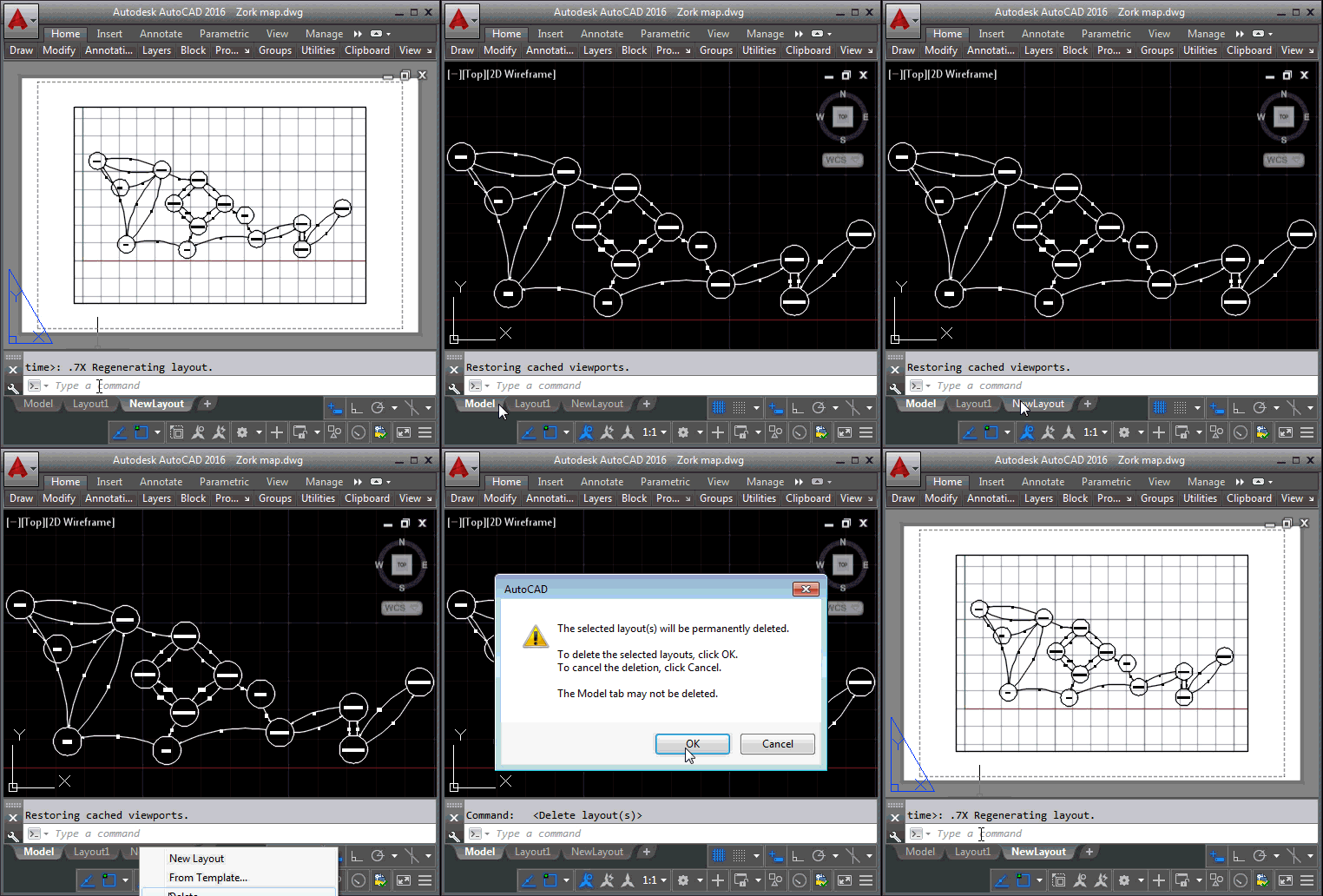
This request from Thomas Longnecker languished in my inbox for several weeks before I finally found the time to work on it. It would be tremendously helpful to me if you could give an explanatory example of how to: Create a new layout, add a page-setup with plot-settings and then either delete the default viewport and create a new one or possible change the default viewport. […] Within the newly created layouts I needed to set some of the general Plot setting, mainly Paper size and Plot style table. Some of the main things for the viewport was to set…
-
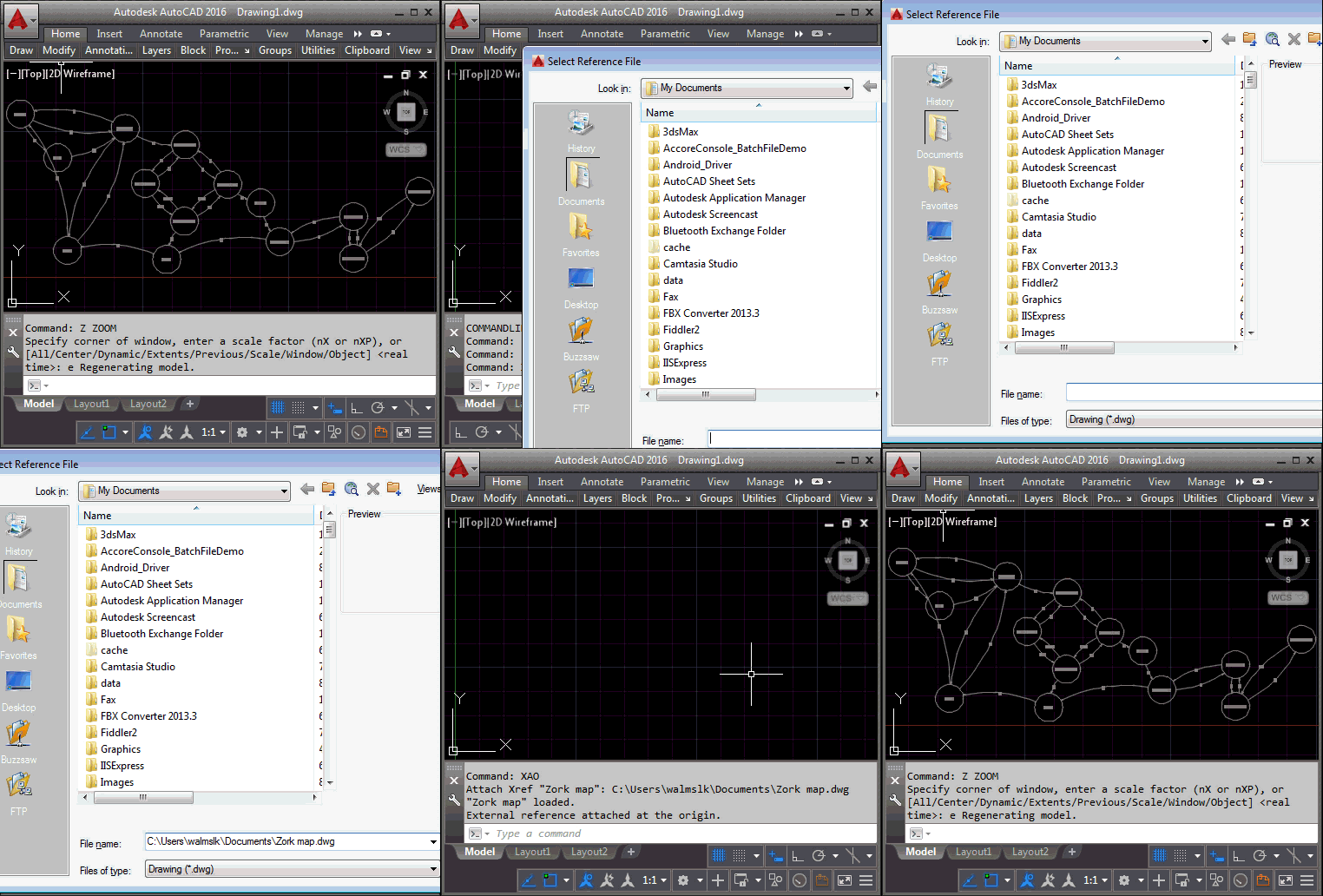
I just received this interesting (and quick to solve) question from Henrik Ericson, this morning: I'm looking for a new xref command (or perhaps overriding the internal xref command) that always insert the selected xref at 0,0,0 coordinates and in World coordinate system. I'm often inserting an xref and 'nothing happens' and then I realize that I'm in a UCS. I created a simple command called XAO – for XrefAttach[At]Origin – that does just this. As a helper function I implemented a simple extension method to both attach and insert an external reference in the current space of the active…
-
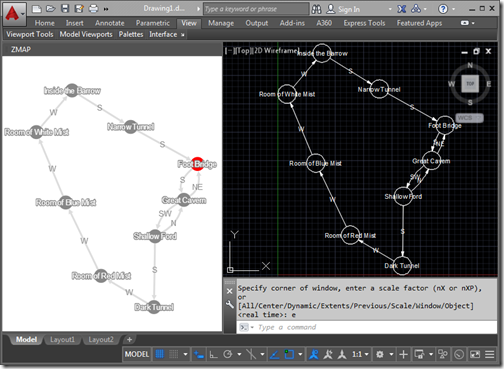
In the last post we saw how we could integrate an HTML and JavaScript palette hosting Cytoscape.js into AutoCAD to map progress made in a text adventure. In today's post we take the additional step of converting the graph data into AutoCAD geometry. To be clear, there's a bit more to this post than having fun mapping old-school interactive fiction inside AutoCAD: I can think of lots of scenarios where you might want to use a comparable tool to build a graph of data and lay it out manually before bringing the graph into AutoCAD as native geometry. But I'm…