Jigs
-
It's Friday, which means it's time for the next installment of Wayne Brill's AutoCAD .NET training DevTV series (as mentioned in last Friday's post). Today's session is focused on user interaction and user input. This series of DevTV sessions is a companion for the new AutoCAD .NET training material available from the AutoCAD .NET Developer Center. Enjoy! 🙂
-
Over the weekend, I had more fun exploring the use of Kinect with AutoCAD. It was prompted by an email I had from a UK-based creative team who are interested in the potential of capturing time-lapse point clouds using Kinect. They were curious whether the quality of data coming from the Kinect device would be adequate for doing some interesting trompe l'oeil video compositions. I started by taking the code from last week's Kinect post: I removed the code related to gesture detection and beefed up the point-cloud related implementation to deal with composite point clouds that are built up…
-
I've improved the basic implementation in this previous post pretty significantly over the last week: New ability to draw multiple polylines Added a gesture of lowering/raising the left hand to start/finish drawing with the right Addition of a transient sphere as a 3D cursor for polyline drawing Quick flash of a transient skeleton (arms and chest only) on user detection The jig now perpetuates by changing the screen cursor minutely to and fro Mouse input is needed to keep the jig active; Kinect input doesn't yet count 🙂 A new gesture of placing hands together to end drawing At Barry…
-
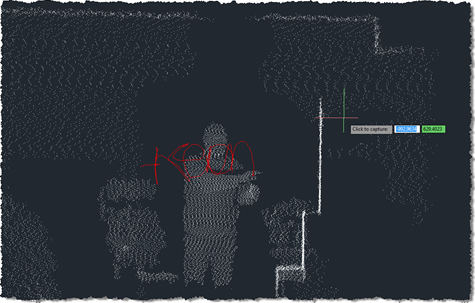
As promised in this previous post, I've been playing around with understanding Kinect gestures inside AutoCAD. My first step – after upgrading the OpenNI modules and drivers to more recent versions, which always seems time-consuming, for some reason – was to work out how to get gesture information via nKinect. It turned out to be very straightforward – as it's based on OpenNI and NITE, the user-tracking and gesture detection come pretty much for free. A few things I had to work out: We needed a "skeleton callback", which is called when body movements are detected Because this is fired…
-
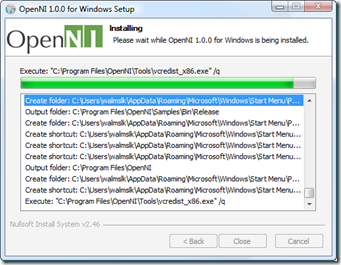
Now things are getting interesting. 🙂 It took me some effort to get this working, but looking at the results I think it was worth it. As mentioned in the last post, I've been trying to get a live feed from the Kinect sensor to display dynamically inside AutoCAD. This post shows how to do that. A huge thanks to Boris Scheiman for helping me get to this point: he not only extended his nKinect implementation to generate the point cloud data I asked for, he sent a number of emails explaining (and even providing) the various modules needed to…
-
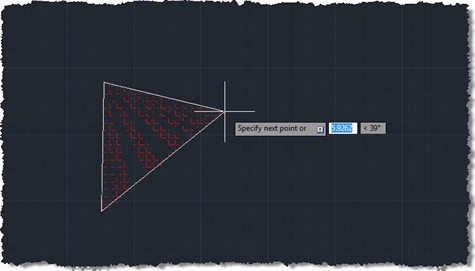
This question came in a few weeks ago, which I thought worth addressing: Hi, Kean! I have a question - how can we create hatch during jig? The code in this post endeavours to do just that, but – be warned – isn't fully successful. The problem I chose to interpret this as is "how do you jig the creation of a polyline, using it as the boundary for an associative hatch?", and it's not an easy one to solve. I started by taking Philippe Leefsma's code from this previous post, which jigs a polyline (including arc segments). I switched…
-
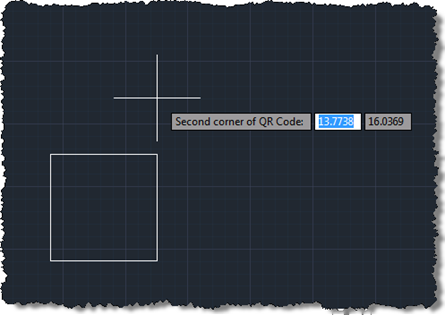
Following on from these two posts, we're now going to implement a jig to create our QR Code raster images inside AutoCAD. Today's approach isn't radically different from the previous one prompting selection of corners, but we do get to see the actual (square) boundary of the raster object as it gets defined. It would have been even better if the raster contents were displayed during the jig, but from what I can tell this has been disabled deliberately, no doubt for performance reasons (you see the same effect – only having the boundary visible – when you move or…
-
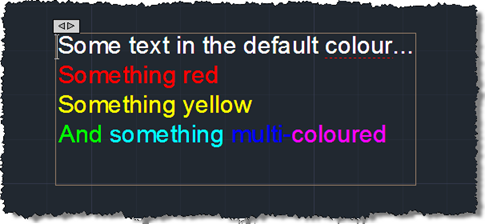
First we saw some simple code to create a pretty multi-line text object, then we saw some code to place it using a "drag jig", now we're going to launch AutoCAD's In-Place Editor (IPE) for MText once the object has been placed. To do this we're going to make use of the InplaceTextEditor object added to the Autodesk.AutoCAD.ApplicationServices namespace in AutoCAD 2011. There's very little work needed to do this – I had concerns about whether it could work safely with a newly-created, transaction-resident object, but it seems to work very well, as far as I can tell. Here's the…
-
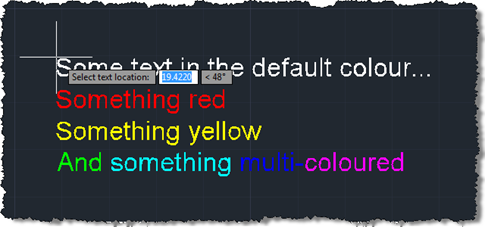
In the last post we created a simple MText object containing sections of text with different colours. The object was located at a hard-coded location, so now we want to use a simple technique to allow placement of our MText (or any object, for that matter) in the current user coordinate system. Rather than implementing a full jig class – whether a DrawJig or an EntityJig (the latter being most appropriate for this scenario) – we're going to use the .NET equivalent of the old (draggen) or acedDragGen() functionality: the overload of Editor.Drag() which takes a selection set, prompt and…
-
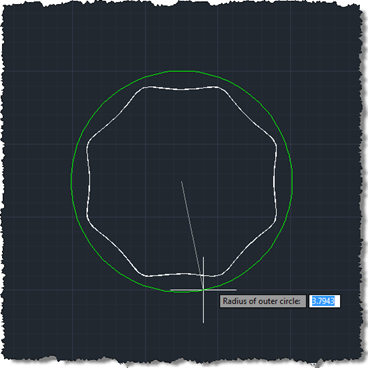
This one is a bit of an experiment: our first "fun" Plugin of the Month (fun in that it doesn't serve a serious work-related purpose that I can think of :-). I've post earlier versions of the code to this blog, but thought I'd post and share the latest & greatest. Scott has kindly announced the plugin's availability already over on It's Alive in the Lab. This is our first Plugin on the Month written in F#, which means an additional DLL needs to be copied with the plugin itself. Other than that the application should work just as if…