REST
-
In the previous post in this series, we saw the code for an initial, basic implementation of a 3D viewer for our Apollonian web-service developed for Windows 8 using WinRT. In this post, we extend that code to provide support for a few basic gestures, particularly swipe-spin, pinch-zoom and tap-pause. To properly show the gestures in action, I recorded the app working inside the Windows 8 emulator (which in turn was running inside Windows 8 running inside a Parallels VM, so fairly far from "the metal", as it were). Here's a quick video of the updated app in action: Unable…
-
After tackling the implementation of a basic 3D viewer for our Apollonian web-service using a variety of technology stacks – AutoCAD, Unity3D, Android, iOS & HTML5/WebGL – I felt as though I really needed to give it a try with WinRT, the new runtime powering Windows 8. All of the previous stacks had some "object" layer I could use above the base graphics engine – Rajawali provided it for Android/OpenGL ES, iSGL3D for iOS and Three.js for HTML5/WebGL – but for WinRT all bets were off. The general guidance for developing Metro-style 3D applications (typically that means games) is to…
-
To finish off our look at developing an HTML5-based 3D viewer for our Apollonian web-service, today's post integrates the trackball capability of the Three.js library. Many thanks to Jeff Geer for once again pointing me in the right direction on this. 🙂 The trackball capability allows you not to worry about manual implementation of 3D navigation inside your viewer: you simply set up some basic parameters to indicate the size of your model and the speed with which you want navigation to occur – as well as the keys for rotate, zoom and pan – and then you just let…
-
In the last post, we created another, basic 3D viewer for the data from our Apollonian web-service – this time using HTML5 via Three.js. In this post, we'll extend the code to listen for keyboard events and manipulate the model according to user-input, as well as enabling feature detection of WebGL (allowing the same implementation to call into the canvas rendering code when WebGL isn't present). We're introducing keyboard-based commands to enable zoom, rotate (meaning spin, although not continuously) and the change of levels: + Zoom in - Zoom out , or % Rotate left . or / Rotate right…
-
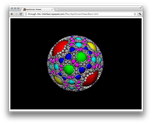
After looking at how to bring data from our Apollonian web-service into Unity3D, Android and iOS over the last few weeks, it seemed natural to extend this series to cover HTML. A big thanks to Jeff Geer for suggesting Three.js, which is the HTML5-based framework I ended up adopting for this project. I like Three.js for a number of reasons: just as jQuery (another library I've used in this project, to good effect) attempts to abstract away the messiness inherent in supporting multiple browsers, Three.js does the same for the world of browser-resident 3D. The other main reason I like…
-
In the last post, we saw some code to implement a simple 3D viewer of data coming from our Apollonian web-service on iOS. In this post, we'll add support for touch gestures, as well as a simple message box announcing when the web-service is unavailable. When compared with Android, iOS provides much higher-level gesture information via its UIKit framework: you basically get callbacks to indicate when the screen has been tapped or swiped, or when pinch or rotate gestures have been performed. This is all very helpful, in the sense that you don't have to do so much low-level running…
-
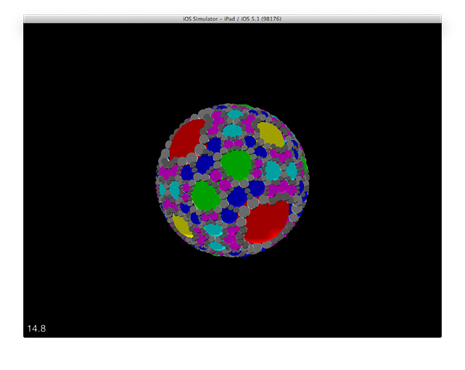
Last week, it was all about Android. This week, I've started taking the plunge into the world of iOS. I've been using a Mac for some time – mainly to wean myself away from being so Windows-centric, but also with a view to working more with AutoCAD for Mac from a development perspective – but this was the first time I'd actually forced myself to write anything for either OS X or iOS. It all came as a bit of a shock, initially, even though I was generally aware of the strangeness of Objective-C with respect to its message-passing syntax.…
-
I hadn't actually planned a 3rd part to this series, but Dennis Ippel kindly spent some time looking at the code posted in the last post, to see where optimisations might be made to increase the sphere count. Consequently, Dennis made some changes to the Rajawali framework to support batch rendering of objects, as well as suggesting some client-side changes that make use of object cloning to avoid the need for replicated vertex buffers, index buffers, textures, etc. – all properties/dependent objects that the code was previously creating per sphere. The results were stunning: with really a modest change to…
-
In the last post, we took a quick look at some basics around developing application for Android, while today we're going to see the code for our Apollonian Viewer application. Or, as my 5 year-old likes to call it, the "sweetie planet" app :-). Last time, I mentioned Dennis Ippel as the author of the Rajawali framework I've used in this app. What I didn't mention is how helpful he has been with getting this app working: Dennis gave hints that unblocked my efforts on a number of occasions, and even implemented new capabilities in Rajawali to enable several of…
-
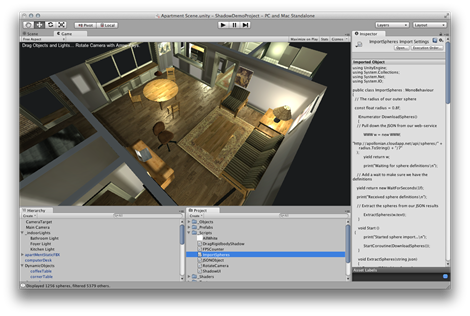
As mentioned in the last post, today we're going to have some fun pulling data from our recently-implemented, cloud-based web-service into the Unity3D game engine. My intention, here, is to reinforce the fact that exposing web-service APIs really does give you broader reach with your technology. In this case, we'll be calling our web-service – implemented using F#, which we could not have included in our Unity3D project – inside a game engine that could be hosted on any one of a wide variety of operating systems. A few words on Unity3D: according to its web-site, Unity3D is "a feature…