Runtime
-

I was up in Adelboden, this weekend, for the Men's FIS World Cup Slalom and Giant Slalom events. Yes, just watching – not participating 🙂 – although I did get the chance to catch a few much gentler slopes on my snowboard during the course of the weekend. On the Saturday – during the Giant Slalom – there was a pretty amazing incident: a young Norwegian competitor, Henrik Kristofferson, very nearly hit a television worker during his first run down. Thankfully no-one was hurt, and Henrik was very understanding about the whole thing (he was given a restart but, given…
-

In the last post, we introduced the idea of preventing object snapping on certain objects by tagging them with XData and then attaching an overrule within AutoCAD to stop it from getting osnap information for them. This worked very well for standard, single-object snap modes – such as center, quad, mid, end, etc. – but didn't work for intersection points. Intersection points are determined by calling an object's intersectsWith() method, which can thankfully also be overruled using a GeometryOverrule. Overruling this behaviour comes with a few important caveats, though: intersectsWith() can be called in a number of different scenarios, so…
-
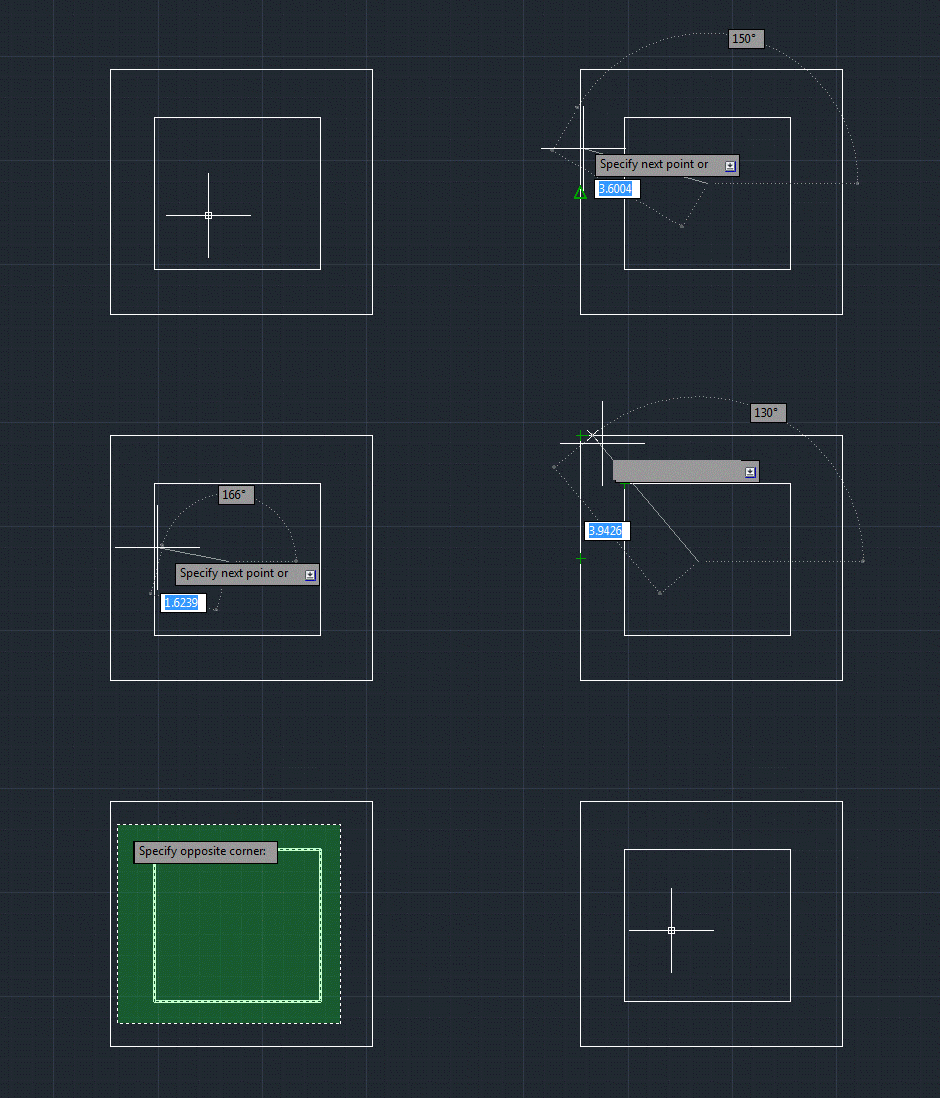
Here's a fun one that came up as a question during the recently "AutoCAD APIs: Meet the Experts" session at Autodesk University. I promised during the session that I'd address it in a blog post this week, so here we are. But I'm splitting the post into two parts, so the more complete solution will only be available next week. The problem is as follows: we want to be able to disable osnap on specific AutoCAD objects by tagging them in some way. The solution proposed by the panel during the session (I forget by whom: it could have been…
-
I've learned a few things since the last post, where we complemented AutoCAD's new JavaScript API with some additional .NET functionality to work around an issue that existed in the code we'd developed in the previous two posts. Firstly, I found out there's a better way for your jig to display transient graphics than via "manual" calls to addTransient(), updateTransient() and eraseTransient(). Acad.Jig exposes an update() function you can call, passing in the xml fragment representing your geometry. The jig will manage the display of the transient and clear it at the end. (Thanks to Sherry Tan for pointing me…
-
After having some fun writing our first jig inside AutoCAD, last week, and calling it either from an HTML page or an AutoCAD command defined in a .js file, in today's post we're going to see how we can use AutoCAD's .NET API to extend its new JavaScript layer. We're going to take a concrete problem we had in last week's implementation: it turns out that when you draw a transient circle beneath the cursor using JavaScript – as we do during our jig – it absorbs mouse clicks. This is something we've logged as an issue, but it seems…
-
Just to complement yesterday's post showing how to define a simple jig using JavaScript, here's the same code from a separate .js file: var doc = Acad.Application.activedocument; var center = new Acad.Point3d(0, 0, 0); var radius = 0; var trId; function pointToString(pt) { var ret = pt.x.toString() + "," + pt.y.toString() + "," + pt.z.toString(); return ret; } function createCircle(cen, rad, first) { // Build an XML string containing data to create // an AcGiTransient that represents the circle var cursor = ''; var drawable =…
-
As a follow-on from the last post, in today's we're going to look at a crude approach for collecting execution information about functions of your choosing from a .NET app inside AutoCAD. We're going to extend the implementation shown last time to record the time taken for the various "instrumented" commands to execute and make it easy to copy and paste this "performance" data into a tool such as Excel. We could also dump out a file directly that can be imported into Excel, but this way is simpler and only slightly more manual. It's important to note the quotes…
-
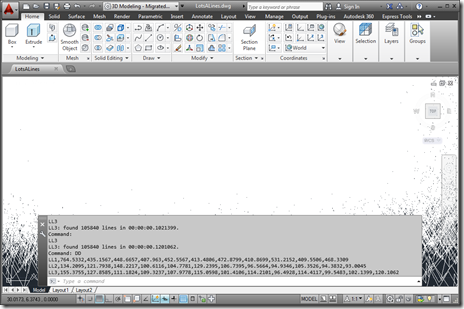
Late last week I received an interesting email from Bruno Saboia, who's been experiencing some performance issues with code he'd written to return all the objects of a particular type – in his case, Lines – from the model-space of the active drawing. We exchanged a few emails on the topic, and Bruno kindly allowed me to post his code and my suggestions for changes. In today's post, we're going to look at both the code and my suggestions, while in the next post (in this mini-series, at least) we'll look at a simple execution framework that can allows you…
-
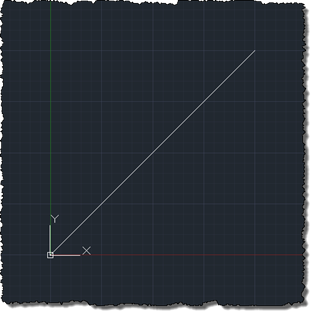
This is a really interesting topic. At least I think it is – hopefully at least some of you will agree. 🙂 The requirement was to create selectable – or at least manipulatable – transient graphics inside AutoCAD's drawing canvas. As many of you are probably aware, transient graphics are not hooked into AutoCAD's selection mechanism. This is mostly fine, but if you want to implement a ViewCube-like gizmo that manipulates the view or drawing settings in some way, it's hard to do so without the ability to react to the current cursor position is and what's happening with the…
-
After the first three parts of this series covered the basic jig that makes use of the standard keywords mechanism to adjust text's style and rotation as it's being placed, it eventually made sense to implement the remaining requirement initially provided for the jig: this post looks at different approaches for having the jig respond to single keystrokes rather than full keyword inputs. Dave Osborne very helpfully got me started on this by providing an initial implementation that makes use of an IMessageFilter – something he'd apparently gleaned from this previous post. Thanks, Dave! 🙂 All the approaches I'll outline…