Selection
-
Here's an interesting question that came in from Nick Gilbert via a blog comment: Is there a simple way to get the geometric extents of the group? As discussed in this previous post, the Group object in AutoCAD presents itself as a collection of geometric objects (or entities, in ObjectARX-parlance). But a Group, in itself, isn't a geometric object: it's an aggregator of objects that are. So there isn't – as Nick is clearly aware – a simple GeometricExtents property of the Group object. But we can access the contents of the Group and combine their various GeometricExtents, returning an…
-
Today's post resulted from an internal discussion: Miroslav Schonauer – with the help of Jan Liska – put together some code for a recent consulting engagement that they felt was important to share with the community. They wanted to test point containment for a particular 3D solid, but also to test whether the selected point – if outside the solid – was above it. They achieved this using AutoCAD's Brep API. Here is the C# they put together (with some minor, cosmetic edits from my side): using Autodesk.AutoCAD.ApplicationServices; using Autodesk.AutoCAD.BoundaryRepresentation; using Autodesk.AutoCAD.DatabaseServices; using Autodesk.AutoCAD.EditorInput; using Autodesk.AutoCAD.Geometry; using Autodesk.AutoCAD.Runtime; using System;…
-

I have to say that I'm having an absolute blast getting to know the new API features in AutoCAD 2015. It turns out I'd barely scratched the surface with my original post about the impact for developers. It's a release that just keeps on giving. 🙂 One new feature that I've had a lot of fun playing with is the "cursor badge" capability, something you may have seen blogged about from a user's perspective. The good news is that the ability to add your own cursor badges is provided in the public API (although I did end up using an internal…
-
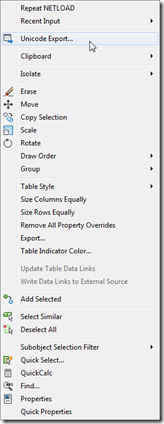
To follow on from yesterday's post, today we're going to look at an alternative implementation that – rather than modifying the Edit shortcut menu that appears for all object types – adds our custom menu item to the shortcut menu associated with a specific type of object. In our case we want to associate the menu item we introduced yesterday with Table objects. The way to associate shortcut menus in CUI with a particular object is to add an alias with "OBJECT_{DXFNAME}": in our case {DXFNAME} will be ACAD_TABLE, making the alias "OBJECT_ACAD_TABLE". You can also add an alias which…
-
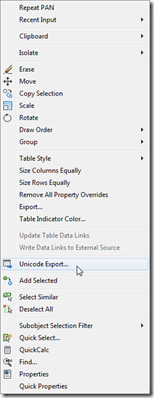
A big thanks to Parrish Husband for both suggesting this topic and providing the majority of the code in this post. Parrish had been attempting to extend the technique shown in this aging post to include an icon with the content menu item. At least one person had done this before, according to the blog comments, but had found – just as Parrish did – that the added icon didn't line up with the others in the menu. In fact it completely messed up the alignment of all the other icons in the menu: less than ideal behaviour. So Parrish…
-
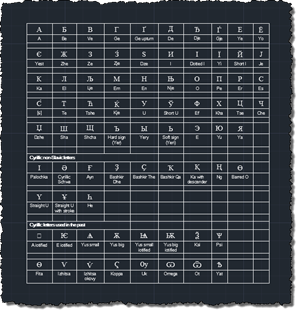
A colleague in our Product Support team came to my desk yesterday afternoon with a problem he thought I might find interesting. He was right. 🙂 It turns out that AutoCAD tables containing Unicode characters don't export very well to CSV files (for later import into Excel, for instance). Here's a sample table with a number of Unicode characters in it: When exported to a CSV file using the standard right-click menu option it contains a bunch of ? characters: The good news is that it's easy to create your own version of the TABLEEXPORT command – the one that…
-
I wasn't planning on covering this particular topic today, but then this comment came in overnight and I ended up taking a look into it. Paul has been trying to append a specific cell range to his connection string when creating a data-link for an Excel spreadsheet, adding to the code from this previous post. I gave it a try myself with a hardcoded cell range and it seemed to work fine, and so went ahead and modified the implementation of the TFS command to ask the user to enter their own cell range. What's probably most interesting about the…
-
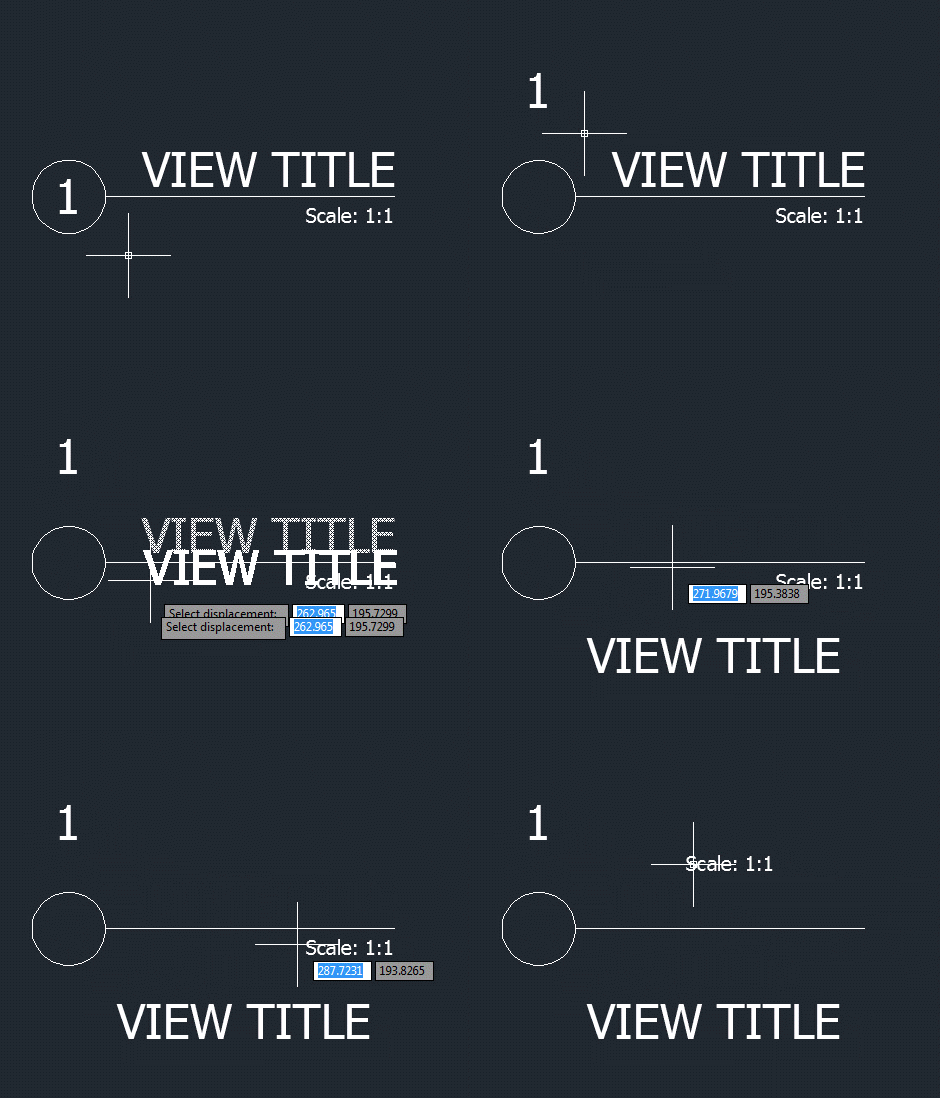
I wasn't expecting to write a third part in this series of posts, but then Samir Bittar went and asked a follow-up question that I felt obliged to look into. Thanks for the suggestion, Samir! 🙂 Samir basically wanted to provide the user with more feedback as they're selecting the nested entity – so that the sub-entity gets highlighted, rather than the full block reference. This turned out to be quite a tricky scenario to address. The overall approach I used was to use a PointMonitor to perform a non-interactive, nested selection of the geometry beneath the cursor and then…
-
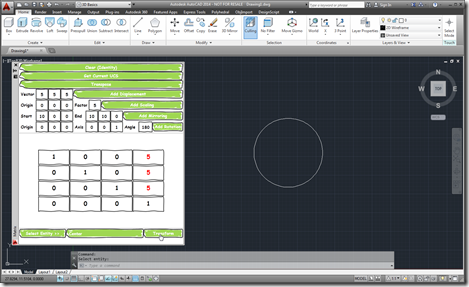
As I started on my linear algebra class, some weeks ago, I decided to dust off the Transformer app I'd written a few years ago and make sure it works in AutoCAD 2014. It actually really helped me in creating appropriate transformation matrices for certain parts of the course. Coincidentally, a few days ago, I received an email from a colleague – who isn't a programmer but seems to be working on a very interesting side project – who was interested in taking matrix input from an external system and using that to transform AutoCAD geometry. This colleague wanted the…
-
Last week I received the following question from Adam Schilling: I have enjoyed your posts on .net programming for datalinks. I have searched high and low and haven't been able to find answers or any support to help me with a small issue. My code (much of which was based off of your posts from 2007) works fine, except I cannot get it to use a different sheet from the workbook that is select. Since the option to select a specific sheet is available when adding a link manually, I would think that it would be possible to programmatically do…