Selection
-
As a follow-on from this recent post, I decided to take a stab at a more generic solution for managing XData that should remain unique – i.e. attached to a single object – inside an AutoCAD drawing. This was prompted by an internal discussion that included a long-time colleague, Randy Kintzley, who suggested the approach taken in this post. (Thanks also to Tekno Tandean and Davis Augustine for adding valuable comments/feedback.) Randy's suggestion was to avoid per-command event handling completely by adding an additional piece of XData – the handle – to objects that need to be managed in this…
-

A comment on the last post made me think it's probably worth diving into LINQ a bit further, as there's clearly interest out there. Now I don't actually use LINQ very much but whenever I do I tell myself I ought to use it more – it's really very useful. A lot of LINQ is derived from the world of Functional Programming – in that it allows you to use higher order functions to manipulate data – and it's really just another way in which .NET languages have been influenced by FP (and have evolved to incorporate its techniques in…
-
I looked back and couldn't find a post covering this particular topic and so decided to put something together. It may well have been covered elsewhere (I admit to not having looked) but I felt like throwing some code together, either way. 🙂 To perform a Boolean operation between Solid3d objects inside AutoCAD, you can use Solid3d.BooleanOperation() on the primary Solid3d, passing in the secondary one. We want to implement commands for Unite (or Union), Intersect (Intersection) and Subtract (Subtraction). Only the last of these needs us to select a primary object explicitly – as the other two operations are…
-
In the last post we saw some code to create a frustum-shaped Solid3d object inside AutoCAD. I mentioned at the bottom of that post that there seemed to be an opportunity to write a framework of some kind to abstract away some of the repetitive code needed to create a multi-input jig. I probably didn't say it in quite that way, but that was what I was getting at. 🙂 Anyway, after having looked at it some more, here's what I came up with: the EntityJigFramework. It's a class derived from EntityJig that encapsulates some of the common code you'd…
-
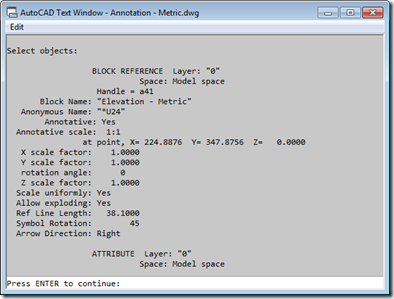
An interesting question came in via email from Rob Outman. He's interested in applying a selection filter when the user selects dynamic blocks. This is straightforward for unmodified dynamic blocks – just as with standard blocks, you can filter on the block name very easily – but it works less well on dynamic blocks whose properties have been modified at an instance level. Essentially what happens is this: if you select a block reference to a dynamic block in the AutoCAD editor and then use (for example) the Properties window to edit some of the custom properties associated with that…
-
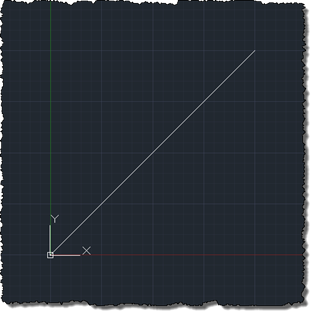
This is a really interesting topic. At least I think it is – hopefully at least some of you will agree. 🙂 The requirement was to create selectable – or at least manipulatable – transient graphics inside AutoCAD's drawing canvas. As many of you are probably aware, transient graphics are not hooked into AutoCAD's selection mechanism. This is mostly fine, but if you want to implement a ViewCube-like gizmo that manipulates the view or drawing settings in some way, it's hard to do so without the ability to react to the current cursor position is and what's happening with the…
-
As mentioned in this previous post, I was very keen to see how AutoCAD could be used to help streamline the process of generating what I've now found out can be classified as anamorphic street art. Leon Keer had mentioned that the technique dates back to Leonardo Da Vinci and – sure enough – Wikipedia agrees. As part of my research, I found the original video that inspired my interest in Leon's work, which should help put this post in context: To make the process reasonably realistic – and to some degree replicate the approach Leon has taken in his…
-
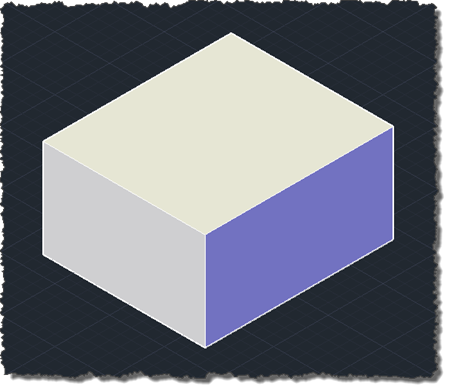
Another piece of code culled from an email from Balaji Ramamoorthy, from DevTech India. I did a little refactoring and formatting, to fit the blog. Thanks, Balaji! 🙂 The below C# code demonstrates how to use Solid3d.ChamferEdges() with a user-selected edge and face. Balaji has also provided code to determine the edge and face programmatically – without the user needing to select anything – using the Brep API. I expect to show that approach in a subsequent post. using Autodesk.AutoCAD.ApplicationServices; using Autodesk.AutoCAD.DatabaseServices; using Autodesk.AutoCAD.EditorInput; using Autodesk.AutoCAD.Runtime; using System; namespace SolidEditing { public class Commands { [CommandMethod("EC")]…
-
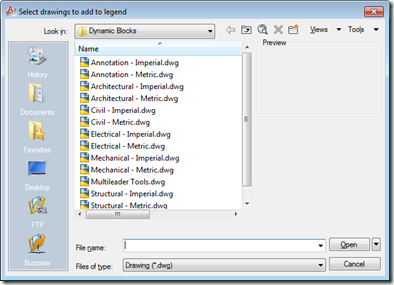
This interesting question came up in our discussion forums: Does anyone have a routine that will insert all the drawings from a single folder into one drawing to create a legend sheet? I'm trying to document the company's various blocks and details for dissemination amongst several offices. The simplest – and most elegant, in my opinion – approach for addressing this requirement is via the Table object, which allows you to include block thumbnails in each of its cells. So we would need to import the various drawings into the current drawing as blocks, and then point the various cells…
-
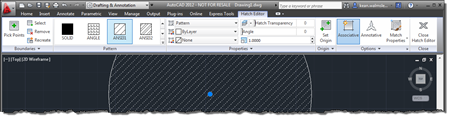
This very interesting feature came to my attention via an internal discussion. Thanks, once again, to George Varghese for providing the base sample used for this post. At various times inside AutoCAD – such as when a block is selected, for instance – a specific ribbon tab is displayed "contextually". As an example, when you select a Hatch object inside the AutoCAD editor, you should see a hatch-related contextual tab displayed: It's possible to implement your own, comparable behaviour inside the AutoCAD editor using a combination of a simple .NET module, a XAML file and some CUI editing (or a…