Selection
-
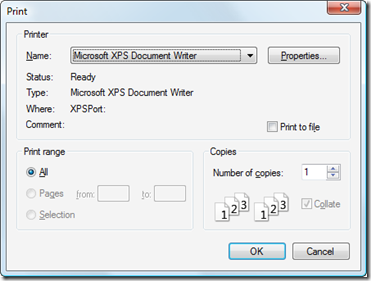
Now that I'm completely finished with my AU 2009 preparation, it's time for me to get back to the next "Plugin of the Month", given that we have just a few days left of the month of October. Here's another iteration of the application, this time implementing the following enhancements: The application now keeps the chosen settings: they follow you between drawings and even between sessions. We now perform a Regen after selecting objects to capture to unhighlight them There is now a "Print" setting, which gives the option of sending the capture image directly to a printer The image…
-
Thanks to all those who provided feedback on this recent post. I really appreciate people taking the time to provide feedback – both positive and negative – as I want to ensure this tool is used by more than just a few AutoCAD users. Today's version extends the last one to include a few more "Settings": Existing settings Output Allows the user to choose whether the captured image is copied to the clipboard or saved to a raster file Background Allows the user to force the background colour to white Hopefully useful for people using a non-quite background but want…
-
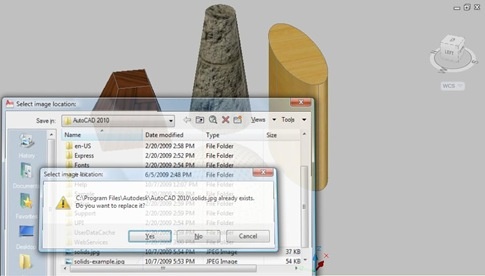
Thanks to all who provided input on this last post, where I asked for guidance on how best to design the command-line interface for the Screenshot application, the proposed Plugin of the Month for November. The current code is based largely on this previous post, but may end up being extended - in time - to include better 3D support via the technique shown here. Here are some design choices that came out of the comments on the last post: From Fred Dickinson A separate "Settings" option, allowing us to use a sub-menu for our application settings From MJohnston Display…
-
I'm currently thinking about using the code from this previous post as a basis for November's Plugin of the Month. This simple AutoCAD application would provide three main capabilities: Take a screenshot of the entire AutoCAD application window Take a screenshot of the current drawing window Take a screenshot of a user-specified section of the current drawing Each of these options would result in a bitmap being either saved to file or placed on the clipboard. The thing I'm chewing on, right now, is how best to design the command interface for these operations. It occurred to me that this…
-
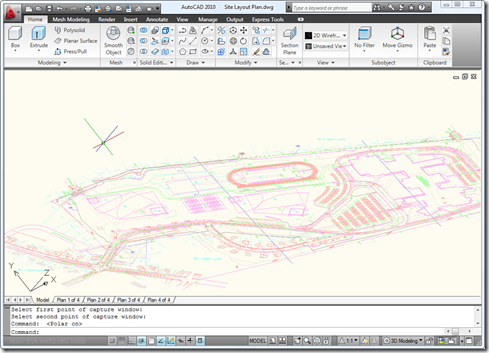
Following on from this recent post – and inspired by a question we received recently from a developer – I decided to extend the previous code to allow a user to select a portion of a drawing they would like to save to a file or place on the clipboard. This is actually a really useful tool for me when I'm writing this blog, so there was certainly a degree of self-interest involved. 🙂 The technique shown in today's post is actually pretty handy for other situations: it's quite common to want to transform a point from drawing coordinates (which…
-
In response to September's Plugin of the Month - which Shaan has very kindly posted about over on Between the Lines – a few people have requested enhancements to the OffsetInXref tool. Two came up, in particular: The ability to offset the contents of blocks, not just xrefs The ability to enable the XLINE command's offset functionality to work with xrefs (and blocks) The changes to enable these enhancements are very minor, which is always a pleasant surprise. Well, in the first case it isn't much of a surprise: xrefs are actually just a special kind of block, so we…
-
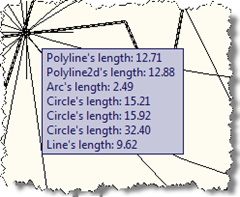
One of the responses to my last post on the "Plugin of the Month" asked about showing information on an AutoCAD drawing object via a tooltip. Other than using the standard rollover tooltip properties mechanism, as shown in this previous post, the best way to achieve this is via a PointMonitor. In the below C# code we check which object ore objects are being hovered over, get information about those objects and add them to the tooltip. using Autodesk.AutoCAD.ApplicationServices; using Autodesk.AutoCAD.DatabaseServices; using Autodesk.AutoCAD.Runtime; using Autodesk.AutoCAD.EditorInput; using Autodesk.AutoCAD.Geometry; public class PointMonitorTooltips { [CommandMethod("SM")] public static void StartMonitor() …
-
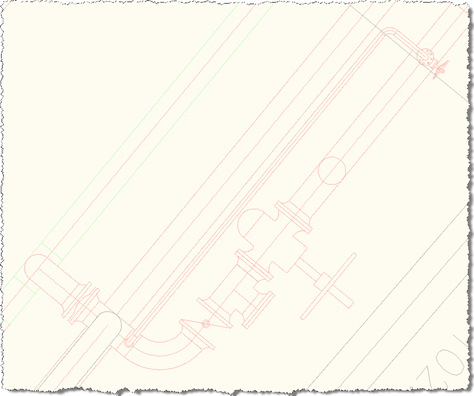
This was a fun little project: to enable AutoCAD's OFFSET command to work on the contents of external references (xrefs), something I'm told is a long-standing end-user wishlist request. AutoCAD's .NET API provides some very interesting events that make this possible without the need for us to implement our own OFFSET command. We can simply respond to the selection event and replace the selected object (the xref itself) with either an item contained in the xref or a clone of it that has been placed in the current space. I ended up using the latter approach: the former worked fine…
-
This post follows on from this previous one, where we looked at a technique for picking a face on an AutoCAD solid. Tony Tanzillo kindly pointed out this much cleaner solution for this problem, and also highlighted a really simple (and elegant) way to implement LookAt using standard AutoCAD commands. While I really like both pointers provided by Tony, I've decided to persevere with my existing - admittedly sub-optimal - approach, as much as to show ways to exercise some APIs that people may not have used themselves. Please be warned, this isn't the simplest way to address this problem,…
-
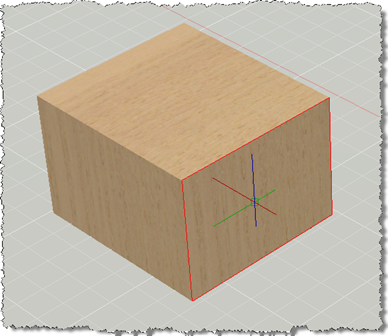
This post has come out of an interesting discussion I had with Jim Cameron at the ADN party at AU 2008. He mentioned an idea, which he kindly later reminded me of by email, which was to develop an AutoCAD equivalent for Inventor's LookAt functionality. I didn't know about LookAt before this discussion, but it seems it allows you to look at a particular face: you pick a face and it rotates the view and zooms in to centre it on the screen. Rather than try to attack the whole problem at once, this post tackles selecting a face (which…