Selection
-
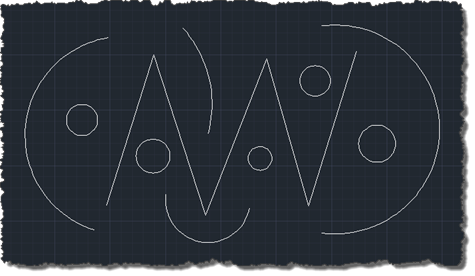
In the last post, we looked at how to stop entities from being highlighted during selection. This post looks at how to stop entities from being selected at all. Thanks again to Balaji Ramamoorthy for providing the underlying technique shown in today's code. The basic scenario we're using is similar to the last post – we maintain a list of DXF names for the classes we want to stop from being selected – but it could easily be adapted to using different criteria for removing objects from the selection: an example being the use of a similar (although admittedly not…
-
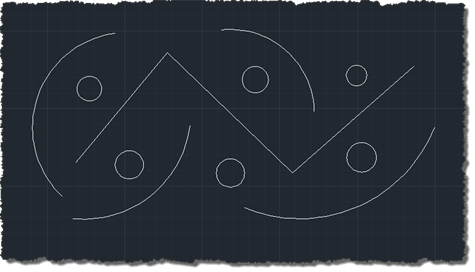
Thanks to Balaji Ramamoorthy, from DevTech India, for the basis of this post (some code he provided in a recent reply to an ADN member). The original question came from someone who wanted to stop text objects from being highlighted when selected. I've extended the mechanism to make it a little more flexible: it now maintains a list of object types (their DXF names) of objects that should not be highlighted, when selected. Balaji implemented a HighlightOverrule to control the highlighting. This doesn't stop the objects from actually being selected, however: in the next post I'll add some additional code…
-
It's Friday, which means it's time for the next installment of Wayne Brill's AutoCAD .NET training DevTV series (as mentioned in last Friday's post). Today's session is focused on user interaction and user input. This series of DevTV sessions is a companion for the new AutoCAD .NET training material available from the AutoCAD .NET Developer Center. Enjoy! 🙂
-
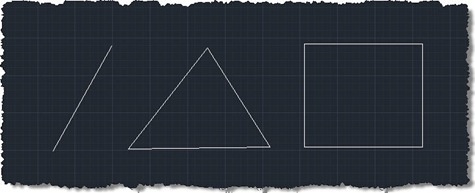
This request came in over the weekend: There is a useful object snap in AutoCAD for the mid point of 2 selected points. I would like a midpoint (average) of 3 (or more) points. Could this work in 3D as well as 2D? It's useful when drawing building surveys, often you triangulate a point from several and there are often 'minimal' differences in the dimension and you just take the average. Given the fact we're actually talking about an arbitrary number of points that will almost certainly not belong to a single entity, object snaps are probably neither the easiest…
-
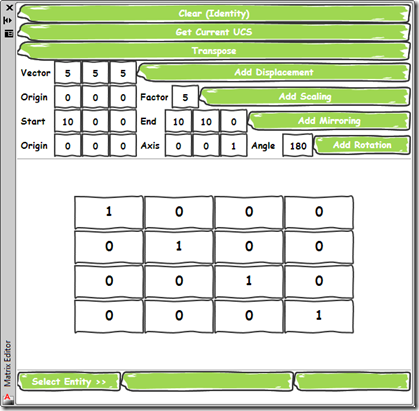
As promised, today's post delivers a simple application that provides a user-interface for the command implemented in this previous post. I chose to implement the UI as a WPF user control which is then hosted by a standard AutoCAD palette. Aside from its core function – to allow composition of transformation matrices to be applied on an AutoCAD object – it demonstrates a couple of handy tips for working with Palettes: Separate the core functionality from our UI, using SendStringToExecute() to call it This will reduce the chance of issues related to Document vs. Session context, document-locking, etc. If you…
-
I've now checked in for my flight to Las Vegas – and, thanks to Jeremy Tammik's recent troubles, I luckily renewed my ESTA – so I'm pretty much all set for my trip to AU 2010, at least from a travel perspective. I'm just keeping my fingers crossed that the gastric 'flu my kids seem to have come down with doesn't hit me before I leave (or once I'm at AU… what a grim thought). I was going to keep today's post light, just like the last one, but then decided to dip into my email folder of externally contributed…
-
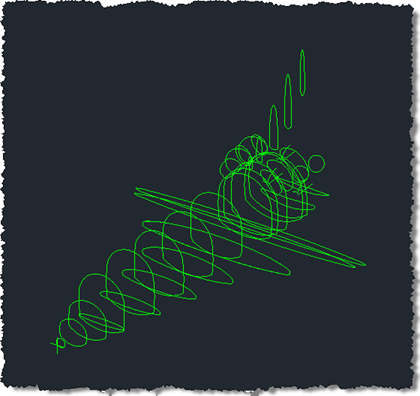
Here's an idea I've been playing around with for some time: say you want to capture geometry as code for pasting back into your application, how do you do it? For instance, sometimes you might want to model geometry using AutoCAD and then capture it as code for later generation at runtime. I have a specific example in mind, of course: I have some boundary loops that can be used to generate the outer shell of a space shuttle using the surfacing capabilities introduced in AutoCAD 2010. I'd really like to use code to store these loops and – in…
-
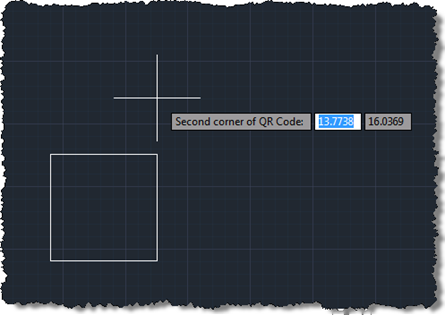
Following on from these two posts, we're now going to implement a jig to create our QR Code raster images inside AutoCAD. Today's approach isn't radically different from the previous one prompting selection of corners, but we do get to see the actual (square) boundary of the raster object as it gets defined. It would have been even better if the raster contents were displayed during the jig, but from what I can tell this has been disabled deliberately, no doubt for performance reasons (you see the same effect – only having the boundary visible – when you move or…
-
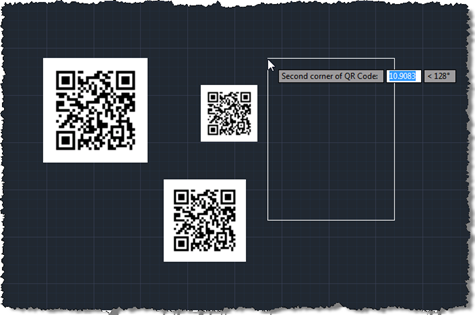
As promised, the code in this post extends that from the last post to add some user selection to the process of defining and placing a QR Code in an AutoCAD drawing. This version of the code also makes sure the raster is positioned in an "upright" orientation, irrespective of the order in which the corners are selected. Many images need to be positioned in such a way (although QR Codes are presumably more tolerant due to the positioning squares in three of the corners), so I expect this technique will be of interest to various people who need to…
-
A big thanks to Thorsten Meinecke for pointing out the obvious issue with my prior post (the nested entity selection loop which has frustrated me unnecessarily when developing the code for that post and another). Here are the details of the fix: using Editor.GetNestedEntity() along with a PromptNestedEntityOptions object, instead of a direct message string, allows us to specify AllowNone to be true. Which, in turn, causes PromptStatus.None to be returned when the enter or space keys are used to terminate the selection loop. An obvious omission, in hindsight, but anyway – I'm much obliged to you, Thorsten! 🙂 I've…