Selection
-
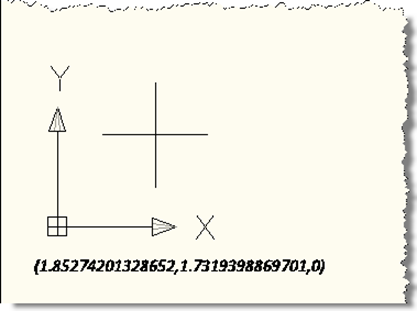
I've often seen the question, over the years, of how to draw text in the plane of the screen, even when the current view is not planar to the current UCS. This ability to "screen fix" text has been there, but has required a number of sometimes tricky transformations to get the right behaviour. Well, during a recent internal discussion I became aware of a really handy facility inside AutoCAD which allows you to dependably draw screen-fixed text without jumping through hoops. In this simple example, we're implementing a DrawJig - a jig that doesn't host an entity but allows…
-
Everything aches after a very enjoyable soccer tournament in Prague (to which I mentioned I was heading off in my last post). But it was well worth the pain; it was really a lot of fun playing with and against (and just catching up with) so many friends and colleagues. I received this question a week or so ago by email: Is there any way to change the handle of an object through the API? Ideally I would like to select two objects and swap the handle. The code in this post does just that: it asks the user to…
-
This post was inspired by a comment on this previous post, where we looked at some code to select entities on a specific layer. The question was regarding how best to select entities from multiple layers: the selection filtering mechanism inside AutoCAD makes this very easy, and can cope with composition of conditions related to various entity properties. The basic concept is to enclose sets of entity properties for which you wish to filter with tags indicating the composition of the conditions: for "or" you enclose the conditions with "<or" and "or>" and for "and" you use "<and" and "and>".…
-

In this earlier post we saw some C# code that creates 2D, 3D or "live" section geometry in AutoCAD 2007 or higher. I mentioned at the end of the post that I was curious to see how equivalent F# code compared with this C# source, especially in the area of array concatenation. Well, it turns out that there's still a little pain, just different pain (more like a sharp pain that's over quickly, rather than a dull, nagging ache :-). Here's the F# code: #light module SolidSection // Import managed assemblies #I @"C:\Program Files\Autodesk\AutoCAD 2009" #r "acdbmgd.dll" #r "acmgd.dll" open…
-
Back when I joined Autodesk in 1995, I worked in European Developer Support with one of the most talented programmers I've met, Markus Kraus. One of Markus' contributions to the R13 ARX SDK (or maybe it was R14?) was a sample called pretranslate, which remained on the SDK up until ObjectARX 2008, under samples/editor/mfcsamps/pretranslate (it was removed from the 2009 SDK when we archived a number of aging samples). Anyway, with AutoCAD 2009 the API that makes this sample possible has been added to the .NET API, so in homage to Markus' original sample (which I have fond memories of…
-

In the last post we saw how to access some of the 3D modeling functionality introduced in AutoCAD 2007. This post continues that theme, by looking at how to section a Solid3d object programmatically inside AutoCAD. Thanks to Wayne Brill, from DevTech Americas, for providing the original code that inspired this post. Here's the C# code: using Autodesk.AutoCAD.ApplicationServices; using Autodesk.AutoCAD.DatabaseServices; using Autodesk.AutoCAD.EditorInput; using Autodesk.AutoCAD.Runtime; using Autodesk.AutoCAD.Geometry; using System; namespace SolidSection { public class Commands { [CommandMethod("SS")] public void SectionSolid() { Document doc = Application.DocumentManager.MdiActiveDocument; Database…
-

AutoCAD 2007 introduced more advanced solid & surface modeling tools. This post takes a look at how to generate one particular type of surface: a SweptSurface, which is created by sweeping a profile (which could be a region, a planar surface or a curve) through a particular path (which must be a curve). The below C# code shows how to sweep an object along a curved path to create a surface. Our SAP (for SweepAlongPath) command doesn't provide all the options of the standard SWEEP command, as the point is to show how to do this programmatically, not to duplicate…
-
In the original post in this series, we introduced a basic application to number AutoCAD objects, specifically blocks with attributes. In the second post we extended this to make use of a generic numbering system for drawing-resident AutoCAD objects, and in the third post we implemented additional commands to take advantage of this new "kernel". In this post we're going to extend the application in a few ways: firstly we're going to support duplicates, so that the LNS command which parses the current drawing to understand its numbers will support automatic and semi-automatic renumbering of objects with duplicate numbers. In…
-
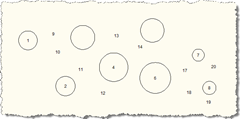
In the last post we introduced some additional features to the original post in this series. In this post we take advantage of - and further extend - those features, by allowing deletion, movement and compaction of the numbered objects. Here's the modified C# code, with changed/new lines in red, and here is the updated source file: 1 using Autodesk.AutoCAD.ApplicationServices; 2 using Autodesk.AutoCAD.Runtime; 3 using Autodesk.AutoCAD.DatabaseServices; 4 using Autodesk.AutoCAD.EditorInput; 5 using Autodesk.AutoCAD.Geometry; 6 using System.Collections.Generic; 7 8 namespace AutoNumberedBubbles 9 { …
-
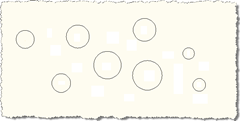
I had this interesting request come in by email: I have a problem where I have a block I need to insert into several parts of a drawing. The block has three attributes, 1. Point number, 2. Level, and 3. Code. I would like to do the following; 1. be able to select objects in a drawing and have it insert the block and autosnap to circle centres, and auto number each point number attribute.2. be able to manually select points which are automatically numbered.3. it should remember the last point number.4. have the option to renumber points if changes…