AutoCAD .NET
-

For those of you unable to attend AU 2013 in person, the keynote sessions and a small number of this year's classes will be streamed live. And they're free to attend: you just need to be registered with AU Online. I'm lucky to be presenting one of only 11 classes that are scheduled to be broadcast over the web as well as having a live audience: it seems my Kinect Fusion session is the only developer-centric class that's been selected for this year's AU Online, which is quite the honour. Hopefully I'll do it justice! A good piece of related…
-
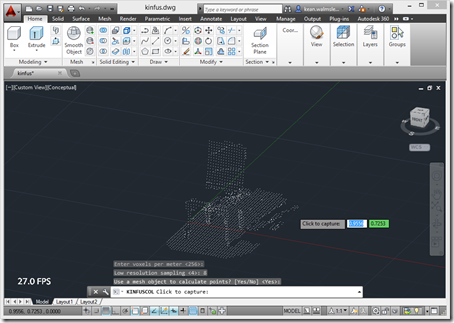
Something you realise quite early on when working with the Kinect Fusion component in the Microsoft Kinect SDK is that it's really meant to integrate into a 2D UI: it takes care of rendering the volume that's being mapped, and you simply have to integrate the generated bitmap somewhere into your app's UI. The primary benefit of this approach is its low latency: it all happens very quickly and the only data you need to move from the runtime into your app is the bitmap itself. With 3D systems such as AutoCAD, though, you really want to take the 3D…
-
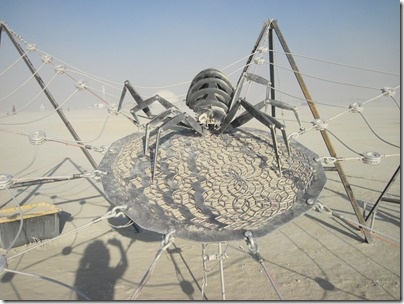
I had a little fun with the title for this post: unfortunately this one isn't a "how to" and I'm not actually going to provide a code sample. But I did want to highlight how AutoCAD's .NET API has been used for at least one exhibit at this year's Burning Man, and a very cool one, at that. I first heard about Burning Man when I was living in the San Francisco Bay Area back at (or soon after) the turn of the millennium. Our housemate back then (being British I have trouble with the term roommate… back in the…
-
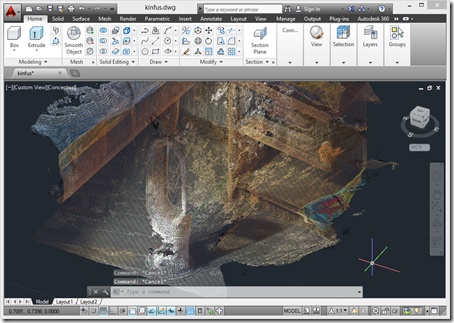
A few weeks ago the Kinect SDK was updated to version 1.8. I'd been eagerly awaiting this update for one reason, in particular: aside from receiving some updates to provide more robust tracking – something that was very much needed – Kinect Fusion has now been updated to include realistic colours in the output. There are some additional SDK enhancements, such as a background removal APIs (good for greenscreening) and HTML support (handy for interactive kiosks), but the ones that interest me most relate to Kinect Fusion. There are a few new Kinect Fusion samples that I need to take…
-
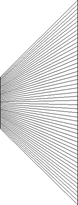
I was writing up a rather lengthy post following on from Monday's when I realised I needed some diagrams. And then I realised they were going to be complicated enough to need AutoCAD to create them. And then I realised I needed to write some code to generate some of the graphics, as they were too complicated to draw by hand. 🙂 Which is what this post has ended up being about: it seemed quicker and easier to write this topic up than it was to finish the other one, which I'll hopefully publish tomorrow, if i can find the…
-
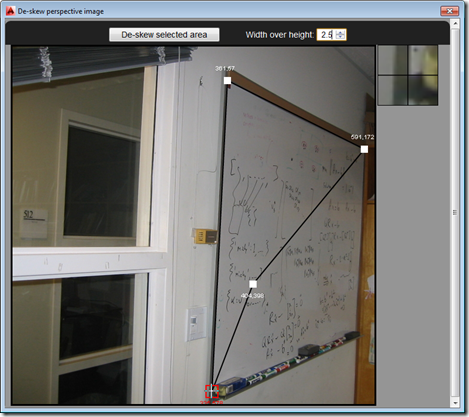
So after several posts leading up to the big reveal, as it were, in today's post we're going to see the full "De-skew Raster" application in action – and give you the complete source to fool around with. The main addition over where we were in the last post is the HTML5 and JavaScript UI implementation, as well as the new C# command – called DESKEW – that loads and displays it: Our JavaScript code uses the new JavaScript API in AutoCAD 2014 to execute the other command (DESKEW_IMAGE, which we saw implemented last time) that drives the core Python…
-
In this previous post, we saw some of the issues around executing standard Python code to de-skew raster images inside IronPython (and the effects those differences can have on the results). In this post, we're going to build the ability to execute our Python code from a .NET module loaded inside AutoCAD with the help of IronPython. The next step will be to add in an HTML5 user interface that calls into AutoCAD using the JavaScript API introduced in AutoCAD 2014. Things have changed a bit since we first saw IronPython inside AutoCAD, most notably the additional of the dynamic…
-
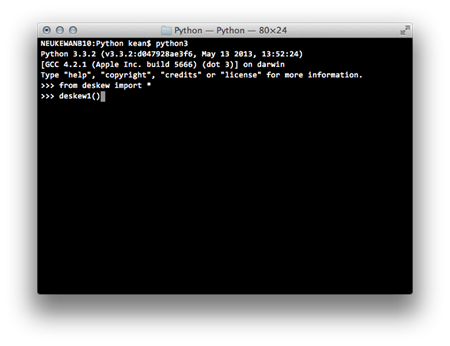
As part of the project I'm working on to deskew perspective images and insert them as RasterImage entities inside AutoCAD, I spent quite some time migrating pure Python code – a good deal of which I had to create for various assignments as part of the linear algebra class I've now finished – for it to work inside IronPython. For those of you who aren't familiar with it, IronPython is a variant of Python that works with .NET via the Dynamic Language Runtime. Making it really easy to integrate with AutoCAD. The code as it stood previously was working inside…
-
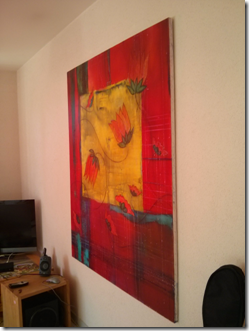
I've managed to find the time to make good progress on my linear algebra class, which means I have an update to share on the image deskewing project I mentioned last week. Thanks to all of you who provided comments on that post, by the way: there's some really valuable information there. The current implementation has been developed in Python and runs completely separately from AutoCAD. Here's my rough integration plan to get it working in an AutoCAD plug-in: Adapt the code to make sure it can easily be applied to other images. Remove any dependencies that might stop the…
-
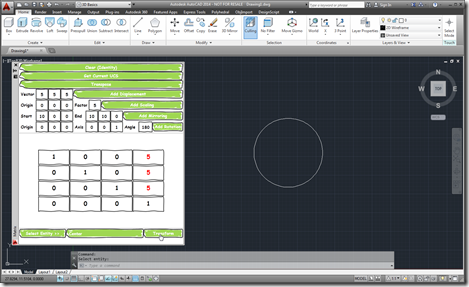
As I started on my linear algebra class, some weeks ago, I decided to dust off the Transformer app I'd written a few years ago and make sure it works in AutoCAD 2014. It actually really helped me in creating appropriate transformation matrices for certain parts of the course. Coincidentally, a few days ago, I received an email from a colleague – who isn't a programmer but seems to be working on a very interesting side project – who was interested in taking matrix input from an external system and using that to transform AutoCAD geometry. This colleague wanted the…