AutoCAD .NET
-

As a follow up to the last post, here's the update that places the dropped content at the cursor location. I've been busy in meetings for most of the week, so I haven't yet had time to integrate the jig for sizing. Thanks for Mike Schumacher for pointing me at Editor.PointToWorld() (I'm not sure how I managed to miss it – let's blame it on the jetlag). Here's the updated C# code with the new/modified lines in red (and the complete, unnumbered source file here): 1 using Autodesk.AutoCAD.ApplicationServices; 2 using Autodesk.AutoCAD.DatabaseServices; 3 using Autodesk.AutoCAD.EditorInput; 4 using Autodesk.AutoCAD.Geometry; 5 using Autodesk.AutoCAD.Runtime;…
-
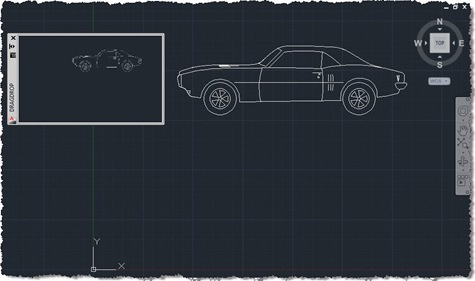
I'm up early (after sleeping late) with jetlag, so I thought I may as well put together this post. My brain isn't fully functional, I suspect, so forgive any errors (but please let me know about them, so I can fix them :-). I was inspired to implement the code in this post by an internal email thread, wherein Albert Szilvasy recommended implementing a comparable technique to a colleague. Please don't blame Albert for the implementation details, though, they are all mine. The idea is simple: you have some kind of modeless PaletteSet, and you want to initiate and manage…
-
Time to go back to basics. I realised recently – on receiving this comment – that I hadn't specifically covered the nature of Entity.Explode() in a post (even if it's been used in a few of them, over the years). Entity.Explode() is one of those tricky methods: it's actually a faux-ami with the AutoCAD command of the same name, in a very similar way to Database.Purge(). The way in which Explode() and Purge() differ from their "equivalent" commands is that they're non-destructive: they don't actually result in a change to the AutoCAD drawing database. Explode() populates a DBObjectCollection with the…
-
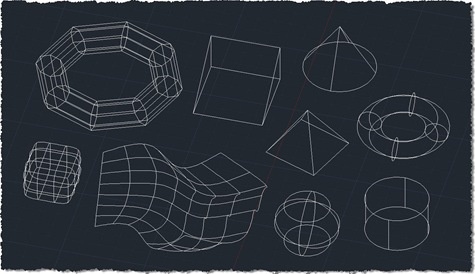
Given the last few posts – where we gathered 2D points, created a minimal circle around them, and then gathered 3D points – the topic of this post shouldn't come as much of a surprise. 🙂 As suggested, the changes needed to support 3D in the algorithm we used to solve the smallest circle problem were trivial: we had to adjust the function protocol to pass in a list of 3D points and the implementation to deal with the Z coordinates provided. Looking at the code again, I did consider adjusting it to pass in a Point3dCollection rather than a…
-
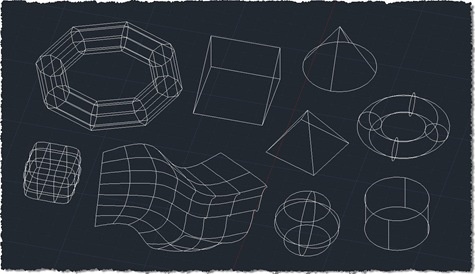
After revealing the purpose for collecting points from 2D geometry in the last post, this post extends the 2D collection code to work with additional 3D objects. I don't know whether it's exhaustive or not – I've added more specific support for Solid3d and Surface objects – but I have no doubt people will let me know if I've missed anything, over time. The good news is that the previous approach of exploding complex entities and processing their components means that many types of standard solid – such as boxes, cones and pyramids – will get adequately captured using this…
-
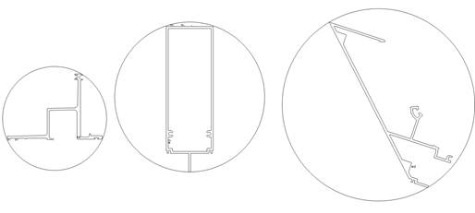
Now it's time to shed some light on the reason for the code in the last post. I wrote it to help address a question that came in from Elson Brown via our Plugin of the Month feedback alias: I have a request for an app that will draw the smallest circle around a polyline object. Pick the polyline and the app draws the smallest possible circle around the shape. It turns out this is a well-known problem (and thanks to Stephen Preston for pointing me in this direction), commonly known as the minimal enclosing circle or smallest circle problem.…
-
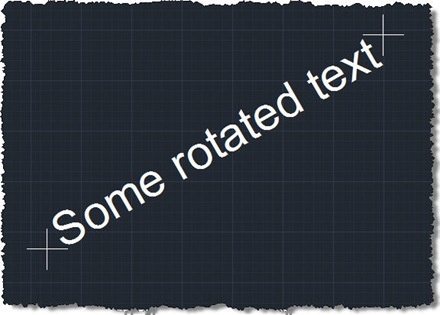
The reason for this post may be obvious to some – probably those who are doing this kind of analysis already – and less obvious to others – who will have to wait for the next post to see why it's helpful. 🙂 I won't ruin the surprise, but suffice it to say that for various types of spatial analysis it's helpful to acquire first points from geometry. This post attempts to do that for 2D geometry, and hopefully deals with a few of the trickier cases related to rotated text and such-like. For this particular task I chose a…
-
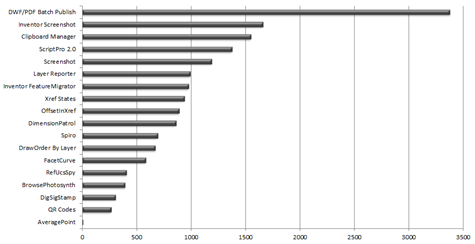
Another month, another plugin. 🙂 As announced over on Scott's blog a few days ago, the latest Plugin of the Month is now live. It's based on the code in this previous post, the only change being how the average point gets returned to AutoCAD's command-line: we now send it as a string that gets interpreted as a LISP point, rather than straight, comma-delimited decimals, because a) it reduces my concerns about working on different locales and b) AutoCAD deals with the points in this format much more nicely if the command is called non-transparently. Thanks to those who made…
-
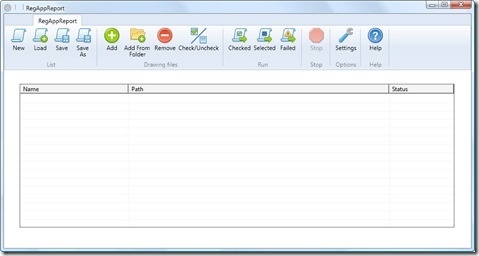
It's time to wrap up the series on batch-reporting Registered Application IDs. For reference, here's how we got to where we are today: Implement a command to collect RegAppId information for the active document Extend this command to work on a drawing not loaded in the editor Save our RegAppId information to some persistent location (XML) Transform the resulting XML file to HTML using XSLT Create a modified version of ScriptPro 2.0 (one of our Plugins of the Month) to call our command without opening the drawing The broader point of today's post – other than simply to deliver on…
-
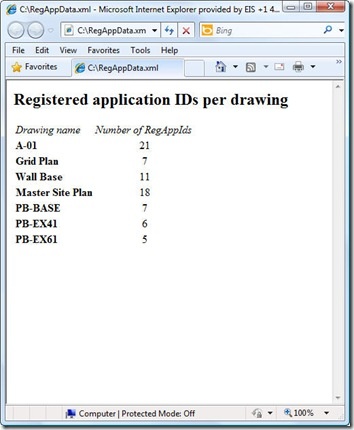
As raised as a possibility at the end of the last post, I did choose to throw together a quick XSLT stylesheet to generate an HTML report of the XML data created by our XRA command. To enable this I did make a few changes to our command implementation, which we'll take a look at first. Here's the updated C# code, with new/modified lines in red (and here's the updated source file): 1 using Autodesk.AutoCAD.ApplicationServices; 2 using Autodesk.AutoCAD.DatabaseServices; 3 using Autodesk.AutoCAD.EditorInput; 4 using Autodesk.AutoCAD.Runtime; 5 using System.Collections.Generic; 6 using System.Text; 7 using System.Xml; 8 using System.Xml.Serialization; 9 using System.IO; …