AutoCAD .NET
-
Another Friday, another installment of Wayne Brill's AutoCAD .NET training DevTV series (to complement those from previous weeks). Today's session is focused on the fundamentals of AutoCAD's drawing database. This series of DevTV sessions is a companion for the new AutoCAD .NET training material available from the AutoCAD .NET Developer Center. Enjoy! 🙂
-
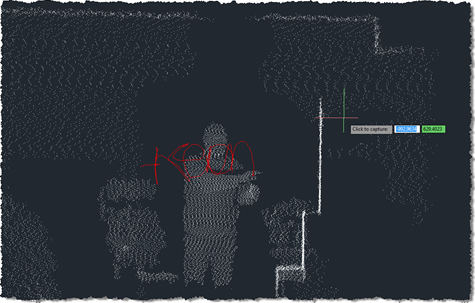
In this previous post we looked at some code to capture and combine a series of point clouds using a Kinect sensor. In today's post we're going to take a very slightly modified version of the code – which really only adds the feature to let the user choose when the sequence of captures should start by clicking, rather than it just starting at the beginning of the command – to capture the geometry created by dragging a 2D cross-section in 3D space. The code in the last post clearly played a big part in helping digitise the profile and…
-
I suspect that many of you who have worked with point clouds will have come across this issue: the standard CIRCLE command in AutoCAD will create the circle on the plane of the active User Coordinate System (UCS), even when the circle is defined by three points on its circumference. This behaviour is probably fine for the majority of 2D drafting activities, but if you want to create circles from a point cloud – by selecting points from its perimeter using the Node object snap – then it's less than ideal. The code in today's post implements a very simple…
-
It's Friday, which means it's time for the next installment of Wayne Brill's AutoCAD .NET training DevTV series (as mentioned in last Friday's post). Today's session is focused on user interaction and user input. This series of DevTV sessions is a companion for the new AutoCAD .NET training material available from the AutoCAD .NET Developer Center. Enjoy! 🙂
-
Over the weekend, I had more fun exploring the use of Kinect with AutoCAD. It was prompted by an email I had from a UK-based creative team who are interested in the potential of capturing time-lapse point clouds using Kinect. They were curious whether the quality of data coming from the Kinect device would be adequate for doing some interesting trompe l'oeil video compositions. I started by taking the code from last week's Kinect post: I removed the code related to gesture detection and beefed up the point-cloud related implementation to deal with composite point clouds that are built up…
-

Wayne Brill, a member of the DevTech Americas team, has been beavering away on a new set of training material for AutoCAD .NET. This material is now live on the AutoCAD Developer Center (the image on the right should help you locate the link). This new material contains information on the following topics: Overview of .NET Plugin Basics User Interaction Database fundamentals Dictionaries User Interface Events InputPoint Monitor Jigs To accompany this material, Wayne has also recorded a set of DevTV sessions, which I'll be serialising over the coming weeks. Here are links to the introduction and the first, getting…
-
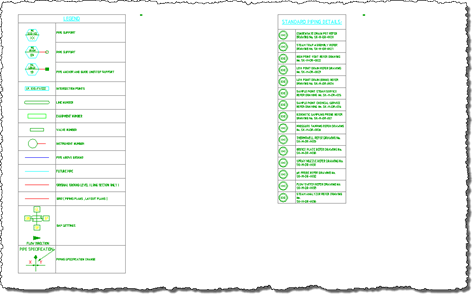
Thanks to Marat Mirgaleev, a member of our DevTech team based in Moscow, for the code that inspired this post. The code in this post implements the simple case of taking the last two rows of one table and copying them into the same relative position in another table. If the destination table is smaller, it gets expanded, as do the individual rows and columns. Other than that, there's not much to it. I have tried to structure the code to make it easy to adapt to more "challenging" tasks, such as taking an arbitrary, rectangular selection of cells and…
-
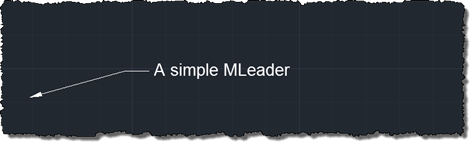
As promised, last week, today we're going to look at a technique pointed out to me by Viru Aithal for calling unexposed ObjectARX member functions via P/Invoke. It sometimes happens that ObjectARX (unmanaged C++) methods fail to get exposed immediately via .NET, which is currently the case for MLeader.Scale (both getting and setting this property). The technique shown in this post allows you to work around this, prior to the managed API in AutoCAD being updated to include it. It's worth noting that if you need a more complex exposure via .NET – as Dan Smith sometimes reminds me (thanks,…
-
I've improved the basic implementation in this previous post pretty significantly over the last week: New ability to draw multiple polylines Added a gesture of lowering/raising the left hand to start/finish drawing with the right Addition of a transient sphere as a 3D cursor for polyline drawing Quick flash of a transient skeleton (arms and chest only) on user detection The jig now perpetuates by changing the screen cursor minutely to and fro Mouse input is needed to keep the jig active; Kinect input doesn't yet count 🙂 A new gesture of placing hands together to end drawing At Barry…
-
As promised in this previous post, I've been playing around with understanding Kinect gestures inside AutoCAD. My first step – after upgrading the OpenNI modules and drivers to more recent versions, which always seems time-consuming, for some reason – was to work out how to get gesture information via nKinect. It turned out to be very straightforward – as it's based on OpenNI and NITE, the user-tracking and gesture detection come pretty much for free. A few things I had to work out: We needed a "skeleton callback", which is called when body movements are detected Because this is fired…