AutoCAD .NET
-

This series of posts is one I've been meaning to write since AutoCAD 2016 started shipping. Thankfully a number of other people have filled the void, in the meantime, so I've created an appendix of related posts that you can find at the bottom of each post in this series. The series is about how we're working to improve security inside AutoCAD, and what this means for application developers. Dieter's posts on Lynn's blog help explain some of the background to this work, much as I've posted here in the past, too. Perhaps the biggest security change in AutoCAD 2016…
-
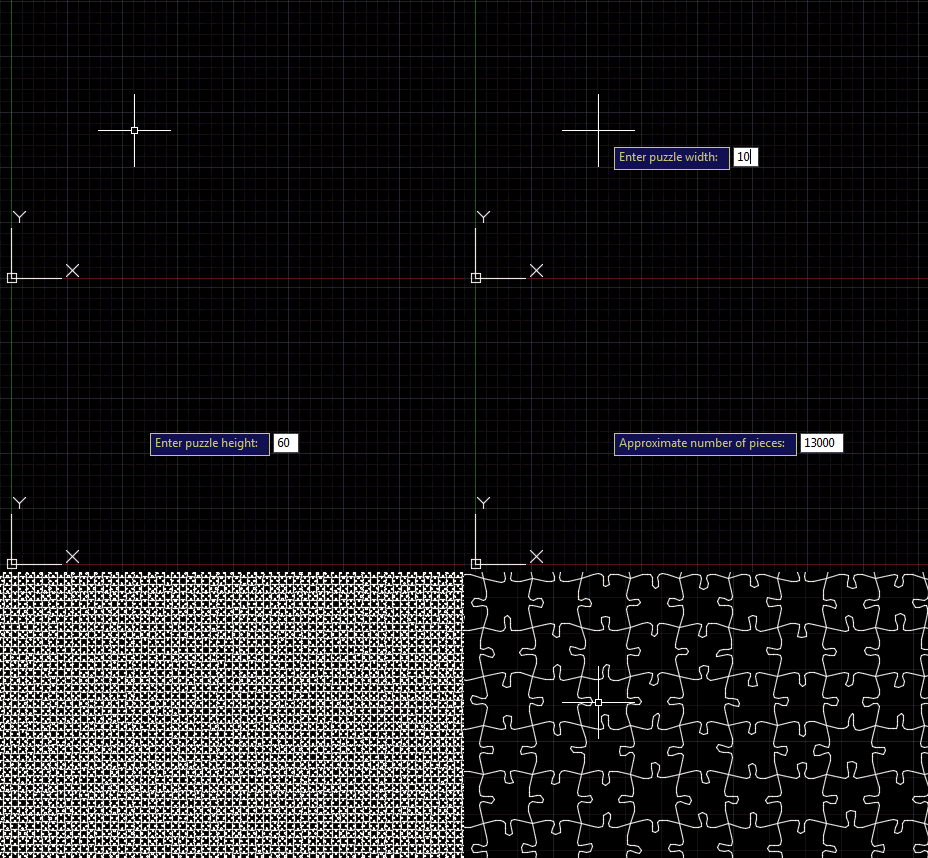
Following on from the last post, where we saw an outline for this series of posts on AutoCAD I/O, today's post adds a command to our jigsaw application that creates the geometry for a jigsaw puzzle of a specified size and with a specified number of pieces. As jigsaw puzzle pieces are largely quite square, it actually took me some time to get my head around the mathematics needed to calculate the number of pieces we need in each of the X and Y directions to make a puzzle of a certain size. And it's (with hindsight) obviously not possible…
-

The title of this post is probably a bit misleading: I'm not actually going to show how this works, today, but I do intend to plot a path for addressing this topic over the coming weeks. I was spurred on by a tweet I received a couple of hours ago: @keanw Dear kean, I've been looking into AutoCAD I/O and it looks like it may only execute "scripts"; so no .NET API calls or LISP? — Cyborg (@CyborgEvilHam) May 13, 2015 The short answer to this is "yes, it's absolutely possible!". But readers of this blog are clearly interested in…
-

A reminder that proposals are open for AU2015 until May 26th. I've just submitted two, myself. Of the three topics I had in mind – relating to VR, AutoCAD I/O and TypeScript – I decided to submit proposals on the first two: I'll do my best to use TypeScript for one or both of the other two (assuming they get accepted) which will at least give people some exposure to how the technology works. And give some good fodder for blog posts, of course. Here are the abstracts I submitted: Virtual Reality viewing of 3D models using Autodesk's View and…
-
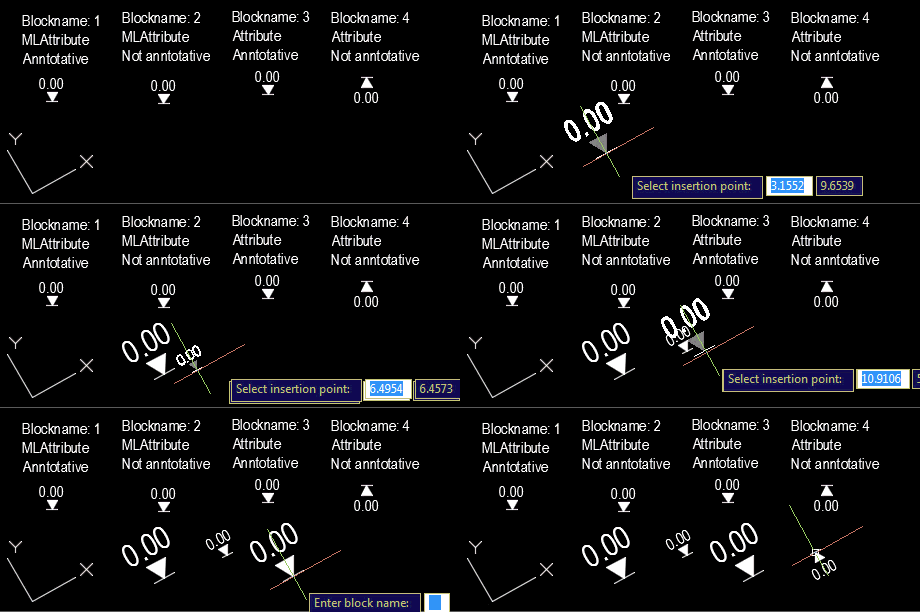
Our old friend Roland Feletic emailed me last week. He'd been having some trouble with this previous post when jigging blocks with multiline attributes. Roland had also identified some code in this post on another blog which worked properly for him. I spent some time looking into what was wrong with the original post. It certainly didn't deal with the appropriate placement of multiline text, and didn't take proper care of annotation scaling and UCS. Time for a do-over. 🙂 The following C# code is a combination of the code from the previous post and the approach spiderinnet1 took in…
-
After seeing some code to create basic jigsaws in AutoCAD – and then a quick look at fabricating them using a laser cutter – in today's post we're adding a "wiggle" factor, making the shape of the tabs more unique than in the prior version of the application. This has been integrated into the existing JIG and JIGL commands, but we've also added a new command called WIGL, which applies a wiggle to the tabs of existing jigsaws (it basically checks the selection for splines with 6 fit points and runs our algorithm against those). The amount of wiggle is…
-
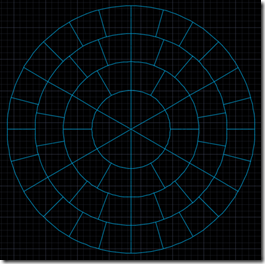
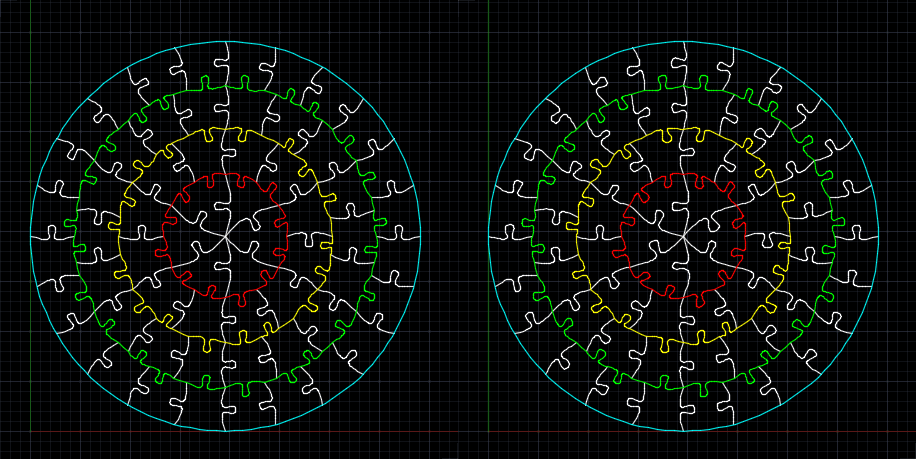
Too. Much. Fun. As mentioned in the last post, a colleague came to me with a problem… for an internal team-building exercise, he needed to manufacture a circular, 60-piece jigsaw puzzle with 6 groups of 10 pieces, each of which should be roughly the same size. The pieces will also have some text engraved on them, but that's a minor detail. I searched the darkest corners of the Internet to find an online tool to generate a pattern for this, but then realised I'd spend my time more effectively by writing one myself and sharing it here. So that's what…
-

A little while ago you may remember an HTML progress meter I created while looking at "future API features". The API feature in question was of course for AutoCAD 2016, and related to the extraction of floorplans programmatically using .NET, a topic we're covering in today's post. We're going to see some fairly basic code that asks AutoCAD to analyse a point cloud – that we're going to attach from an RCS or RCP file – and generate polyline boundaries for its floorplan. Now I didn't actually have a great point cloud to test this, so I ended up using…
-
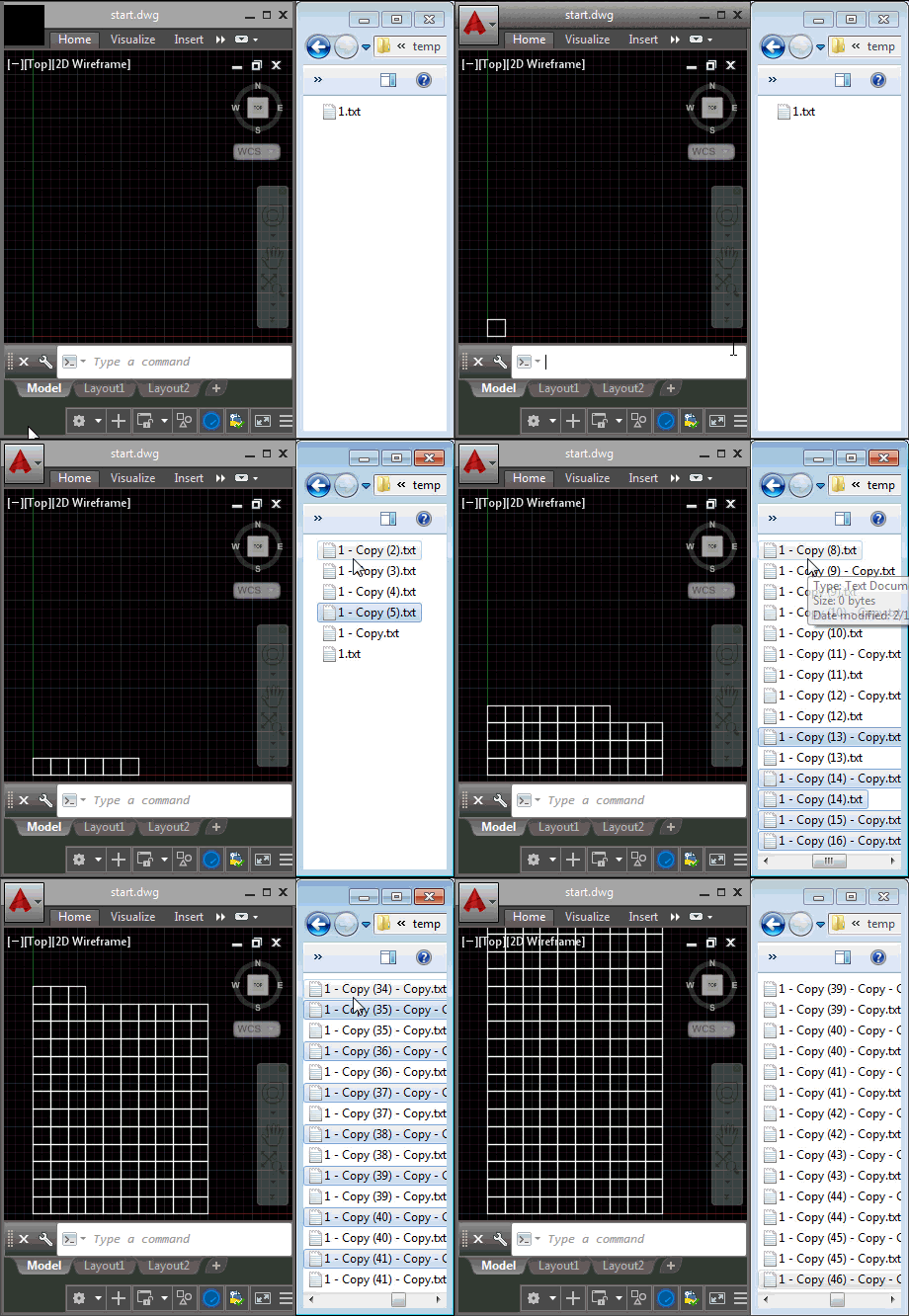
Last week we introduced the ExecuteInCommandContextAsync() method and saw it in action from a context menu click event. In today's post we're going to see how it can be used for a lot more: we're going to use it to respond to external, operating system-level events (although admittedly we're handling the event in-process to AutoCAD via .NET). What we're actually going to do is fire off a command inside AutoCAD – in our case we're going to use RECTANG to create square polylines – each time we find that a file has been placed in a particular folder (in our…
-
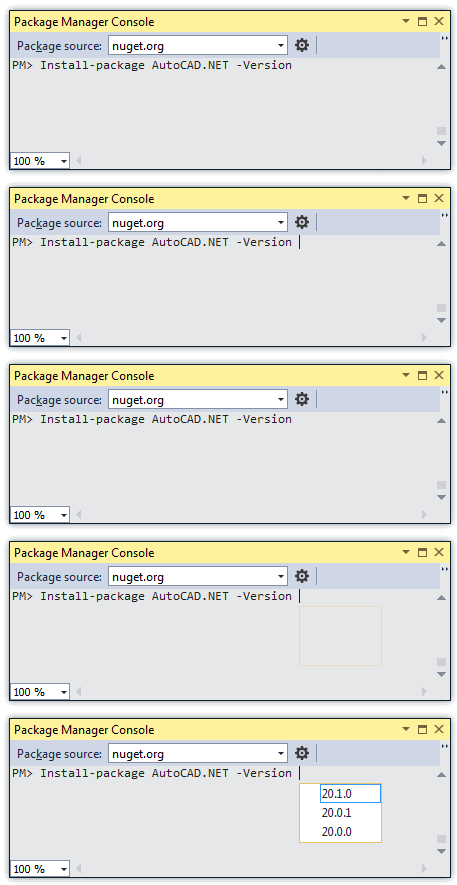
Some time ago we posted the NuGet packages for AutoCAD 2015's .NET API. The packages for AutoCAD 2016 are now live, too. Here's the report from the NuGet console (accessible in Visual Studio via Tools –> NuGet Package Manager –> Package Manager Console). PM> Get-Package -filter AutoCAD.NET -ListAvailable Id Version Description/Release Notes -- ------- ------------------------- AutoCAD.NET 20.1.0 AutoCAD 2016 API AutoCAD.NET.Core 20.1.0 AutoCAD 2016 core object model API AutoCAD.NET.Model 20.1.0 AutoCAD 2016 drawing object model API To install the 2016 versions of the assemblies into your project, you can use the following command, once again in the NuGet Console.…