AutoCAD
-
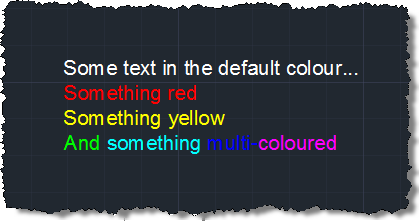
Last week we saw a series of simple posts about creating, placing and editing MText. Barry Ralphs asked about the ability to fire off editing commands to the in-place MText editor, which – interestingly – was a new feature in AutoCAD 2011, implemented primarily to enable the control of the MText IPE via AutoCAD's ribbon. While I'm not yet covering Barry's specific question, here's the first of (hopefully) a series of posts which looks into the API now exposed for the MText IPE. There appear to be some quirks related to selection (and especially searching) of an MText's contents using…
-
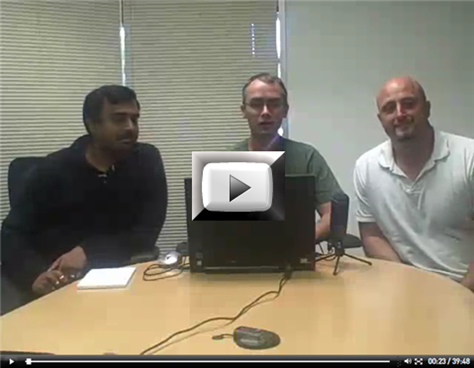
Once again, members of the DevTech Americas team have put together an entertaining and informative DevCast session on AutoCAD's APIs. This time, Gopinath Taget joins Stephen Preston and Fenton Webb to present a number of interesting topics: boundary tracing, associative surfaces, 3D laser scanning and point cloud filtering. I'll be covering boundary tracing via this blog in the coming weeks, just as I expect to be doing more with point clouds (coincidentally a laser scanner from FARO – similar to the one Fenton and Gonzalo use in this DevCast – should be arriving for me today, so watch this space…
-
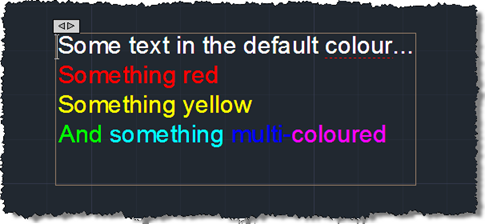
First we saw some simple code to create a pretty multi-line text object, then we saw some code to place it using a "drag jig", now we're going to launch AutoCAD's In-Place Editor (IPE) for MText once the object has been placed. To do this we're going to make use of the InplaceTextEditor object added to the Autodesk.AutoCAD.ApplicationServices namespace in AutoCAD 2011. There's very little work needed to do this – I had concerns about whether it could work safely with a newly-created, transaction-resident object, but it seems to work very well, as far as I can tell. Here's the…
-
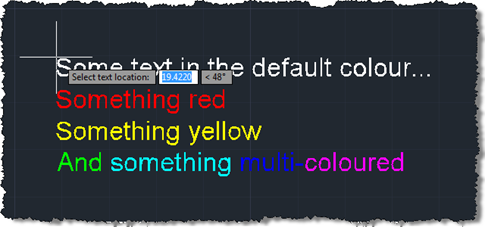
In the last post we created a simple MText object containing sections of text with different colours. The object was located at a hard-coded location, so now we want to use a simple technique to allow placement of our MText (or any object, for that matter) in the current user coordinate system. Rather than implementing a full jig class – whether a DrawJig or an EntityJig (the latter being most appropriate for this scenario) – we're going to use the .NET equivalent of the old (draggen) or acedDragGen() functionality: the overload of Editor.Drag() which takes a selection set, prompt and…
-
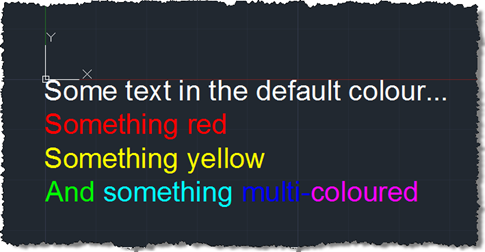
Some weeks ago we received this question via ADN support: My string contains several sentences and I need to make 2 of these sentences Red. I know that I could use a separate Mtext for the red portion; however, I was wondering if there was a way to programatically do this using just one Mtext? A big thanks to Varadarajan Krishnan, from our DevTech team in India, for providing the code that formed the basis for the below solution. I decided to spice things up slightly by adding some additional per-phrase and per-word colouring. Here's the C# code: using Autodesk.AutoCAD.ApplicationServices;…
-

After seeing Shaan list the results of the latest AUGI wishlist, I started thinking about which of the items would be worth covering either on this blog or via a Plugin of the Month. The second item on the list, "Automatically Differentiate Manually Edited Dimensions", has (hopefully) been addressed by Dimension Patrol, this month's Plugin of the Month, so that's a good start, anyway. The first item, "Change Objects in a Block to a new Layer", seemed as good a good place to start as anywhere. Here's some C# code that builds upon a technique for selecting/highlighting nested entities shown…
-
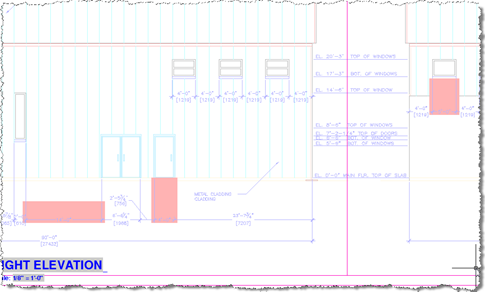
Thanks again to Stephen Preston, our DevTech Americas Manager, for developing this very useful little utility. You can find an earlier version of this code – which I'd converted to C# and extended to cover text entities – in this previous post. June's Plugin of the Month is now live: Dimension Patrol for AutoCAD. This one was kicked off by a suggestion from Shaan Hurley: a tool for designers and CAD Managers to quickly check drawings for dimensions with overridden text (which, logically enough, could mean the dimensions no longer accurately reflect their associated distance or value). Sometimes the best…
-
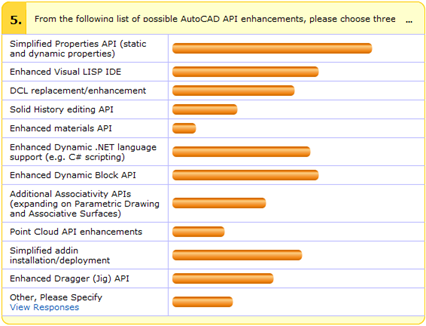
As mentioned in this previous post, the following API wishlist surveys are currently live: AutoCAD® AutoCAD® Civil 3D® AutoCAD® Map 3D® Revit® Autodesk Inventor® Autodesk Navisworks® We've had around 500 responses across the various surveys, but to give a few more people the chance to respond, we've extended the deadline until June 11th, 2010. To give you an idea of how the voting is looking so far, here's a summary of the responses against the survey's "money" question (5. From the following list of possible AutoCAD API enhancements, please choose three areas that you recommend we make our top priority…
-
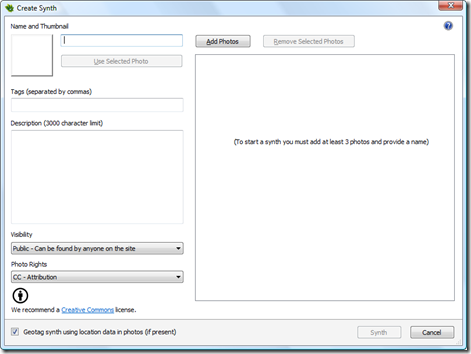
While on my way to San Francisco, last weekend, I had a 7-hour layover in Washington D.C. Given the amount of time available to me I decided to head from Dulles into the centre of the city and do something fun: I ended up choosing to visit the Natural History Museum at The Smithsonian, which proved to be really interesting even to my somewhat bleary eyes. Part of my motivation was to try to capture something for bringing into Photosynth (as I'd borrowed my wife's digital SLR for taking some snaps at the wedding I was attending in Las Vegas).…
-
I've submitted three sessions for this year's Autodesk University: Getting to know AutoCAD's Plugins of the Month (a 60-minute virtual class, session ID 1681) Synopsis: The Autodesk Developer Network (ADN) team has been publishing "Plugins of the Month" on Autodesk Labs for over a year. Each of these plugins extends an Autodesk products in a useful or interesting way, and is provided with full source code! Attend this session for an introduction to the various AutoCAD plugins that have been published (with a brief mention of those published for other products). We will take a detailed look at the source…