AutoCAD
-
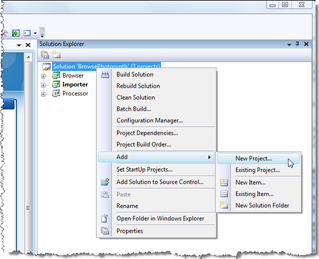
It's been a long time since I've dabbled with software deployment technology, which is absolutely fine by me (in my experience installation issues are some of the gnarliest to deal with, so – presumably like the majority of developers, with apologies to Install specialists – I prefer not having to care about them, myself). But last week I had to put together a few installers - as an internal test - for some of our Plugins of the Month, and ended up deciding the process was worth documenting, especially where it relates to the RegDL component I created and published…
-
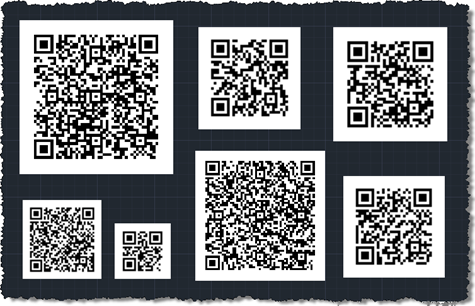
After a break of a week, I thought it was time to take the QR Code application a little further, after our previous versions creating basic QR codes at a fixed location, using user-specified corners and using a jig. The code in this post adds quite a bit of functionality to the application: The ability to encode various types of data Calendar events Contact information Email addresses Geo-locations Phone numbers Plain text URLs The ability to edit QR Codes The data used to create the QR Code is attached to the raster image as XData and gets used for default…
-
As promised, I spent some time talking to Tal Weiss, Senior Software Development Manager for AutoCAD WS, to understand a little more about this technology and how it's evolving. Many thanks to Tal for taking the time to share this interesting information with this blog's readership. [I've formatted the below discussion as a Q&A, but with extensive editing and paraphrasing.] What is AutoCAD WS? The goal for AutoCAD WS is to extend the AutoCAD experience to the web as well as to emerging platforms and devices – mobile, tablets, etc. We already had Project Butterfly working in the browser and…
-

Yesterday Scott Sheppard announced the availability of this plugin over on It's Alive in the Lab. We originally received a request for this Plugin of the Month some time ago. Fenton Webb, from our DevTech Americas team, developed the initial version using an ObjectARX custom entity – as the requester required support for versions of AutoCAD prior to 2010 – but for this public release, Stephen Preston went ahead and re-implemented the mechanism in a .NET application using the Overrules API introduced in AutoCAD 2010. This plugin basically allows you to see graphically when an AutoCAD drawing is digitally signed,…
-

Well, it's finally been announced. After months (probably even more) of intense speculation, Autodesk has just announced that after a break of several (perhaps 15, depending on how you count them) releases, we're planning to deliver a version of AutoCAD that once again works natively on Mac machines. [For some history regarding the original Mac port of AutoCAD, see the first part of my interview with John Walker – you'll need to scroll way down or just search for "Macintosh".] To clarify something about this release, it is not AutoCAD LT – it has full 3D editing capabilities and support…
-

The class catalogs for AU 2010 – for both the physical and virtual classes – have now been posted to the AU website: I have a few AU classes scheduled – thanks to any of you who took the time to vote for them. My first class is virtual… Getting to Know the AutoCAD® Plugins of the Month (CP212-1V) Tuesday November 30th, 6:00-7:00 am PST Tuesday November 30th, 11:00 am-12:00 pm PST The Autodesk Developer Network (ADN) team has been publishing "Plug-ins of the Month" on Autodesk Labs for over a year. Each of these plug-ins extends an Autodesk® product…
-
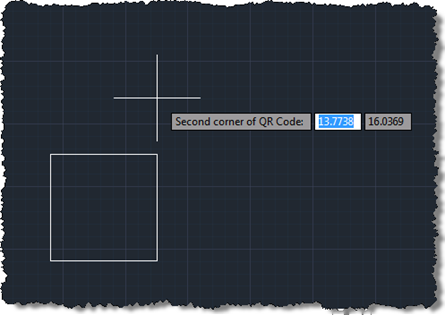
Following on from these two posts, we're now going to implement a jig to create our QR Code raster images inside AutoCAD. Today's approach isn't radically different from the previous one prompting selection of corners, but we do get to see the actual (square) boundary of the raster object as it gets defined. It would have been even better if the raster contents were displayed during the jig, but from what I can tell this has been disabled deliberately, no doubt for performance reasons (you see the same effect – only having the boundary visible – when you move or…
-
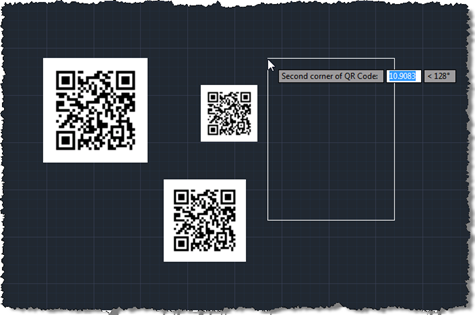
As promised, the code in this post extends that from the last post to add some user selection to the process of defining and placing a QR Code in an AutoCAD drawing. This version of the code also makes sure the raster is positioned in an "upright" orientation, irrespective of the order in which the corners are selected. Many images need to be positioned in such a way (although QR Codes are presumably more tolerant due to the positioning squares in three of the corners), so I expect this technique will be of interest to various people who need to…
-
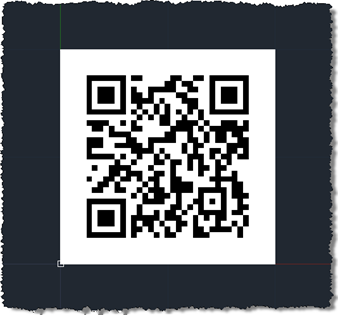
This week I decided to get started on the QR Code Plugin of the Month I mentioned in this previous post, and show a few interesting techniques along the way. The introductory post mentioned a few different approaches for creating/embedding the codes in a drawing. For now – as it's by far the simplest – I've chosen to insert the code as a raster image. In this post we'll show how to define and insert a raster image of a QR Code into the drawing – for now one with a hardcoded message string, placed at the origin – and…
-
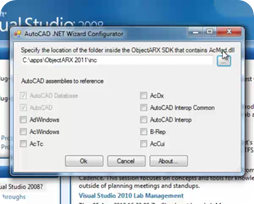
A new version of the AutoCAD .NET Wizard – compatible with AutoCAD 2011 and with Visual Studio 2010 – has been posted to the AutoCAD Developer Center (and you can also get it from this direct link (8.74 MB)). The download size has jumped from a little under a megabyte its current size: this is due to a very helpful screencast recorded by Stephen Preston and included in the Wizard's distribution. If you've been using prior versions of this Wizard – or are just interested in its capabilities – be sure to check it out!