AutoCAD
-
Here's some simple C# code that asks the user to select an external reference and then detaches it from the current drawing: using Autodesk.AutoCAD.Runtime; using Autodesk.AutoCAD.ApplicationServices; using Autodesk.AutoCAD.DatabaseServices; using Autodesk.AutoCAD.EditorInput; namespace XrefApplication { public class Commands { [CommandMethod("DX")] static public void DetachXref() { Document doc = Application.DocumentManager.MdiActiveDocument; Database db = doc.Database; Editor ed = doc.Editor; // Select an external reference Transaction tr = db.TransactionManager.StartTransaction(); using (tr) { BlockTableRecord btr = null; ObjectId xrefId = ObjectId.Null; // We'll loop, as…
-
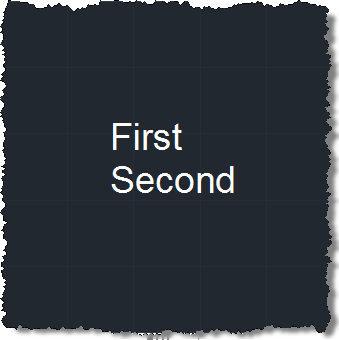
A big thanks to Philippe Leefsma, from the DevTech team in Europe, for providing this handy piece of code in a response to an ADN member. In the last post we saw some code that made use of DBObject.HandOverTo() to maintain identity between an old line and a new one with which we wanted to replace it. This code makes use of this method's counterpart, DBObject.SwapIdWith(), which works on two database-resident objects (rather than the replacement being in-memory, as is the case with HandOverTo()). Here's C# code implementing two commands, to swap the identity (and therefore the order) of two…
-
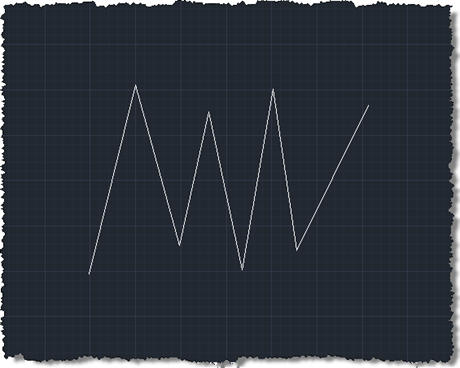
Brent Burgess commented on this previous post showing how to extend lines in AutoCAD: Is there a different process for shortening lines, or is it similar syntax? A very valid question… unfortunately the Curve.Extend() method only works with points or parameters that are outside the current definition of the curve, so we need to find another way (if you try, you'll get an eInvalidInput, at least that's what I found :-). I chose the approach of using Curve.GetSplitCurves() on each line, passing in an array of parameters at which to split the curve. I calculate the start parameter as 25%…
-
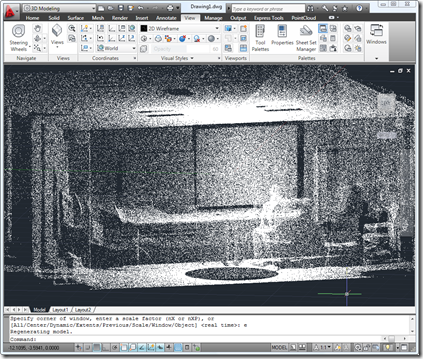
I've had quite a lot of contact with "laser" technology over the last few weeks. (In case you're wondering about the quotation marks, that's just a little nod to Mike Myers' fantastic Dr. Evil character, who in the Austin Powers movies refers to now-commonplace terms – such as laser – with finger quotes. 🙂 A few weeks ago our friends at FARO sent across a Photon 120 laser scanner to our office in Neuchâtel, and we've just started getting to grips with it (if you want to see more advanced use of this technology, be sure to check out this…
-
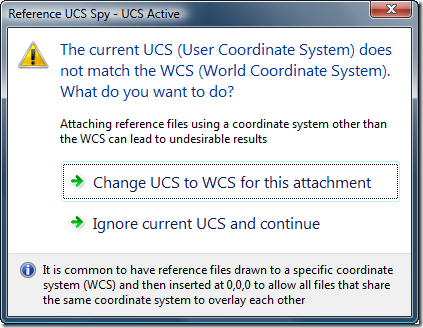
AutoCAD users who work with multiple reference files – whether DWG, DWF, DGN, PDF, PCG files or raster images – usually want them to be oriented in space (and to overlay) properly. One common way to make this happen is to set the various files up in world coordinates and then attach them at the origin of the referencing drawing's WCS. A common issue related to this approach is if the user happens to be in a local UCS: the file will get attached relative to that UCS rather than to the WCS. Glenn Ryan, who generously provided April's very…
-

I've been having a fun discussion with Augusto Gonçalves, based in São Paulo working for our DevTech Americas team, on the subject of QR Codes. Augusto's a technology junky – like many members of DevTech – and has been playing around decoding QR Codes with his mobile phone. QR (from "Quick Response") Codes are two-dimensional bar codes which encode data for later decoding using – very often, at least – some kind of handheld, mobile device. The most common reader applications use your device's camera to detect and analyse the composition of the QR Code, providing you with the decoded…
-
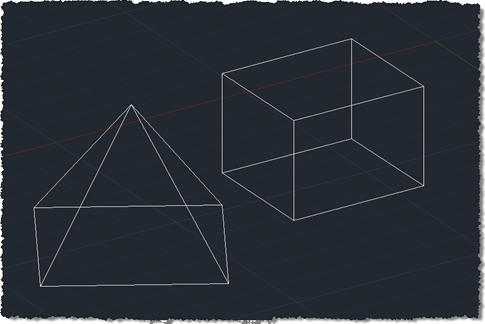
I finally came up with a succinct title for this post after struggling with "Shading a face of an AutoCAD solid with a transparent hatch pumped through the transient graphics sub-system using .NET". Or words to that effect. 🙂 So yes, this post shows how to create a temporary hatch with transparent shading that then gets drawn as transient graphics at the right place in the model: in this case, the face selected using the approach shown in this previous post (which later evolved into a "look at" type feature). The post was inspired by an email I received a…
-
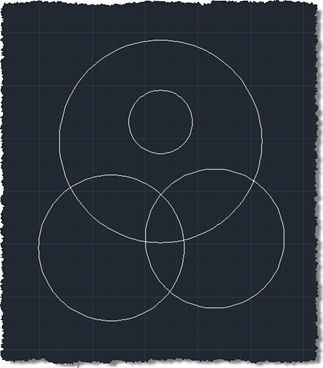
In the last post we used an API introduced in AutoCAD 2011 to trace boundaries defined by geometry in a drawing. In this post we're going to use these boundaries to define the limits of solid hatch objects which we will – using another new capability in AutoCAD 2011 - make transparent. Here's the updated C# code to define our TBH command with new/changed lines in red (you can also get the source file without line numbers here): 1 using Autodesk.AutoCAD.ApplicationServices; 2 using Autodesk.AutoCAD.EditorInput; 3 using Autodesk.AutoCAD.DatabaseServices; 4 using Autodesk.AutoCAD.Runtime; 5 using Autodesk.AutoCAD.Colors; 6 7 namespace TraceBoundaryWithHatch 8 {…
-
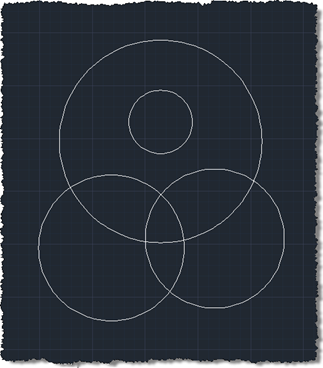
As alluded to in this previous post, today we're going to see some code that makes use of a very cool new API feature in AutoCAD 2011: the Editor.TraceBoundary() function. This little gem performs something developers have struggled with – and have asked us for – for many years. Previously you had to jump through significant hoops (or should that be loops? <groan>) to get this to work: one common approach would be to drive the BOUNDARY command programmatically and check the results appended to the database. All very messy. Anyway, we got there eventually. This function takes a "seed"…
-
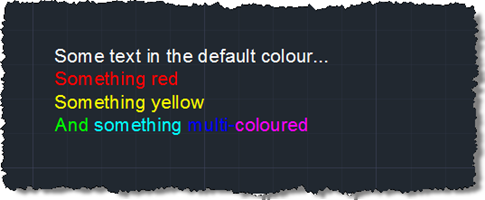
In the last post we saw a very simple, preliminary exploration of some of the new programmatic capabilities of the in-place MText editor in AutoCAD 2011. In that basic case we just used it to strip off all formatting from an MText object. Now we're going to implement a couple of commands to toggle the case of the contents of an MText object between lower- and uppercase. Here's the C# code: using Autodesk.AutoCAD.ApplicationServices; using Autodesk.AutoCAD.EditorInput; using Autodesk.AutoCAD.DatabaseServices; using Autodesk.AutoCAD.Runtime; namespace MTextEditing { public class Commands { [CommandMethod("CTU")] public void ChangeToUppercase() { ChangeCase(true); …