Graphics system
-
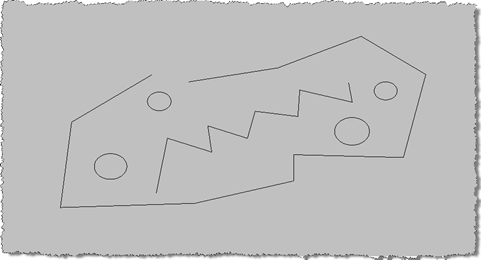
In the last post we looked at some C# code to customize the display of all Lines and Circles within AutoCAD, adding a thickness (or a diameter) to make them look more like pipes. This was, in turn, based on this F# post. The previous code implemented an overrule that allowed us to insert our own graphics for every instance of the types of object we cared about. [A quick note on the previous implementation: we actually register the overrule to be called for all "drawable" objects: the inheritance tree for the Circle class is: Drawable –> DBObject –> Entity…
-
Thanks again to Fenton Webb for providing the code behind the first post in the series and to Jeremy Tammik for providing the suggestion of this alternative implementation. This post follows on from this previous post, which introduced a technique to smoothly transition between 3D views in AutoCAD. It applies a more standard algorithm - known as spherical linear interpolation (or Slerp to its friends 🙂 - to interpolate between views, rather than interpolating individual values using Fenton's custom-built CosInterp() function. We still use CosInterp() to interpolate the width and height of the field of view, but otherwise the below…
-
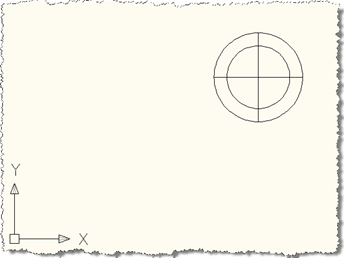
This inspiration for this post came during the research for this previous post, where we looked at implementing LookAt inside AutoCAD. It also has roots in the need to perform smooth transitions when zooming inside AutoCAD, which the ZOOM command manages for transitions between 2D views. Fenton Webb, from our DevTech Americas team, kindly volunteered to put together an ObjectARX sample that formed the basis for the code in this post. A huge thanks to Fents for his hard work on this! This code presents a technique that allows smooth transitioning between 3D views in AutoCAD: you set up the…
-
This post follows on from this previous one, where we looked at a technique for picking a face on an AutoCAD solid. Tony Tanzillo kindly pointed out this much cleaner solution for this problem, and also highlighted a really simple (and elegant) way to implement LookAt using standard AutoCAD commands. While I really like both pointers provided by Tony, I've decided to persevere with my existing - admittedly sub-optimal - approach, as much as to show ways to exercise some APIs that people may not have used themselves. Please be warned, this isn't the simplest way to address this problem,…
-
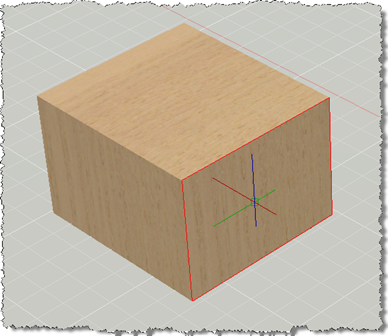
This post has come out of an interesting discussion I had with Jim Cameron at the ADN party at AU 2008. He mentioned an idea, which he kindly later reminded me of by email, which was to develop an AutoCAD equivalent for Inventor's LookAt functionality. I didn't know about LookAt before this discussion, but it seems it allows you to look at a particular face: you pick a face and it rotates the view and zooms in to centre it on the screen. Rather than try to attack the whole problem at once, this post tackles selecting a face (which…
-
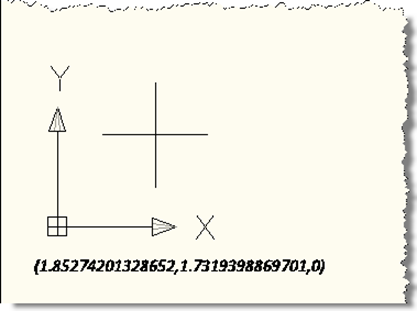
I've often seen the question, over the years, of how to draw text in the plane of the screen, even when the current view is not planar to the current UCS. This ability to "screen fix" text has been there, but has required a number of sometimes tricky transformations to get the right behaviour. Well, during a recent internal discussion I became aware of a really handy facility inside AutoCAD which allows you to dependably draw screen-fixed text without jumping through hoops. In this simple example, we're implementing a DrawJig - a jig that doesn't host an entity but allows…
-
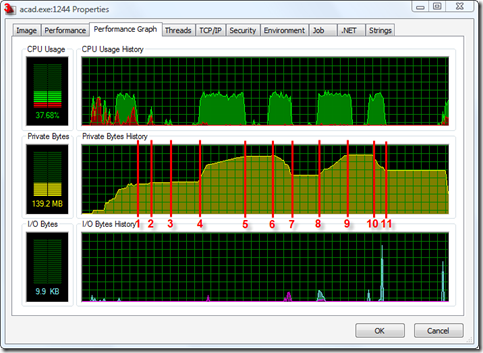
I was pleasantly surprised the other day to find that the "permanent object deletion" API I mentioned back in this post - and had marked as only being available in ObjectARX - was also exposed in the .NET API to AutoCAD 2009. What better way to celebrate the good news than to put together some test code and post it to my blog? 🙂 So, for a Thanksgiving/pre-AU treat, here's some information on making use of the Database.ReclaimMemoryFromErasedObjects() method to - surprisingly enough - reclaim memory from erased objects. Firstly, why is this even needed? Well, when you erase an…
-
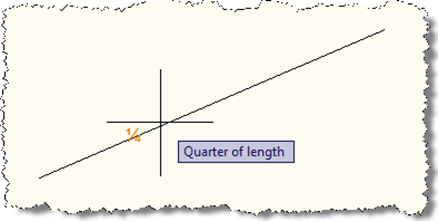
Thanks again to Augusto Gonçalves, from our DevTech Americas team, for providing the original VB.NET code for this sample, as well as helping investigate an issue I faced during implementation. When I saw a recent reply to a developer, showing how to implement a custom object snap in AutoCAD using .NET, I had a really strong sense of nostalgia: it reminded me of a couple of early samples I contributed to the ObjectARX SDK: the "third" sample, which showed how to create a custom osnap that snapped to a third of the way along a curve, and "divisor" which generalised…
-
Since posting three different options for Zooming to a Window or Entity inside AutoCAD, I've had a few discussions with a developer on how best to implement this cleanly. The requirement is to change the AutoCAD view via a smooth view transition (currently not exposed via any kind of view-modification API, only via the ZOOM command), but also to hide the fact we're sending commands to the command-line to do so. While we were discussing, I remembered an old friend, the NOMUTT system variable, which allows almost all command-line noise to be filtered out - even the "Command:" prompt disappears.…
-
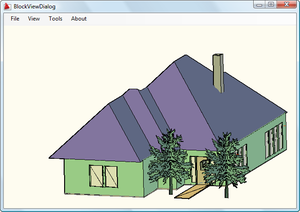
Fenton Webb, from DevTech Americas, has been beavering away on a .NET port of the ObjectARX BlockView sample (found on the ObjectARX SDK under samples/graphics/BlockView). Thanks, Fents! 🙂 Here is the C# source project for Visual Studio 2005. To build it you will almost certainly need to remap the acdbmgd.dll and acmgd.dll assembly references in the project. One important note: if you load this project and try to view the BlockViewDialog in the Visual Studio Designer, the Visual Studio application will almost certainly crash. This is because the Designer is attempting to load into the dialog the GsPreviewCtrl component which…