Graphics system
-
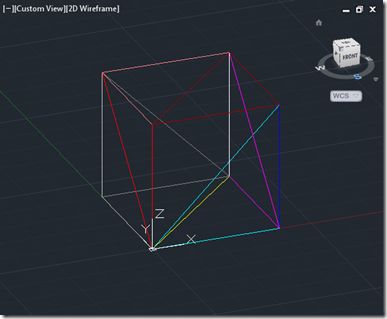
Since posting about the ability to display transient graphics as an ongoing feature that can react to mouse input, I've been thinking of the steps that would be needed to generate a custom gizmo comparable with AutoCAD's viewcube. The post starts to go in that direction by displaying a couple of types of transient graphics in AutoCAD as a "standard" feature: firstly we're going to show screen-fixed text (with code pulled directly from this post) and then we're going to place a a transient box in the drawing itself. This may be pre-cursor to displaying a box-like gizmo, but then…
-
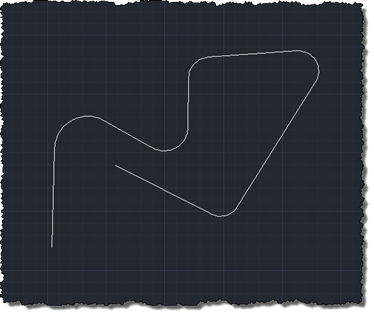
Many, many thanks to Massimo Cicognani for contributing the code in today's post. Massimo contacted me as he was working through some issues with his implementation and then kindly offered to share it with this blog's readers. We've looked at a few different types of overrule on this blog, in the past, and even taken a look at a grip overrule or two. Massimo's much more advanced grip overrule works with a very particular type of polyline: those that alternate between straight and arc segments (with the first and last segments being straight). This might sound a touch specific, unless…
-
This is a really interesting topic. At least I think it is – hopefully at least some of you will agree. 🙂 The requirement was to create selectable – or at least manipulatable – transient graphics inside AutoCAD's drawing canvas. As many of you are probably aware, transient graphics are not hooked into AutoCAD's selection mechanism. This is mostly fine, but if you want to implement a ViewCube-like gizmo that manipulates the view or drawing settings in some way, it's hard to do so without the ability to react to the current cursor position is and what's happening with the…
-
As mentioned in this previous post, I was very keen to see how AutoCAD could be used to help streamline the process of generating what I've now found out can be classified as anamorphic street art. Leon Keer had mentioned that the technique dates back to Leonardo Da Vinci and – sure enough – Wikipedia agrees. As part of my research, I found the original video that inspired my interest in Leon's work, which should help put this post in context: To make the process reasonably realistic – and to some degree replicate the approach Leon has taken in his…
-
This recent request came into my inbox from our discussion group support team: I know that this is not strictly an AutoCAD 2012 issue, BUT as her CAD teacher it's my job to do the best I can for all of my students so I'm reaching out and asking for help. I have a severely disabled student; she can only move her head (and that is severely limited). She has a head mouse to point with. She can left and right click her mouse by using a puffer tube in her mouth. But she can't scroll or pan easily, (Center…
-
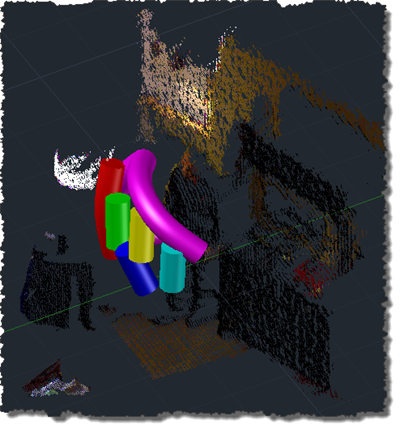
Ah, the joys of jetlag. After getting up with jetlag at 3am, yesterday, I finally worked out what was wrong with my inconsistently performing speech recognition approach shown in this previous post. I tracked down this helpful piece of advice on the Microsoft forums, which explained that the Kinect Audio capability really needs to be initialized on a MTA (multi-threaded apartment) thread. Moving the relevant initialization to a function marked with the [MTAThread] attribute and then spawning a thread to execute it made all the difference – the code now behaves predictable and effectively. I added a few more enhancements…
-
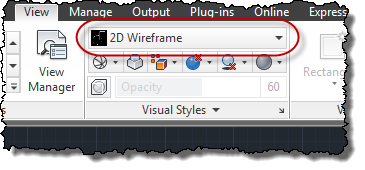
A quick one to end the week, as I really need to start packing for AU. 🙂 Thanks to Augusto Gonçalves, from DevTech Americas, for pointing out this DevNote on the ADN site in a recent email to an ADN member. The below code shows the steps to set the current visual style to "realistic" in AutoCAD. As with many AutoCAD features, you can also set the current visual style by sending commands to the command-line, but then why do something in 3 lines of code when you can do it in 40? 😉 Seriously, there are some advantages to…
-
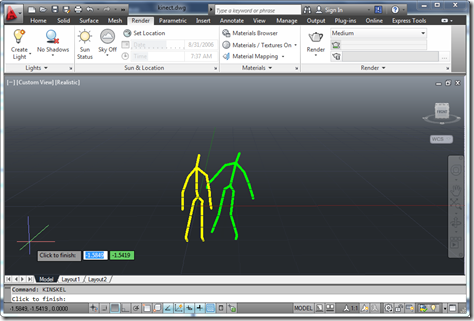
As promised, here's my handout for CP3840, the main class I'm teaching at this year's AU. Introducing Kinect Since Kinect for Xbox 360® was launched on November 4th, 2010, the device has taken the world by storm: it became the quickest selling consumer electronics device ever (according to the Guinness Book of World Records), selling 8 million units in the first 60 days. This record has since been surpassed, but still. Kinect was originally intended to be a controller for the Xbox 360 gaming system – allowing you to play games without a controller, or, as Microsoft like to say,…
-
After an initial attempt at adjusting the view in AutoCAD based on input from Kinect, this post takes it further by implementing a more effective orbit/zoom capability. The proportions/rates of each are currently still hard-coded – and so will vary in effectiveness depending on the scale of the model being navigated – but it's certainly a step in the right direction (and much closer to being demoable than my previous attempt). All in all it works quite well: when I get the chance, I'll try to put together another screencast to show it in action. The good news is that…
-
The looming AU material deadline has finally forced me to work out how to use Kinect gestures to navigate within an AutoCAD model. It's far from perfect, but the fundamentals are all there: we have a loop – outside of a jig, this time, as we don't need to display a point cloud or generate geometry in-place – that takes skeleton data provided by the Kinect and uses it to adjust the current view. Like most people, my head gets a bit twisted when dealing with DCS and WCS, cameras, targets, views, etc., but thankfully I stumbled across an old…