HTML
-
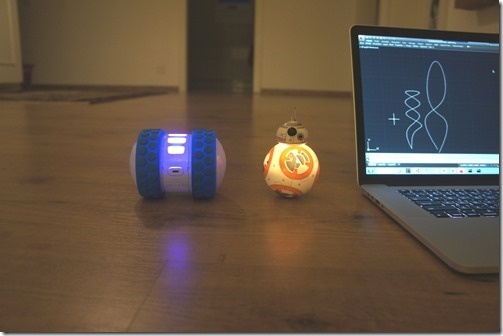
After seeing how we can use Cylon.js to control Sphero's Ollie and BB-8 robots from a browser, and then using the same mechanism from inside a custom AutoCAD command, today we're going to drive these cute little bots based on AutoCAD geometry. The idea is that we'll decompose regular curves – whether lines, arcs, polylines or splines – and use the "segments" as movement instructions for our robots. The approach is simple enough: we'll iterate along the length of each selected curve and generate a set of instructions – really just a set of angles – for the associated bot.…
-
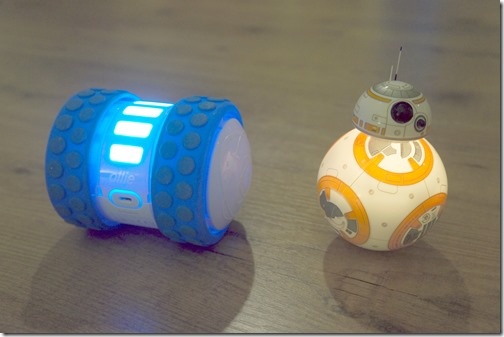
After looking at how to control robots using Cylon.js in the last post, in this post we're going to get that working inside AutoCAD. For now with just a command that allows us to move the robots – in a future post we'll analyse geometry and use that to specify the movements. The "controller" code we saw in the last post needed a little updating for use in this way. I went ahead and stripped out the keyboard-related code – as we're using behind a web-service – and added the capability to control individual robots. We want to be able…
-

Happy New Year! I hope that those of you who celebrate at this time of year, were able to take a nice, relaxing break. I certainly did. 🙂 Anyway, it's now time for me to ease back into work. But rather than it being an abrupt transition, I've decided to take a look at a pet project that I thought would be pretty fun: controlling robots from inside AutoCAD. The thinking is to outline some possibilities for moving virtual robots inside a floorplan drawing and having their real-world, physical counterparts move as instructed. Perhaps along a specific path, perhaps by…
-
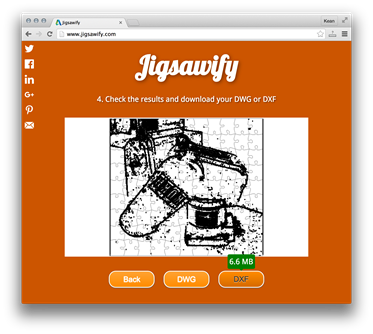
With the clock ticking before next week's AU 2015, here's the second of my class handouts (here's a link to the first). For those of you lucky enough to be heading to this year's event, see you in Vegas! Introduction During the course of this session, we're going to look at the steps required to implement a web-site for turning pictures into jigsaw puzzles. We're not going to go quite as far as creating the puzzles, themselves, but rather the DWG or DWF files that can be used to drive a laser cutter to do the work. The premise…
-
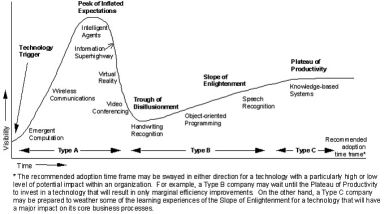
I've been heads-down wrapping up my AU content, so I thought I'd publish at least some of it here. Here's the handout for my "AU kick-off" class which is at 8am on the first day of the conference – the morning after the ADN party – so despite the fact the class is currently full, we'll see if that turns out to be the case. 😉 VR comes of age Presenting 2D images that allow the brain to reconstruct 3D has its roots in the early stereoscopes invented in the late 1830s. These were eventually democratized by Sawyers and their…
-
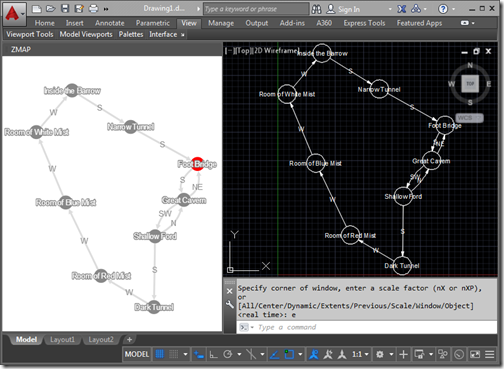
In the last post we saw how we could integrate an HTML and JavaScript palette hosting Cytoscape.js into AutoCAD to map progress made in a text adventure. In today's post we take the additional step of converting the graph data into AutoCAD geometry. To be clear, there's a bit more to this post than having fun mapping old-school interactive fiction inside AutoCAD: I can think of lots of scenarios where you might want to use a comparable tool to build a graph of data and lay it out manually before bringing the graph into AutoCAD as native geometry. But I'm…
-
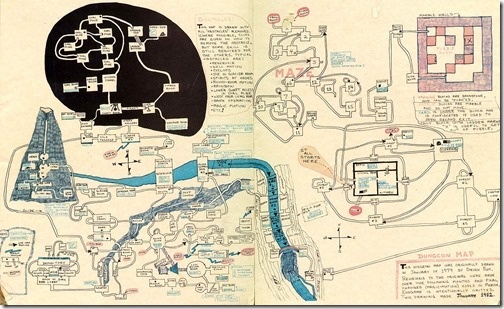
I mostly despise jetlag but once in a while manage to harness it for something positive. I remember some great trips to Asia, waking up at strange times to experience the dawn, walking the streets and seeing everyday life starting up around me. These days I typically find jetlag to be a bit of a curse, but this weekend I ended up using it to tackle a fun challenge: generating maps for Z-machine games such as Zork inside AutoCAD. Something I mentioned in a recent blog post but was reminded of last Thursday while catching up with Christer Janson in…
-
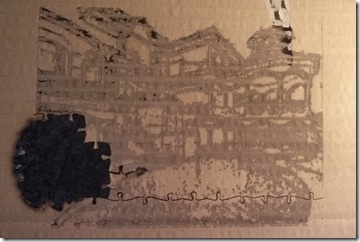
After building a web-site to create files that help make laser-cuttable jigsaws, it made sense to actually go ahead and cut some. In the flesh, so to speak. My initial findings weren't good: I'd assumed that I could output 2D solids from AutoCAD – each representing a pixel to be engraved on the jigsaw – and that the laser cutting software (in our case LaserCut 5.3) would at least see the boundaries. But nothing at all loaded – apart from the cutting geometry for the pieces, of course. In fairness, the question has come up a few times as to…
-

After going down the path of making this blog responsive, it made sense to do the same for Jigsawify.com: I think it's a really nice illustration of the potential for AutoCAD I/O to use the web-site from your mobile phone to generate a DWG in the cloud. The site itself was functional enough on mobile: the issue related more to making the UI usable without having to zoom in and out all the time both to see the results and then use the various UI elements. The "responsive" technology underpinning the Typepad template I used for this blog is Bootstrap.…
-
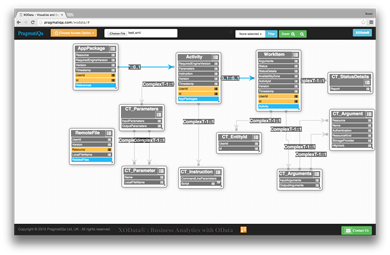
I've been working with AutoCAD I/O quite heavily over the last week or two – mainly spending time fleshing out my Jigsawify web application well in advance of AU2015 – and came across this helpful trick for visualizing an OData-based REST API graphically: you can copy and paste the XML schema for the AutoCAD I/O API into a file and then load it into the handy XOData tool. Here's what was generated (after a little editing from my side for layout): I'm making pretty good progress using AutoCAD I/O from Node.js – which is interesting as I can now run…