User interface
-
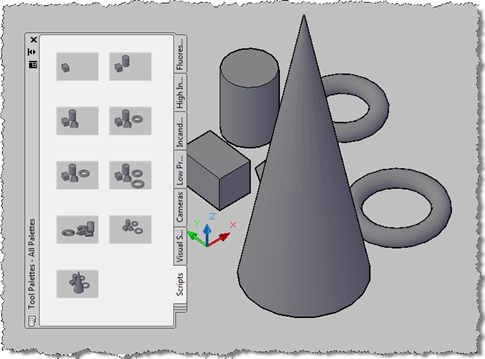
A big thanks to Tony Tanzillo for providing some tips to help improve the implementation of the application we saw in these previous posts: in particular Tony pointed out the ability of AutoCAD 2010 to generate a thumbnail image for a document in the editor programmatically (something I had forgotten was possible… at least I think I knew it existed – it certainly seemed familiar once I saw it :-S). Anyway, the version of the code in this post will only work from AutoCAD 2010 onwards because of the use of this function, Document.CapturePreviewImage(). Tony's code also showed some interesting…
-
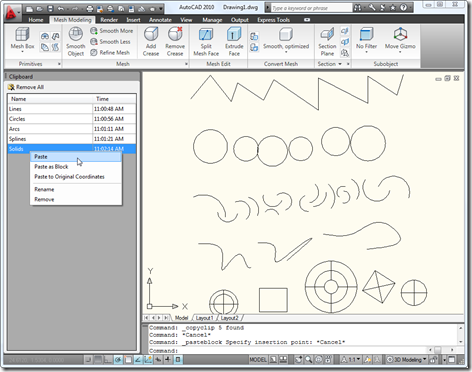
As Scott is leaving on a well-deserved sabbatical, he has gone ahead and posted our next Plugin of the Month a few days ahead of schedule. Here's a link to Scott's post announcing the tool. This is a very cool little application developed by Mark Dubbelaar from Australia. Mark has been drafting/designing with AutoCAD for the last 10+ years and, during this time, has used a variety of programming languages to customize AutoCAD: LISP, VBA and now VB.NET. Mark was inspired by the "clipboard ring" functionality that used to be in Microsoft Office (at least I say "used to be"…
-
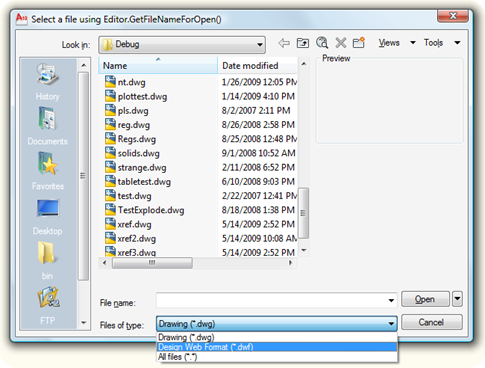
This is a topic that I've covered to some degree in a couple of previous posts: Using AutoCAD's file selection dialog from .NET Replacing AutoCAD's OPEN command using .NET Neither focused on the question of allowing the user to select from a number of different file format filters (try saying "different file format filters" five times, quickly :-), so I thought I'd compare and contrast the two approaches in this post. There are two primary mechanisms provided by AutoCAD's .NET interface for file selection: Methods from the Editor class: GetFileNameForOpen() GetFileNameForSave() Classes in the Autodesk.AutoCAD.Windows namespace: OpenFileDialog SaveFileDialog Within the…
-
Gopinath Taget, from DevTech Americas, will be delivering a repeat session of this free webcast on Thursday, August 20. Please go to our API training schedule if you would like to register for the event (from where a recording of the previous event is also available for download (20.3 MB)). Here's a brief synopsis of the webcast: This webcast will show how to integrate your application's user interface into the AutoCAD look and feel. We'll show you how to work with .NET Forms, create your own palettes, issues surrounding .NET UI development on AutoCAD and implement Event handling so your…
-
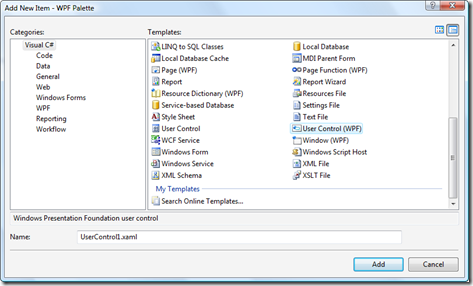
OK, OK: I know I said I'd talk more about overrules, last week, but – as is often the way, I'm afraid to say – I got distracted. The good news, though, is that I got distracted by something genuinely interesting, and well worth sharing. I've been working on upgrading the WinForms user interface of an existing .NET application to use WPF, the Windows Presentation Foundation. For those wanting a thorough grounding in WPF, I recommend watching Fenton Webb's highly-rated webcast series on WPF, just one of the interesting webcasts that can be downloaded and viewed from our API training…
-
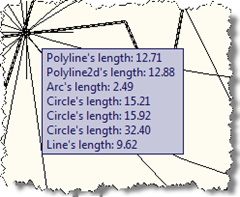
One of the responses to my last post on the "Plugin of the Month" asked about showing information on an AutoCAD drawing object via a tooltip. Other than using the standard rollover tooltip properties mechanism, as shown in this previous post, the best way to achieve this is via a PointMonitor. In the below C# code we check which object ore objects are being hovered over, get information about those objects and add them to the tooltip. using Autodesk.AutoCAD.ApplicationServices; using Autodesk.AutoCAD.DatabaseServices; using Autodesk.AutoCAD.Runtime; using Autodesk.AutoCAD.EditorInput; using Autodesk.AutoCAD.Geometry; public class PointMonitorTooltips { [CommandMethod("SM")] public static void StartMonitor() …
-
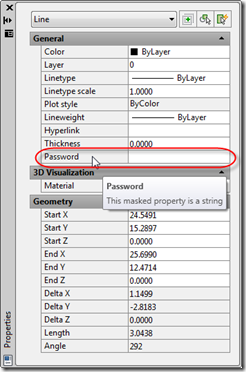
In this recent post we looked at adding custom editing capabilities for dynamic properties we've added via .NET. In the first example we looked at a "distance" property which provided a button allowing the user to select two points. In this post we'll look at implementing a masked string property, such as one you would use for a password. I won't repeat too much of the background information from the last post in this series: you should refer to that to understand the fundamentals (the fact that we're basing this implementation on Cyrille Fauvel's OPM .NET sample, that we're not…
-
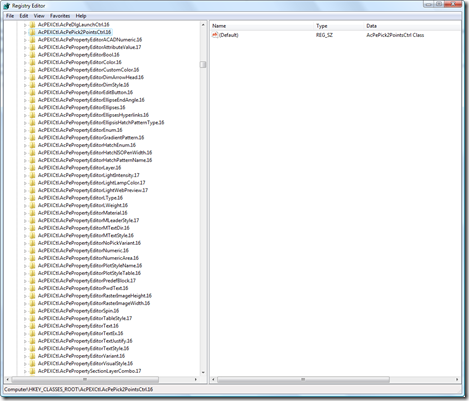
Back in these previous posts, we introduced an ObjectARX module that exposed AutoCAD's Property Palette to .NET (thanks again to Cyrille Fauvel for his work on this :-). In this post we're going to build on this work to demonstrate how to integrate properties with more advanced editing controls into the Property Palette. [Note: this sample does not deal with persisting the data with an object. If you want to store your data with a particular object, I suggest taking a look at this previous post which demonstrates how to use Xdata to do so.] This code is being built…
-
As mentioned in this previous post, Fenton Webb is presenting a two-part series on using the Windows Presentation Foundation (WPF) in your AutoCAD .NET applications. The first session on June 2nd was recorded and the second is to be held next week on July 14th. You can register for upcoming webcasts - and access recordings for previous webcasts – via our API training schedule (which can also be accessed via this easy-to-remember URL: http://www.autodesk.com/apitraining).
-
Fenton Webb, from DevTech Americas, is presenting two sessions on using WPF in your AutoCAD .NET applications. These will be of particular interest to developers wanting to take their ribbon interfaces to the next level in AutoCAD 2010, but will be of relevance to anyone wanting to understand more about WPF and how it can be used within AutoCAD. The first session is coming up quickly, on June 2nd (next Tuesday), but if you're reading this soon after I've posted you should still have time to register. The second session is scheduled for July 14th. Both sessions will be recorded…