User interface
-
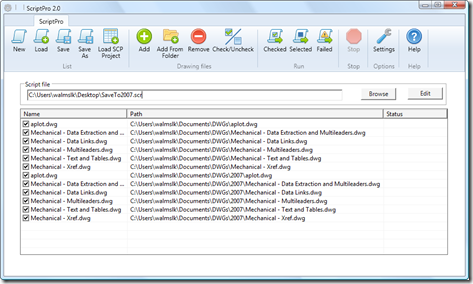
As mentioned previously, Viru Aithal, from DevTech India, has been working hard on a replacement for the venerable ScriptPro tool. I'm delighted to say that it's now ready, and is live on Autodesk Labs as November's Plugin of the Month. Viru took the codebase he developed for the DWF/PDF Batch Publish tool and created ScriptPro 2.0, written from the ground up in C# and developed without any dependency on a specific AutoCAD version. Viru's approach uses the equivalent of late binding to call into AutoCAD through COM and so doesn't require a specific AutoCAD Type Library. Which means the tool…
-
I mentioned in the last post that I was looking to optimise my approach for automatic cropping of an image. It turns out that using Bitmap.LockBits() and the corresponding UnlockBits() does indeed help, although I haven't run any actual benchmarks to measure the difference in the two approaches. The disadvantage of this approach is that you're a bit more down "in the weeds" when it comes to accessing the raw data – you have to support different raw image formats, for instance (and it may well be that I've missed some important ones – it's only really by chance that…
-
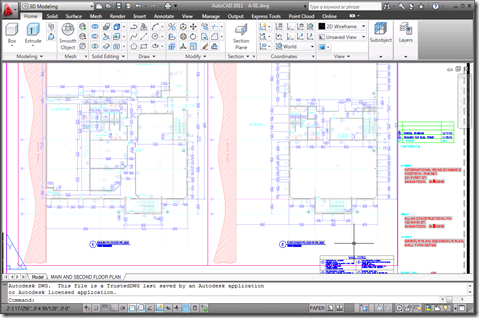
I received a few comments by email and otherwise regarding the preview capability added to the Clipboard Manager Plugin of the Month in the last post. Basically it's useful, but only to a point: the bitmap created on the clipboard is the same size as AutoCAD's screen, with the copied objects in their location relative to the screen. This means that if you're working on a drawing like this: And you want to copy the leader to the left of the cursor to the clipboard, the preview you'll end up with will be something like this: Which – when scaled…
-
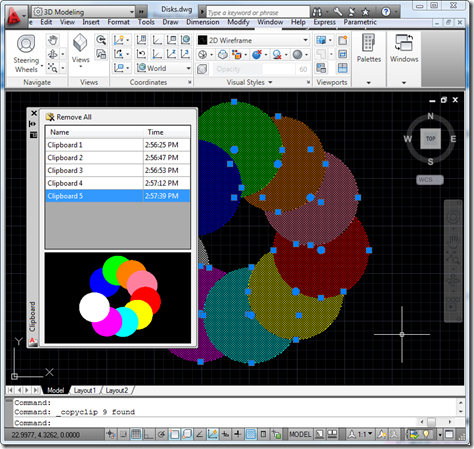
As mentioned yesterday, I went ahead and integrated previewing into the Clipboard Manager Plugin of the Month. I won't include the code directly in the post – it's fundamentally similar in nature to that posted yesterday and is, in any case, included in the project. There were a few additional tricks needed, such as modifying the SplitterDistance property of a SplitContainer to make sure the aspect ratio of the image gets maintained, but nothing particularly earth-shattering. Here's the updated project – I'll be looking into the "save between session" feature (which I suspect is going to morph into a "save…
-

I've been meaning to attack this one since we first published the Clipboard Manager as a Plugin of the Month: working out how to display a preview image of the clipboard contents inside the Clipboard Manager palette. And then I happened to receive a request by email, yesterday, suggesting a couple of enhancements to the tool. A nice reminder. 🙂 1. Have the clipboard include image previews, similar to that of the wblock command (instead of needing to immediately rename the item when fast copying multiple items). 2. Have the clipboard store items in memory for use in between autocad…
-
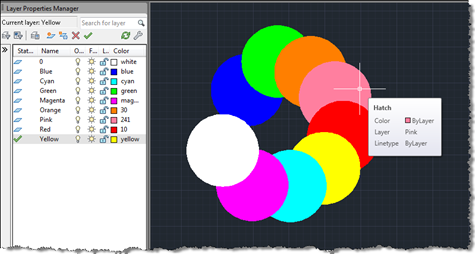
Terry Dotson has – once again – generously offered an application to be an ADN Plugin of the Month. This little tool, called DrawOrderByLayer, allows you to modify the draw-order of objects in an AutoCAD drawing according to the layer they're on. I don't expect this to go live for another month or so (I still have plans for November's plugin), but I did want to post it in order to give people the chance to provide feedback. Here's basically how it works… You have layers containing geometry – in this case I've created circular solid hatches on layers named…
-
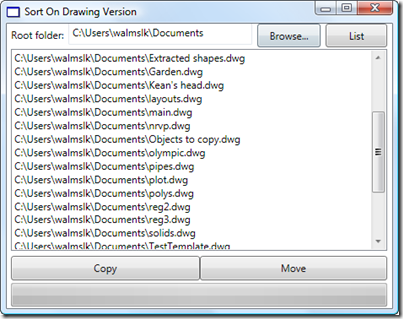
A friend in our Product Support team in Neuchâtel asked me to help develop a little application to sort drawing files on disk. He has some old Clipper scripts that he used during a previous life as a CAD Manager to sort drawing files into different folders based on their version (held in the first six bytes of the DWG file, as mentioned in this previous post and this post of Shaan's). We decided I'd implement it in VB.NET, to make it easier for him to understand and extend. The application is simple enough, but could make a mess of…
-
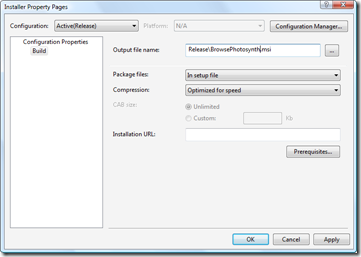
In the first part in this series, we looked at getting our basic installer to install files and in the second part we focused on checking and modifying the Registry. In this part we're going to finish up our installer by tweaking the user interface. Let's get started with some fundamentals: the name of the MSI file itself. This can be modified via the Installer project's property page (which I pulled up by right-clicking the project in the Solution Explorer and selecting "Properties"): A pretty simple one, but one that's worth making, nonetheless. Let's go ahead and spruce up our…
-
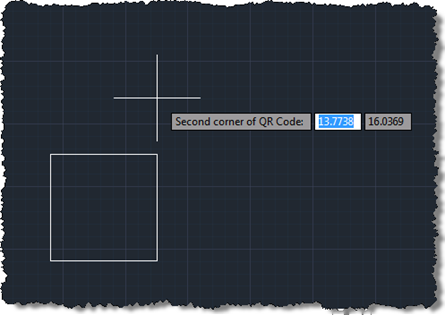
Following on from these two posts, we're now going to implement a jig to create our QR Code raster images inside AutoCAD. Today's approach isn't radically different from the previous one prompting selection of corners, but we do get to see the actual (square) boundary of the raster object as it gets defined. It would have been even better if the raster contents were displayed during the jig, but from what I can tell this has been disabled deliberately, no doubt for performance reasons (you see the same effect – only having the boundary visible – when you move or…
-
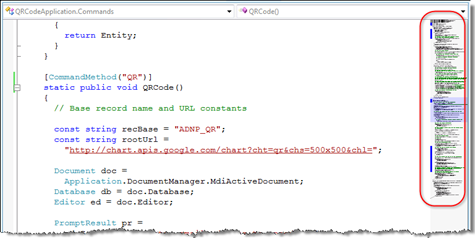
Thanks to Kristine Middlemiss, from our DevTech Media & Entertainment team, for bringing this very cool application to my attention. There a few Visual Studio Add-Ins that I can no longer do without. I use CopySourceAsHtml for every blog post of mine that includes source code, and I'm now just beginning to form a similar dependency on RockScroll. This Add-In integrates with Visual Studio (in my case 2008, as I'm typically slow to install the latest & greatest VS release) to display a thumbnail view of your current source file in a fattened, still perfectly functional scrollbar: This tool is…