User interface
-
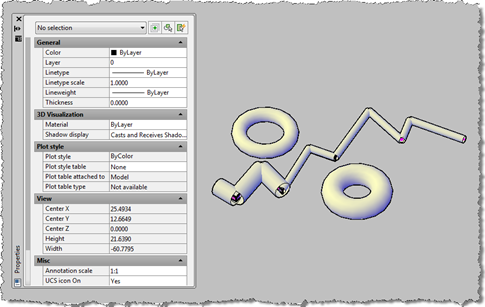
I've been meaning to get to this one for a while. This post takes the OPM .NET implementation and shows how to use it to allow modification of data persisted with an object: in this case we're going to use the XData in which we store the "pipe radius" for the AutoCAD 2010 overrule sample we've recently been developing. To start with, I needed to migrate the OPM .NET module to work with AutoCAD 2010, which meant installing Visual Studio 2008 SP1. Other than that the code migrated very easily, and the project (with the built asdkOPMNetExt.dll assembly) can be…
-
A huge thanks to Cyrille Fauvel, who manages DevTech's Media & Entertainment team but still finds the time to dip into the odd deeply-technical, AutoCAD-related issue. Cyrille provided the original article on this topic late last year, but it's taken me time to get around to editing and publishing it. A quick tip... if you're not interested in the technical details of how Cyrille has exposed the various Properties Palette interfaces to .NET, you can safely skip this post and join us again when we go ahead and make use of the implementation to add dynamic properties to core AutoCAD…
-
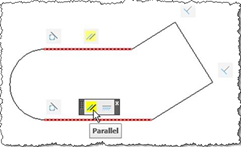
This is the second post in the series looking at the new APIs in AutoCAD 2010, and following on from this post. I've copied the information in this post from the recently-published Platform Technologies Customization Newsletter, a quarterly newsletter available to ADN members. A big thank you to Stephen Preston, Fenton Webb and Gopinath Taget for putting the material together. Parametric Drawing API If you know Inventor® software products, then this feature will seem strangely familiar :-). Using the same solver engine as Inventor, and closely following the Inventor parametric design user interface, the AutoCAD 2010 Parametric Drawing feature is…
-
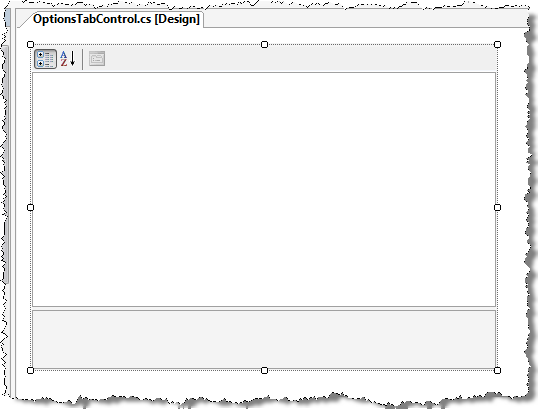
This post extends the approach shown in this previous post to implement a realistic editing and storage mechanism for application settings. It uses the .NET PropertyGrid control to display a custom class, allowing editing of a number of properties. This class is also serializable, which means we can use the .NET Framework to save it out to an XML file on disk. Some readers may have their own approaches to saving custom application settings, whether in the Registry or elsewhere: this post is primarily about displaying properties rather than providing a definitive "how to" for storing custom application settings. I…
-
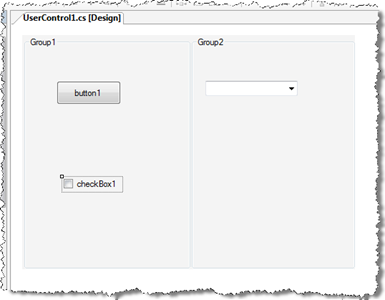
A big thanks to Viru Aithal, from our DevTech India team, for providing the code that inspired this post. Update: it turns out I didn't look deeply enough into the origins of the code behind this post. The code that inspired Viru's code that inspired mine came from our old friend Mike Tuersley, who's delivering a class on customizing the Options dialog at this year's AU (in just over a week). Thanks, Mike! 🙂 One way that applications often want to integrate with AutoCAD is via the dialog displayed by the OPTIONS command. Luckily it's relatively easy to add your…
-
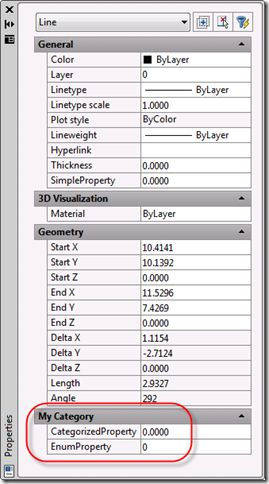
This topic is a little on the advanced side - it requires the use of C++ and some knowledge of COM - but I felt it was worth covering, as you can get some interesting results without a huge amount of effort. Since we introduced the Properties Palette (once known as the Object Property Manager (OPM) and otherwise referred to as the Properties Window) back in AutoCAD 2004 (I think it was) it has become a core tool for viewing and editing properties of AutoCAD objects. In AutoCAD 2009 we have taken the concept further, allowing properties to be added…
-
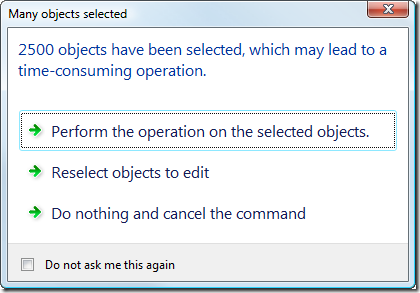
In this previous post we looked at a basic task dialog inside AutoCAD and exercised its various capabilities without showing how they might be used in a real application. This post goes beyond that to show how you might make use of the TaskDialog class to provide your users with relevant information at runtime that helps them decide how best to proceed in certain situations, effectively increasing your application's usability. The specific scenario is this: if the user selects a lot of entities - too many for our command to handle quickly - we want to show a dialog that…
-
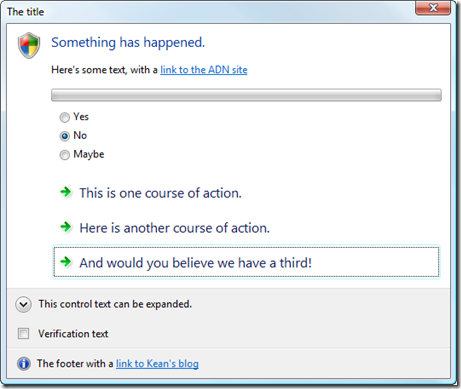
This is a topic I've been meaning to get to for some time... as I finally had to research it for a side project I'm working on, I decided to go ahead and post my findings here. AutoCAD 2009 makes heavy use of task dialogs, which are basically message-boxes on steroids. MSDN contains documentation on Microsoft's implementation of task dialogs, although our implementation is a little different. Why bother with these new task dialogs? They provide a way of asking more user-friendly questions using actual actions as answers rather than yes/no/cancel etc. It's a bit like the way I now…
-
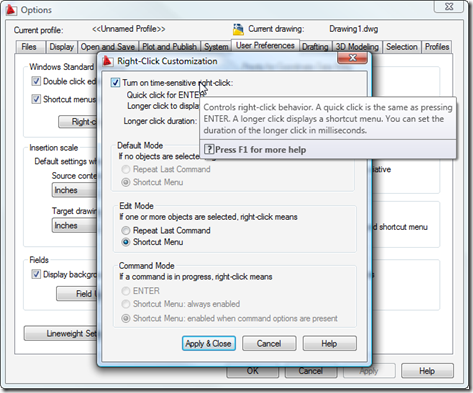
Some of you may have stumbled across these previous posts, which show how to add custom context menu items for specific object types and to the default AutoCAD context menu. There is a third way to create and display context menus inside AutoCAD, and this approach may prove useful to those of you who wish to display context menus during particular custom commands. One word of caution: I've been told that this technique does not currently work for transparent commands, so if your command needs to be called transparently then this may not be the approach for you (you should…
-
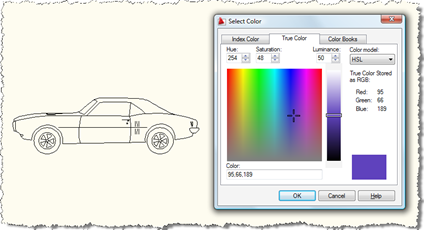
Here's a question that came in to us, recently: How can I show the AutoCAD color dialog from .NET? I need to allow the user to select a block, show the AutoCAD color dialog and apply the selected color to the contents of the selected block. A new member of DevTech Americas - Augusto Gonçalves, who's based in our São Paulo office - answered with the following code (which I've modified slightly, mostly to follow this blog's coding conventions). Thanks, Augusto! By the way, these previous posts may also be useful to those interested in this topic. Here's the C#…