AutoCAD .NET
-

This recent request came into my inbox from our discussion group support team: I know that this is not strictly an AutoCAD 2012 issue, BUT as her CAD teacher it's my job to do the best I can for all of my students so I'm reaching out and asking for help. I have a severely disabled student; she can only move her head (and that is severely limited). She has a head mouse to point with. She can left and right click her mouse by using a puffer tube in her mouth. But she can't scroll or pan easily, (Center…
-
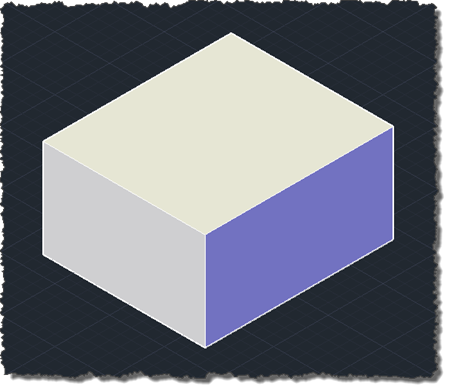
Another piece of code culled from an email from Balaji Ramamoorthy, from DevTech India. I did a little refactoring and formatting, to fit the blog. Thanks, Balaji! 🙂 The below C# code demonstrates how to use Solid3d.ChamferEdges() with a user-selected edge and face. Balaji has also provided code to determine the edge and face programmatically – without the user needing to select anything – using the Brep API. I expect to show that approach in a subsequent post. using Autodesk.AutoCAD.ApplicationServices; using Autodesk.AutoCAD.DatabaseServices; using Autodesk.AutoCAD.EditorInput; using Autodesk.AutoCAD.Runtime; using System; namespace SolidEditing { public class Commands { [CommandMethod("EC")]…
-
As a follow-on from the last post, today we're going to see how to actually stop the erase operation from happening for a certain type of object (in this case we're going to focus on Lines). Thanks for Stephen Preston for showing us the way in his comment on that post: inspired by his suggestion I ended up coding this before breakfast (although I do recommend taking care when throwing exceptions on an empty stomach ;-). Here's the C# code implementing the PER (Prevent Erasure) command: using Autodesk.AutoCAD.ApplicationServices; using Autodesk.AutoCAD.DatabaseServices; using Autodesk.AutoCAD.EditorInput; using Autodesk.AutoCAD.Runtime; namespace WeLikeToBlock { public…
-
I started looking into the ObjectOverrule class, this week, to see if I could use it to prevent erasure of certain objects. My thinking was that overruling Erase() would allow me to control whether an object was erased or not, simply by my decision whether or not to super-message to the base implementation. That doesn't appear to be the case, as whether I call the base implementation or not the object gets erased. I'll have to confirm that this is expected behaviour, but in the meantime I thought I'd share a version of my code which adds a simple ObjectOverrule…
-
On the day I left AU, I facilitated an unconference session (CP4459-U) on AutoCAD .NET development, focusing on tools and best practices. It was a really good session: well attended with plenty of participation. As promised during the session, I'm posting the notes to this blog even though they may not make a great deal of sense to anyone who didn't attend. We didn't complete all the topics we brainstormed at the start of the session, but I've nonetheless left those at the end of the notes. Source editing Main tools LISP: Notepad++, Multi-edit, Vi, Textpad, Crimson Editor .NET: Express,…
-
What a great week! The highlight – and that's from a lot of great moments – was probably the AutoCAD + Kinect session: the demos were clearly fun to do, but there was a high degree of audience participation and we all laughed a lot. For those who weren't able to attend in person, I'm going to try to find some time to record the demos and upload them to YouTube. Watch this space. I'm now about to head home to Switzerland. For lots of very good reasons, I'm currently carrying the following electronic devices: MacBook Pro This is currently…
-
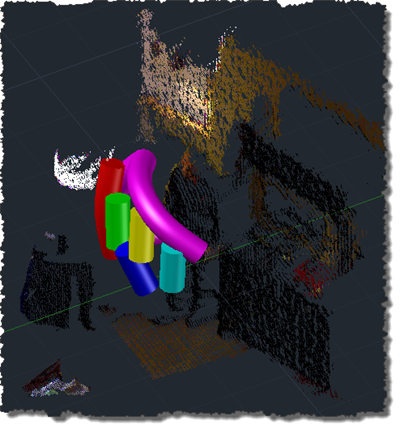
Ah, the joys of jetlag. After getting up with jetlag at 3am, yesterday, I finally worked out what was wrong with my inconsistently performing speech recognition approach shown in this previous post. I tracked down this helpful piece of advice on the Microsoft forums, which explained that the Kinect Audio capability really needs to be initialized on a MTA (multi-threaded apartment) thread. Moving the relevant initialization to a function marked with the [MTAThread] attribute and then spawning a thread to execute it made all the difference – the code now behaves predictable and effectively. I added a few more enhancements…
-
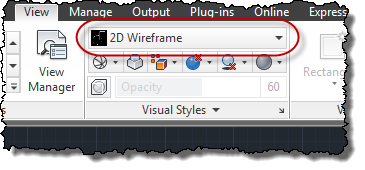
A quick one to end the week, as I really need to start packing for AU. 🙂 Thanks to Augusto Gonçalves, from DevTech Americas, for pointing out this DevNote on the ADN site in a recent email to an ADN member. The below code shows the steps to set the current visual style to "realistic" in AutoCAD. As with many AutoCAD features, you can also set the current visual style by sending commands to the command-line, but then why do something in 3 lines of code when you can do it in 40? 😉 Seriously, there are some advantages to…
-
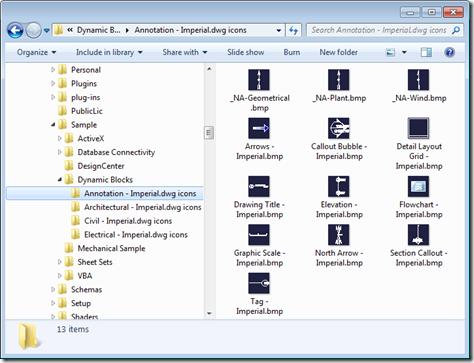
This was a nice little solution I saw provided recently by Viru Aithal from DevTech India. It's a simple command to open a drawing and generate preview icons for each of the blocks it contains. It forces an icon to be generated – when it doesn't already exist – via Viru's old trick of using InvokeMember() to call IAcadDocument::SendCommand() via COM (which is synchronous, where Document.SendStringToExecute() is asynchronous and only executes once the command has completed). Viru's trick allows him to call SendCommand() without creating a dependency on the AutoCAD Type Library (something developers often prefer to avoid, as it…
-
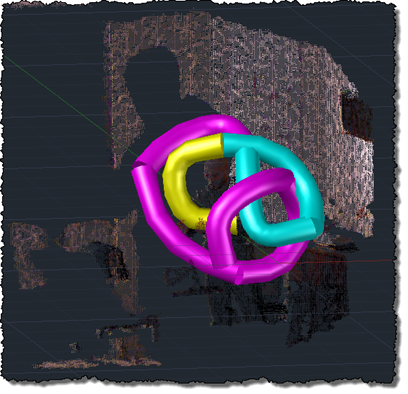
Oh, what fun. Kinect's audio capabilities were an area that I hadn't spent any time on, but an email conversation with a developer (thanks, Glenn! 😉 spurred me to take a closer look. The Beta 2 version of the Microsoft Kinect SDK, there's a new sample showing how to process audio and add speech recognition via the Microsoft Speech SDK. The Kinect SDK sample is pretty interesting: it displays a graphical indicator of where the sound is located, relative to the device (its array of four microphones allows Kinect to quite accurately position where sound is coming from, presumably to…