AutoCAD .NET
-
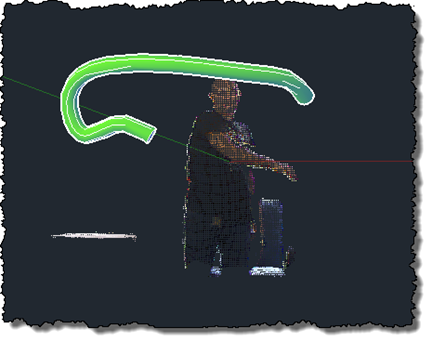
After this previous post, which updated my previous implementation drawing polylines in AutoCAD to use the Microsoft Kinect SDK, it made sense to give the same treatment to this implementation, too. This version of the code doesn't really go beyond the OpenNI/NITE version – it's very much a "flat" port, which means it comes with the same issues the other version had: the sweep is performed along a single, increasingly complex path, which means that it quickly slows down (as the path's complexity increases with its length) and at some point just stops working. And along the way, there's significant…
-
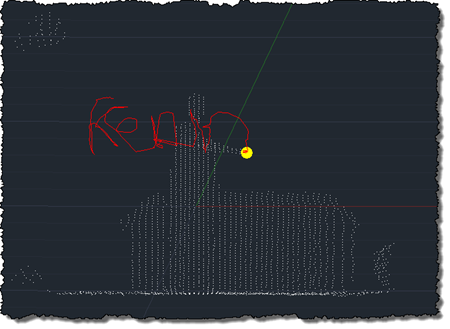
After using the Microsoft Kinect SDK to bring point clouds into AutoCAD and then to track skeleton information, I'm happy to report that I now have an equivalent implementation of this previous post, where we used OpenNI and NITE to understand gestures captured by the Kinect and draw 3D polylines inside AutoCAD. This implementation is a bit different from the last, mainly in that – given the additional calculation needed to map points into "skeleton space" when building out point cloud – I no longer transform all the points and then select a sampling. This implementation passes a sampling value…
-
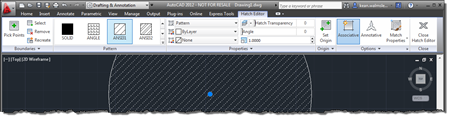
This very interesting feature came to my attention via an internal discussion. Thanks, once again, to George Varghese for providing the base sample used for this post. At various times inside AutoCAD – such as when a block is selected, for instance – a specific ribbon tab is displayed "contextually". As an example, when you select a Hatch object inside the AutoCAD editor, you should see a hatch-related contextual tab displayed: It's possible to implement your own, comparable behaviour inside the AutoCAD editor using a combination of a simple .NET module, a XAML file and some CUI editing (or a…
-
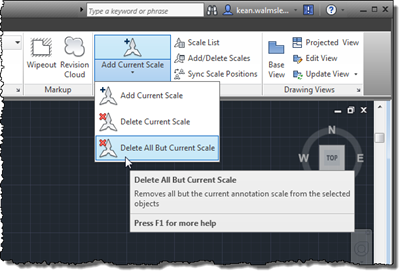
I stumbled across this wishlist request on the forums, the other day, and thought it worth covering in a blog post. It's an interesting little piece of code – nothing very startling, but obviously whenever removing data you have to be a bit careful: in fact I would probably add an "are you sure?" question prior to actually removing the various annotation scales, even if the operation participates in the undo mechanism and can therefore be rolled back easily by the user. Here's the C# code for the AIOBJECTSCALEREMOVEOTHERS command (yes, I would normally use a slightly more succinct name,…
-
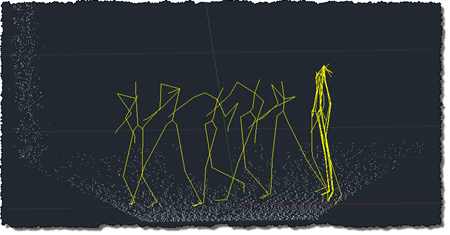
To follow on from my post showing how to get point cloud information from Kinect into AutoCAD – using Microsoft's official SDK – this post looks at getting skeleton information inside AutoCAD. The code in today's post extends the last – although I won't go ahead and denote the specific lines that have changed – by registering an additional callback called by the Microsoft runtime which, in turn, stores data in memory to be displayed when the jig's WorldDraw() is next called inside AutoCAD. The main thing to note is what's needed to map the skeleton information into AutoCAD's world…
-
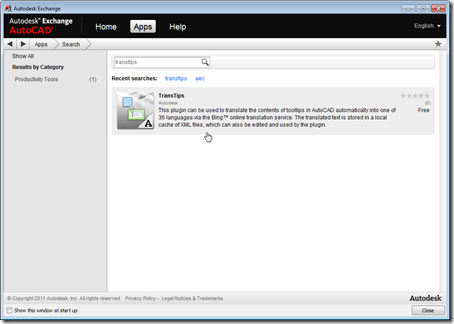
Just a quick update to let you know that – as a result of the steps we took to prepare and submit the application for consideration – TransTips is now live on the Apps tab of Autodesk Exchange, which means it can now be loaded more easily into AutoCAD 2012: This application was first posted on this blog, and has since become a Plugin of the Month on Autodesk Labs. If you'd like to see it in action (and in products other than AutoCAD), please see this YouTube video.
-
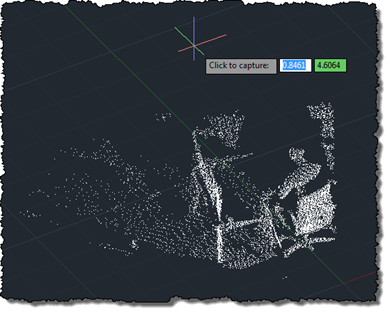
As mentioned, last week, I've been working away to port my previous OpenNI/NITE AutoCAD-Kinect integration across to the official (although still in Beta) Microsoft Kinect SDK. Today's post presents a very basic implementation – essentially equivalent to the code in this previous post – which makes use of the Microsoft Kinect SDK to bring a colourised point cloud into AutoCAD. As in the previous post, the txt2las tool is still currently needed to bring the generated point cloud into AutoCAD. It's worth noting that the Microsoft SDK is a) much simpler to install/deploy and b) provides more reliable colourisation of…
-
Stephen Preston sent me an update to his minesweeper application, some time ago, and it's been languishing in my inbox until today. Stephen has spent some time polishing the app, adding a more coherent architecture (or so he tells me). As I'm busy beavering away with the Kinect SDK, I thought I'd go ahead and post the code. Here is the updated, AutoCAD-specific command class: Imports Autodesk.AutoCAD.Runtime Imports Autodesk.AutoCAD.ApplicationServices Imports Autodesk.AutoCAD.DatabaseServices Imports Autodesk.AutoCAD.Geometry Imports Autodesk.AutoCAD.EditorInput Imports System Imports System.Collections.Generic ' This line is not mandatory, but improves loading performance <Assembly: CommandClass(GetType(Minesweeper.MyCommands))> Namespace Minesweeper Public Class…
-
Given the fact AU 2011 is quickly approaching, I decided it was time to dust off my Kinect-related code and getting it working with the Beta SDK from Microsoft Research. Part of the reason I haven't been able to do this sooner is that my primary work machine is currently a MacBook Pro running Windows 7 via Parallels, and the Microsoft Kinect driver currently does not support working inside a Virtual Machine. I did start to try to get my previous implementation using OpenNI + NITE to work on this system, but as it uses the nKinect component that is…
-
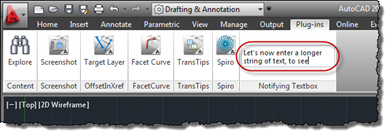
In the last post, we saw a great little sample for adding a textbox to AutoCAD's ribbon which notifies your application of the "commands" entered into it (however you choose to interpret them in your code). In this post, we'll take that further and have that textbox expand vertically as text gets entered, wrapping the contents across multiple lines (only breaking the text at the ends of words, too). Here's the updated C# code, with modified lines in red. You can get the original file here. 1 using Autodesk.AutoCAD.ApplicationServices; 2 using Autodesk.AutoCAD.EditorInput; 3 using Autodesk.AutoCAD.Runtime; 4 using Autodesk.Windows; 5 using System.Windows.Media; 6 using System.Windows.Controls; 7 using System.Windows.Input;…