AutoCAD
-
This is very exciting: v1.7 of the Kinect for Windows SDK is being released today and it includes the uber-cool Kinect Fusion component. For those of you who have not yet heard of Kinect Fusion, it allows you to use your Kinect for Windows sensor as an effective reality capture device: it aggregates input from depth frames provided by the Kinect sensor, mapping out a 3D volume. Or, for the layperson, it allows you to paint a 3D model of an existing real-world object or scene into your computer's memory. Here's a video from Engadget's Expand event, held over the…
-

Everyone who uses AutoCAD – even if they use it exclusively in one or the other mode – knows that it's capable of being used to generate both 2D drawings and 3D models. Not everyone realises there are actually two distinct graphics systems in the product, however. (At least at the time of writing, talking about AutoCAD 2013… I'm not making predictions, for people reading this from the future. 🙂 The 2D graphics system is known as WHIP and has been around – albeit with regular enhancements – since the days of R13. You know if you're using WHIP if…
-
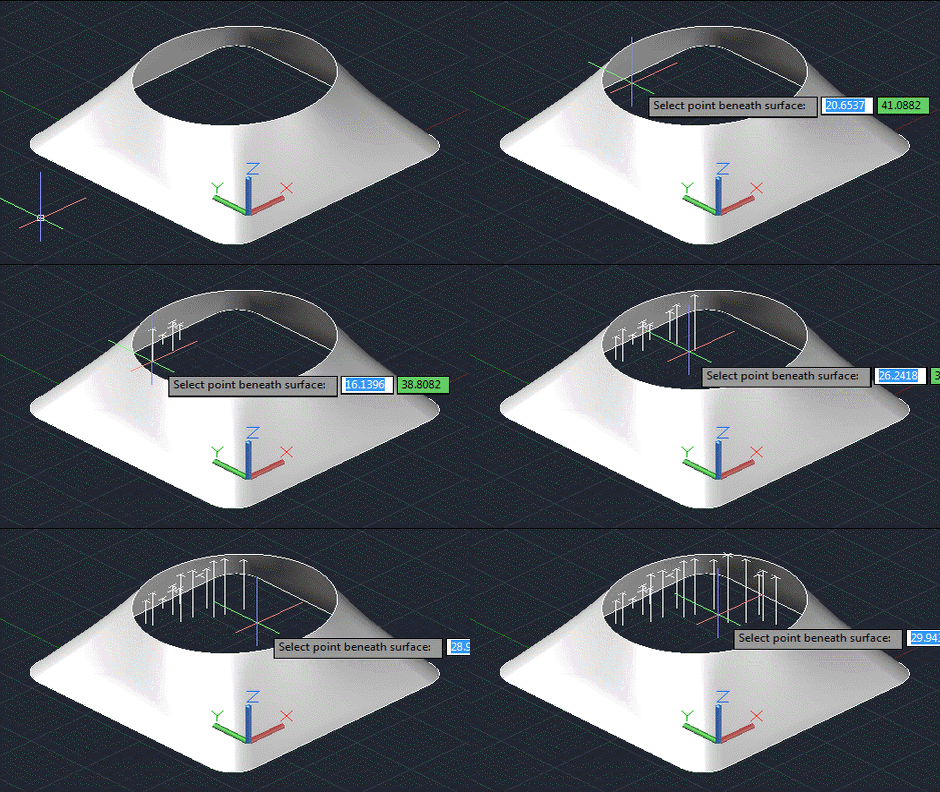
As predicted in the first post in this series, today's post looks at a slightly more robust and user-friendly approach for determining the point on a surface found by firing a ray normal to a selected X,Y point in the plane of the current UCS. Here's the updated C# code that now includes an additional command called POXY (that's a shortened form of PointOnXY, but will hopefully bring a smile to the lips of British readers): using Autodesk.AutoCAD.ApplicationServices; using Autodesk.AutoCAD.DatabaseServices; using Autodesk.AutoCAD.EditorInput; using Autodesk.AutoCAD.Geometry; using Autodesk.AutoCAD.Runtime; using AcDb = Autodesk.AutoCAD.DatabaseServices; namespace SurfaceIntersection { public class Commands {…
-
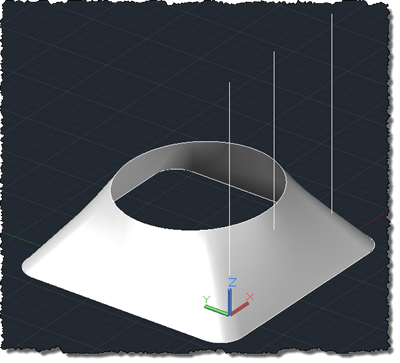
When I woke up this morning I didn't expect to write a post on this topic, but then I found a kind email in my inbox from an old friend and colleague, Ishwar Nagwani, with some code he'd written and wanted to see posted. Ishwar had generated the test code in response to the following question from a member of the ADN team: This question is to get the corresponding Z of a surface/solid, given a point of XY. This refers to the absolute coordinate, instead of the point on param space. I seem not to find a direct way…
-

Viru Aithal from the ADN team posted a link to this survey on the ADN DevBlog and asked that I post it here, too. The survey will help us determine your priorities for developer-oriented documentation, so we definitely appreciate the time you take to fill it out. [You might even find out about documentation resources of which you were previously unaware – there's quite a list in there.] My inbox is nearly back under control after my week of holiday, so I'll certainly be posting more during the course of the week. photo credit: splorp via photopin cc
-
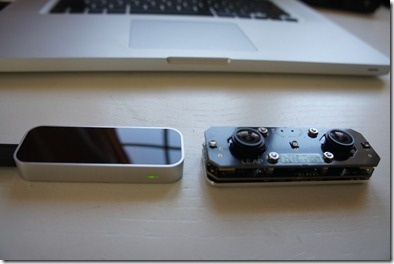
It's been a good week for gadgets. Aside from getting a Netduino and some additional accessories through the post, I also received a newer version of the Leap Motion controller. The last one I had was a 0.4 version (at least that's what was written on the box) and the new one is a 0.6.5. Here they are, side-by-side. The one on the left is the newer one, of course, although I quite like the Johnny 5 look of the older one, myself. I went ahead and installed the latest SDK – which took me from 0.7.1 up to 0.7.3…
-
As a follow-on from this recent post, I decided to take a stab at a more generic solution for managing XData that should remain unique – i.e. attached to a single object – inside an AutoCAD drawing. This was prompted by an internal discussion that included a long-time colleague, Randy Kintzley, who suggested the approach taken in this post. (Thanks also to Tekno Tandean and Davis Augustine for adding valuable comments/feedback.) Randy's suggestion was to avoid per-command event handling completely by adding an additional piece of XData – the handle – to objects that need to be managed in this…
-
This question came in day or two ago: "I attach an XData to some AutoCAD entities. When the AutoCAD entity is offset by OFFSET command, the XData is cloned in the offset entity. What's the way to control(stop) the cloning of my XData in OFFSET command?" This is an interesting one. Many applications rely on External Entity Data (XData) providing unique references from AutoCAD objects to other locations, so when objects with XData attached get copied, it either needs to be removed or updated to refer to something different (an identifier to a new record in an external database table,…
-
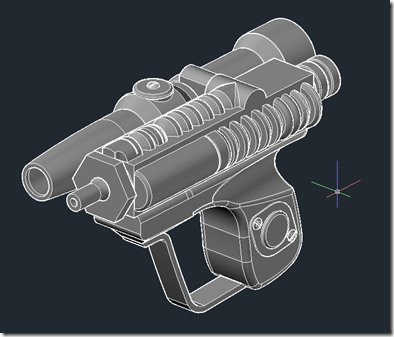
Being a bit of a Star Wars fan, I was delighted to come across this blog post by former MakerBot employee Todd Blatt (now working at Custom 3D Stuff), who modeled an Imperial Scout Trooper Blaster in AutoCAD for 3D printing. You can download the STL output and the original DWG file from here. Here's a view on the finished gun with the "shades of gray" visual style: And here's one that's "realistic" with a nice metallic material applied to it: 3D printing functional weapon parts is clearly a contentious subject – which, according to some, may sadly lead to the…
-

A comment on the last post made me think it's probably worth diving into LINQ a bit further, as there's clearly interest out there. Now I don't actually use LINQ very much but whenever I do I tell myself I ought to use it more – it's really very useful. A lot of LINQ is derived from the world of Functional Programming – in that it allows you to use higher order functions to manipulate data – and it's really just another way in which .NET languages have been influenced by FP (and have evolved to incorporate its techniques in…