AutoCAD .NET
-
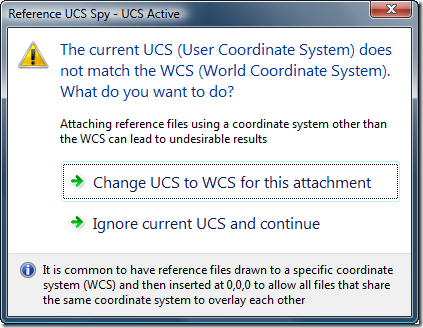
AutoCAD users who work with multiple reference files – whether DWG, DWF, DGN, PDF, PCG files or raster images – usually want them to be oriented in space (and to overlay) properly. One common way to make this happen is to set the various files up in world coordinates and then attach them at the origin of the referencing drawing's WCS. A common issue related to this approach is if the user happens to be in a local UCS: the file will get attached relative to that UCS rather than to the WCS. Glenn Ryan, who generously provided April's very…
-
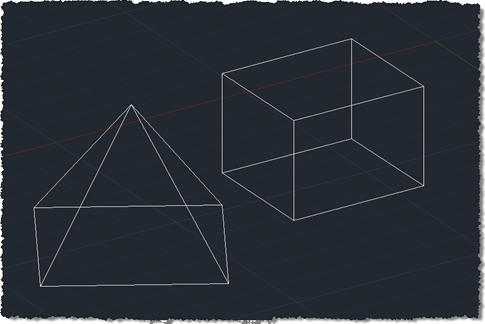
I finally came up with a succinct title for this post after struggling with "Shading a face of an AutoCAD solid with a transparent hatch pumped through the transient graphics sub-system using .NET". Or words to that effect. 🙂 So yes, this post shows how to create a temporary hatch with transparent shading that then gets drawn as transient graphics at the right place in the model: in this case, the face selected using the approach shown in this previous post (which later evolved into a "look at" type feature). The post was inspired by an email I received a…
-

In the last post we used an API introduced in AutoCAD 2011 to trace boundaries defined by geometry in a drawing. In this post we're going to use these boundaries to define the limits of solid hatch objects which we will – using another new capability in AutoCAD 2011 - make transparent. Here's the updated C# code to define our TBH command with new/changed lines in red (you can also get the source file without line numbers here): 1 using Autodesk.AutoCAD.ApplicationServices; 2 using Autodesk.AutoCAD.EditorInput; 3 using Autodesk.AutoCAD.DatabaseServices; 4 using Autodesk.AutoCAD.Runtime; 5 using Autodesk.AutoCAD.Colors; 6 7 namespace TraceBoundaryWithHatch 8 {…
-

As alluded to in this previous post, today we're going to see some code that makes use of a very cool new API feature in AutoCAD 2011: the Editor.TraceBoundary() function. This little gem performs something developers have struggled with – and have asked us for – for many years. Previously you had to jump through significant hoops (or should that be loops? <groan>) to get this to work: one common approach would be to drive the BOUNDARY command programmatically and check the results appended to the database. All very messy. Anyway, we got there eventually. This function takes a "seed"…
-
In the last post we saw a very simple, preliminary exploration of some of the new programmatic capabilities of the in-place MText editor in AutoCAD 2011. In that basic case we just used it to strip off all formatting from an MText object. Now we're going to implement a couple of commands to toggle the case of the contents of an MText object between lower- and uppercase. Here's the C# code: using Autodesk.AutoCAD.ApplicationServices; using Autodesk.AutoCAD.EditorInput; using Autodesk.AutoCAD.DatabaseServices; using Autodesk.AutoCAD.Runtime; namespace MTextEditing { public class Commands { [CommandMethod("CTU")] public void ChangeToUppercase() { ChangeCase(true); …
-
Last week we saw a series of simple posts about creating, placing and editing MText. Barry Ralphs asked about the ability to fire off editing commands to the in-place MText editor, which – interestingly – was a new feature in AutoCAD 2011, implemented primarily to enable the control of the MText IPE via AutoCAD's ribbon. While I'm not yet covering Barry's specific question, here's the first of (hopefully) a series of posts which looks into the API now exposed for the MText IPE. There appear to be some quirks related to selection (and especially searching) of an MText's contents using…
-

Once again, members of the DevTech Americas team have put together an entertaining and informative DevCast session on AutoCAD's APIs. This time, Gopinath Taget joins Stephen Preston and Fenton Webb to present a number of interesting topics: boundary tracing, associative surfaces, 3D laser scanning and point cloud filtering. I'll be covering boundary tracing via this blog in the coming weeks, just as I expect to be doing more with point clouds (coincidentally a laser scanner from FARO – similar to the one Fenton and Gonzalo use in this DevCast – should be arriving for me today, so watch this space…
-
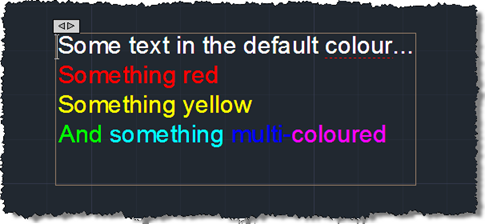
First we saw some simple code to create a pretty multi-line text object, then we saw some code to place it using a "drag jig", now we're going to launch AutoCAD's In-Place Editor (IPE) for MText once the object has been placed. To do this we're going to make use of the InplaceTextEditor object added to the Autodesk.AutoCAD.ApplicationServices namespace in AutoCAD 2011. There's very little work needed to do this – I had concerns about whether it could work safely with a newly-created, transaction-resident object, but it seems to work very well, as far as I can tell. Here's the…
-
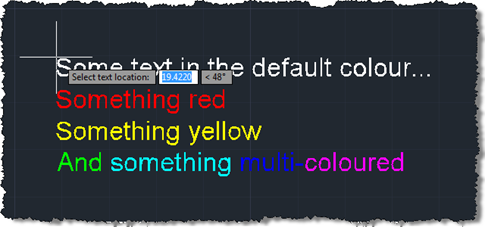
In the last post we created a simple MText object containing sections of text with different colours. The object was located at a hard-coded location, so now we want to use a simple technique to allow placement of our MText (or any object, for that matter) in the current user coordinate system. Rather than implementing a full jig class – whether a DrawJig or an EntityJig (the latter being most appropriate for this scenario) – we're going to use the .NET equivalent of the old (draggen) or acedDragGen() functionality: the overload of Editor.Drag() which takes a selection set, prompt and…
-
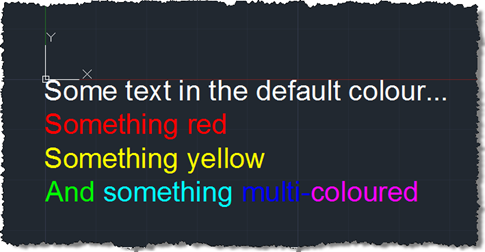
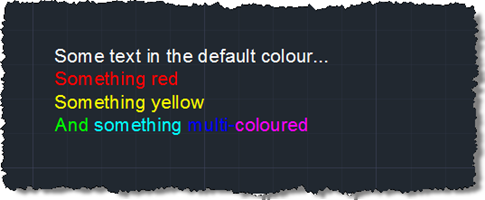
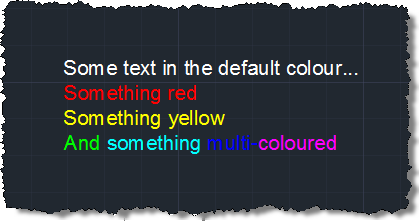
Some weeks ago we received this question via ADN support: My string contains several sentences and I need to make 2 of these sentences Red. I know that I could use a separate Mtext for the red portion; however, I was wondering if there was a way to programatically do this using just one Mtext? A big thanks to Varadarajan Krishnan, from our DevTech team in India, for providing the code that formed the basis for the below solution. I decided to spice things up slightly by adding some additional per-phrase and per-word colouring. Here's the C# code: using Autodesk.AutoCAD.ApplicationServices;…