Graphics system
-
Over the weekend I had some more fun with the ray-tracing application I'm writing for my BerkeleyX homework. This time, though, I ended up using AutoCAD to do some debugging (which was an interesting twist). The big problem with debugging an app such as a ray-tracer is that it's hard to picture a complex 3D scene in your mind – especially when there are lots of transformations being applied to the various objects in the model. At least it's not something my mind is at all good at. AutoCAD, on the other hand, is very good at helping you think…
-

As mentioned in this previous post – in-between bouts of preparation for AU2013 and my other work responsibilities – I've been spending time following an edX class on computer graphics. It's been really beneficial: I've shored up some of the basics I'd missed out on studying formally at university and it was a great continuation of many of the concepts gleaned from the linear algebra class on Coursera. The final assignment in the class has been a challenge: I've had to write a ray-racer from the ground up. It's been really interesting, though: there are various steps to go through,…
-

It seems like I'm working on a number of things that I can't talk about, at the moment, which – while the work itself is extremely stimulating – can get a little frustrating. Over my 7+ years of blogging, it seems I've developed a visceral need to share what I'm working on (I wonder if this is is an example of Social Media changing behaviour in general… something to ponder when I eventually find the time :-). This focus on more internal activities is, to some degree, something I anticipated when I started my "new" role but it certainly feels…
-
After my initial fooling around with combining the Leap Motion JavaScript library with Paper.js – and some gentle prompting from Kerry Brown – I started looking at how it might be possible to integrate Leap Motion support into the Meta Balls and Voronoi samples from the Paper.js website. These are both somewhat more complex samples, with Voronoi requiring an external JavaScript library. As usual with the Paper.js samples the posted versions are coded in PaperScript, so I realised I was wrong about needing to code in pure JavaScript to integrate LeapJS with Paper.js. Happy days! 🙂 Anyway, so it turns…
-

Today marks the public release of the Leap Motion controller: people who pre-ordered devices will start to receive them today, so it seemed a good time to post something related to it. Last week I came across a really interesting JavaScript library called Paper.js. According to its website, it's "an open source vector graphics scripting framework that runs on top of the HTML5 Canvas. It offers a clean Scene Graph / Document Object Model and a lot of powerful functionality to create and work with vector graphics and bezier curves, all neatly wrapped up in a well designed, consistent and…
-
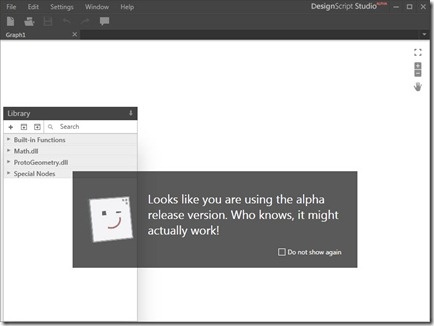
In case you missed it, last week Scott Sheppard announced the availability of a new version of DesignScript on Autodesk Labs. This release unveils DesignScript Studio which brings a visual programming environment to the DesignScript language. People who are familiar with Rhino Grasshopper or SoftImage's ICE will be aware of the benefits of working with a graphical tool for mapping associations and flows of data. I personally prefer working directly in code, myself, but there are certainly times when this kind of tool can help unravel complexity. The other primary feature is a new lightweight OpenGL-based script execution tool that…
-
After having some fun writing our first jig inside AutoCAD, last week, and calling it either from an HTML page or an AutoCAD command defined in a .js file, in today's post we're going to see how we can use AutoCAD's .NET API to extend its new JavaScript layer. We're going to take a concrete problem we had in last week's implementation: it turns out that when you draw a transient circle beneath the cursor using JavaScript – as we do during our jig – it absorbs mouse clicks. This is something we've logged as an issue, but it seems…
-
Just to complement yesterday's post showing how to define a simple jig using JavaScript, here's the same code from a separate .js file: var doc = Acad.Application.activedocument; var center = new Acad.Point3d(0, 0, 0); var radius = 0; var trId; function pointToString(pt) { var ret = pt.x.toString() + "," + pt.y.toString() + "," + pt.z.toString(); return ret; } function createCircle(cen, rad, first) { // Build an XML string containing data to create // an AcGiTransient that represents the circle var cursor = ''; var drawable =…
-
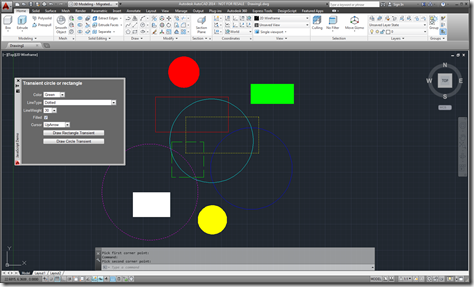
After introducing the new JavaScript API as one of the new features in AutoCAD 2014, in the last post we looked at a simple command defined using JavaScript. In this post, we're going to implement a simple, palette-based UI inside AutoCAD using HTML5 and JavaScript. Let's start by looking at the HTML code (with the JavaScript embedded, for simplicity): <html> <head> <title>Draw a transient circle or rectangle</title> <script type="text/javascript" src="http://www.autocadws.com/jsapi/v1/Autodesk.AutoCAD.js"> </script> <script type="text/javascript"> // Some global variables …
-
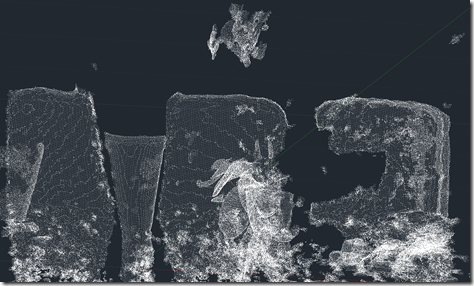
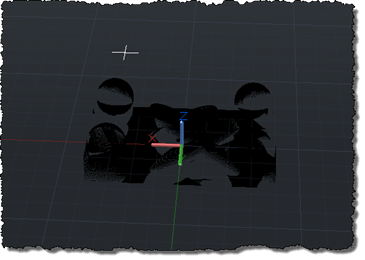
OK, here goes: my first (public) attempt at integrating the brand new Kinect Fusion functionality – made available this week in v1.7 of Microsoft's Kinect for Windows SDK – into AutoCAD. There are still a few quirks, so I dare say I'll be posting an update in due course. As mentioned in the last post, I've been working on this for some time but can now show it publicly, as the required SDK capabilities have now been published. As part of this effort, I've gone ahead and made sure the other Kinect samples I've written for AutoCAD work with this…