SaaS
-
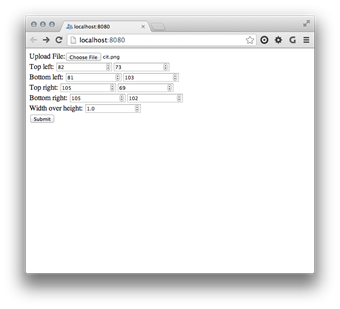
As promised, I'm going to spend some time this week looking at options for moving the Python code we've seen in this series of posts – that de-skews perspective images using CPython or IronPython code running on your desktop – to "the cloud". Which in this case I'm taking to mean Google App Engine (GAE), as it has native Python support and I hadn't done anything with it, before. 🙂 As a first step – and I should probably say "at first glance" – it's really quite easy to take some existing Python code and host it behind a web-service…
-
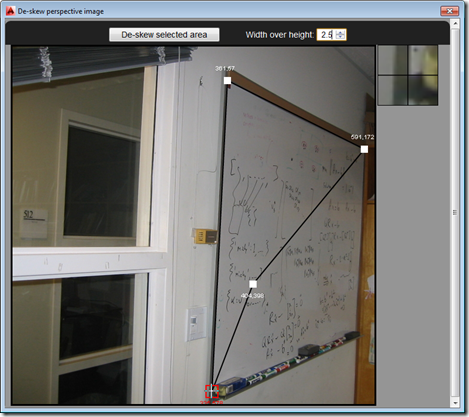
So after several posts leading up to the big reveal, as it were, in today's post we're going to see the full "De-skew Raster" application in action – and give you the complete source to fool around with. The main addition over where we were in the last post is the HTML5 and JavaScript UI implementation, as well as the new C# command – called DESKEW – that loads and displays it: Our JavaScript code uses the new JavaScript API in AutoCAD 2014 to execute the other command (DESKEW_IMAGE, which we saw implemented last time) that drives the core Python…
-
In this previous post, we saw some of the issues around executing standard Python code to de-skew raster images inside IronPython (and the effects those differences can have on the results). In this post, we're going to build the ability to execute our Python code from a .NET module loaded inside AutoCAD with the help of IronPython. The next step will be to add in an HTML5 user interface that calls into AutoCAD using the JavaScript API introduced in AutoCAD 2014. Things have changed a bit since we first saw IronPython inside AutoCAD, most notably the additional of the dynamic…
-
I'm a few days late to the party (largely because I got a little distracted), but felt it was still worth posting on this topic: we've just launched AutoCAD 360, the successor to AutoCAD WS. It's more than a straight re-branding, though: while the mobile apps for iOS and Android are updates to the existing WS-branded technology, there's a brand new web app that's currently in Beta. We've also taken the opportunity to roll out a true freemium offering, whereby the basic, free capabilities are complemented by "Pro" and "Pro Plus" mobile plans. Here's a comparison of the offerings, in…
-
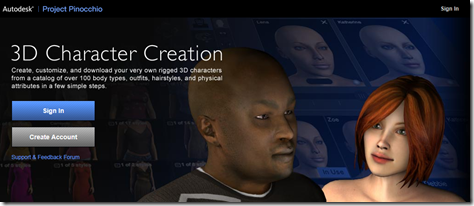
In this previous post, we looked at using PointCloud Browser to visualize an AR scene containing a mesh generated by 123D Creature, a new iPad app from Autodesk. In this post, we head on over to Autodesk Labs to take Project Pinocchio for a spin. Project Pinocchio is an online character generator that helps you "create, customize, and download your very own rigged 3D characters from a catalog of over 100 body types, outfits, hairstyles, and physical attributes in a few simple steps." Once you've signed in, it's a simple process to create a character. You start by choosing your…
-
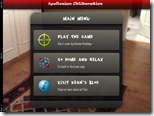
Gamification is happening all over the place. In case you've missed what it's all about, this short video should help. To get even more background, here's another from the same source on augmented reality games, which is a follow-on from this video on alternate reality games. After having managed to get Apollonian Packings brought into the very cool PointCloud Browser, I thought it'd be fun to integrate some of the code from another of the PointCloud Browser sample apps, creating a little augmented reality game. Here's the basic idea: each level consists of a packing brought into PointCloud Browser from…
-
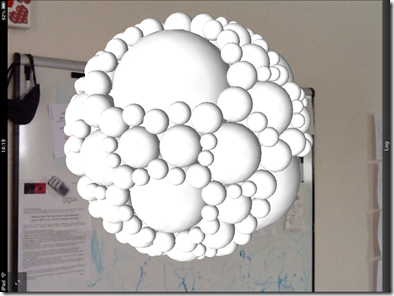
After my initial (only partially successful) attempt, earlier in the week, to get 3D geometry from the Apollonian web-service into a PointCloud Browser session, I finally managed to get it working properly. Given the currently fairly light documentation available – especially for the Viper JavaScript namespace which gives access to the 3D rendering capabilities in the browser – I ended up posting a question to the PointCloud forum. The answer was very instructive – I was able not only to get spheres of different radii displayed using the same mesh… … but also to apply different colours to the same…
-
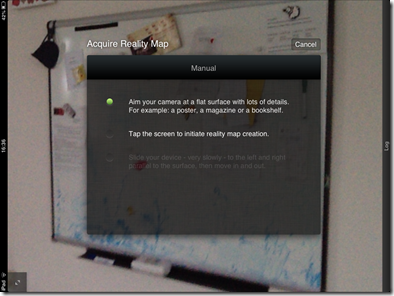
I first became aware of the work being done by 13th Lab a couple of years ago, but just last week someone pinged me about it again and re-triggered my interest (thanks, Jim :-). 13th Lab is a small Swedish company that has created some really interesting Augmented Reality technology. Many AR systems make use of fiduciary markers (which often look like sections of QR codes) to make it easier to determine where the 3D content should be positioned and visualized in the 2D image of the scene being fed from your device's camera. Ideally, though, you want a markerless…
-

This week has so far had an AU theme to it, just as last week we talked exclusively about Leap Motion and AutoCAD. Perhaps I'm sub-consciously shifting this blog to a weekly-themed format? Hmm. Like many of you, I'm sure, I received an email over the weekend to let me know that the recorded sessions from Autodesk University 2012 are now available online (for anyone with a valid AU online account). I wasn't sure which of my sessions had made it up there from this last year's event (thank goodness I rarely have to write cheques anymore), and so was…
-
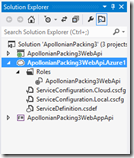
After introducing the topic – as well as creating our basic, local web-service – in the last post, today we're going to publish our MVC 4 Web API application to the cloud and see it working from a number of different client environments. Preparing to publish to Azure Now that we're ready to publish to Azure, we need to add a deployment project to our solution. Right-click "ApollonianPackingWebApi" in the Solution Explorer and select "Add Windows Azure Cloud Service Project". This will add a new project into our solution. We can now double-click the entry under the "Roles" folder in…